
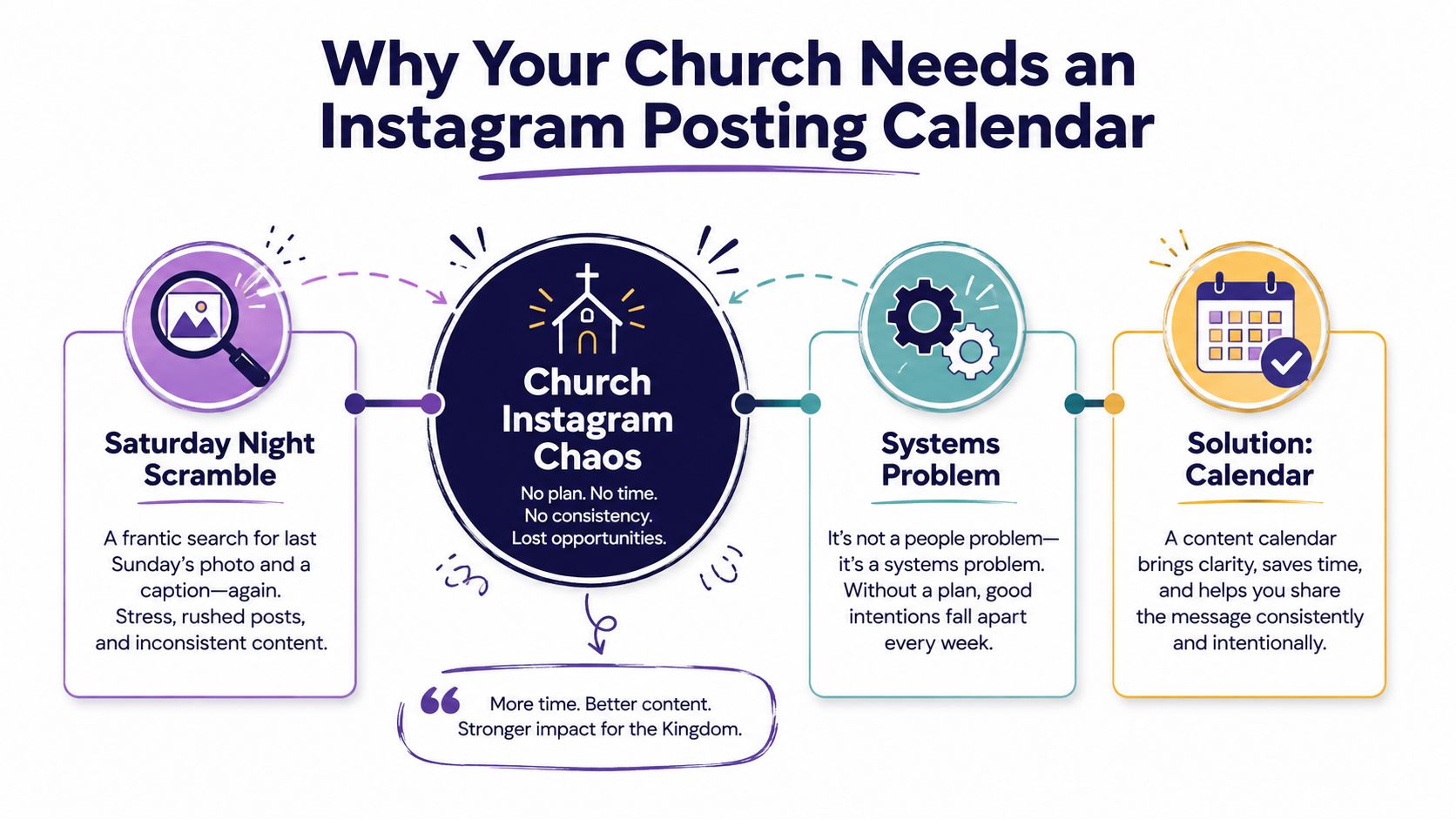
It's Saturday night, and a volunteer is scrolling through last Sunday's photos, trying to find one that can carry the church's Instagram account into a new week. The sermon recording is somewhere in a shared drive, Wednesday's event details changed, and nobody knows whether the next post belongs to the youth ministry or the worship team.
That scramble doesn't mean your volunteers are careless. It means the church hasn't built a system that turns the normal church week into reliable content. An Instagram posting calendar gives sermons, events, encouragement, and community moments a clear place before the deadline arrives.
Why Your Church Needs an Instagram Posting Calendar
A church posting calendar is a forward-looking plan of posts organized by publish date, time, and network, a definition also used in social media calendar guidance from Sprout Social. For a volunteer team, that can be as simple as a shared weekly view showing the format, caption, visual, owner, approval status, and scheduled time for every post.
Instagram's own scheduling capability makes this system more practical. The platform added native in-app scheduling for professional accounts in late 2022, following public testing in October and a broader rollout in November. Business and creator accounts can schedule posts, Reels, and carousels directly in Instagram, with reported scheduling windows of up to 75 days in advance according to Mashable's coverage of Instagram scheduling.
A calendar protects people from avoidable pressure
Without a shared plan, the church's most available person becomes the content manager by default. That person may be a ministry assistant, a pastor, a youth volunteer, or whoever happens to answer a Saturday message first. The result is inconsistent publishing, repeated event flyers, rushed captions, and valuable sermon material that never gets reused.
A calendar separates ministry knowledge from publishing responsibility. The pastor doesn't need to write every caption. The youth leader doesn't need to learn every design tool. One volunteer can prepare a sermon clip, another can check event information, and a third can approve the final post.
Practical rule: If a post depends on one person remembering it at the last minute, it isn't a workflow yet.
A useful church calendar should help you answer five questions quickly:
- What is being posted? A Reel, carousel, photo, or graphic.
- Why is it being posted? Encouragement, invitation, teaching, or community connection.
- Who owns it? The person creating, reviewing, or publishing it.
- When does it go live? A chosen day and time, adjusted as you learn.
- Is it ready? Drafted, approved, scheduled, or published.
The rest of the process becomes easier once those details are visible. You'll choose ministry pillars, establish a sustainable cadence, test timing, repurpose sermons, and leave room for the moments no calendar can predict.
Choosing Content Pillars for Church Ministry
A church account needs more than a collection of announcements. If every post is an event graphic, followers may understand what's happening but miss the character, teaching, and community behind those events. Content pillars give volunteers recurring categories, so they can decide what belongs on the calendar without starting from a blank page.
Begin with five practical pillars:
- Sermon highlights turn Sunday teaching into short clips, quote cards, carousels, and reflection prompts. A sermon transcript can supply several ideas without asking the pastor to create separate material from scratch.
- Community life shows ministries in motion, such as a meal setup, a children's classroom detail, a youth trip object, or a carefully composed image of the church building. Use people only when the image serves the story and appropriate permissions are in place.
- Events and invitations cover services, classes, outreach opportunities, groups, and seasonal gatherings. An invitation should explain what's happening and why someone might want to attend, rather than relying on a crowded flyer.
- Encouragement and Scripture gives the account a steady pastoral voice between announcements. Verse graphics work well when the words are intentionally designed, not placed randomly across a photograph.
- Behind-the-scenes ministry helps the congregation notice the preparation and care that support worship, hospitality, children's ministry, and service projects.
Three decisions shape the calendar
Every church calendar needs a decision about pillars, cadence, and timing. For a mid-sized congregation, a workable starting point might assign sermon content to Monday, encouragement to Wednesday, an event invitation to Thursday, and community life to Friday. The exact schedule should reflect available volunteers and the church's audience, not an ambition to look like a commercial media team.
Formats should follow the job of the post:
- Reels: Sermon clips, short teaching points, worship transitions, or a single idea from a message.
- Carousels: Event details, sermon takeaways, step-by-step ministry information, or multiple community images.
- Feed graphics: Scripture, prayer prompts, concise reminders, and clean text-led announcements.
- Stories: Same-day reminders, informal updates, and moments that are useful now but don't need a permanent place in the feed.
ChurchSocial.ai can support this pillar system by creating AI-generated content from a sermon transcript, including social posts and blogs. Its sermon tools can also create AI-generated Reels, while graphic templates and an editor help volunteers produce photos and carousels without placing text in arbitrary parts of an image.
| Content Pillar | Best Formats | Weekly Slots | Typical Owner |
|---|---|---|---|
| Sermon highlights | Reels, carousels, quote graphics | 1 | Pastor or sermon editor |
| Community life | Photos, carousels, Stories | 1 | Ministry volunteer |
| Events and invitations | Carousels, graphics, Stories | 1 | Events coordinator |
| Encouragement and Scripture | Feed graphics, Reels | 1 | Communications volunteer |
| Behind-the-scenes ministry | Photos, Stories, short Reels | Flexible | Ministry team member |
Keep the framework small enough to use. A volunteer should be able to look at an empty Thursday slot and know which pillar belongs there, what format fits, and who can provide the raw material.
Finding Your Posting Cadence and Best Times
Sunday creates a natural pressure point for church teams. A sermon may give you several useful ideas, but a volunteer schedule still has limits. Publishing more often can create more chances to reach people, while also increasing review work, approval delays, and the risk that posts stop reflecting what the church is doing.
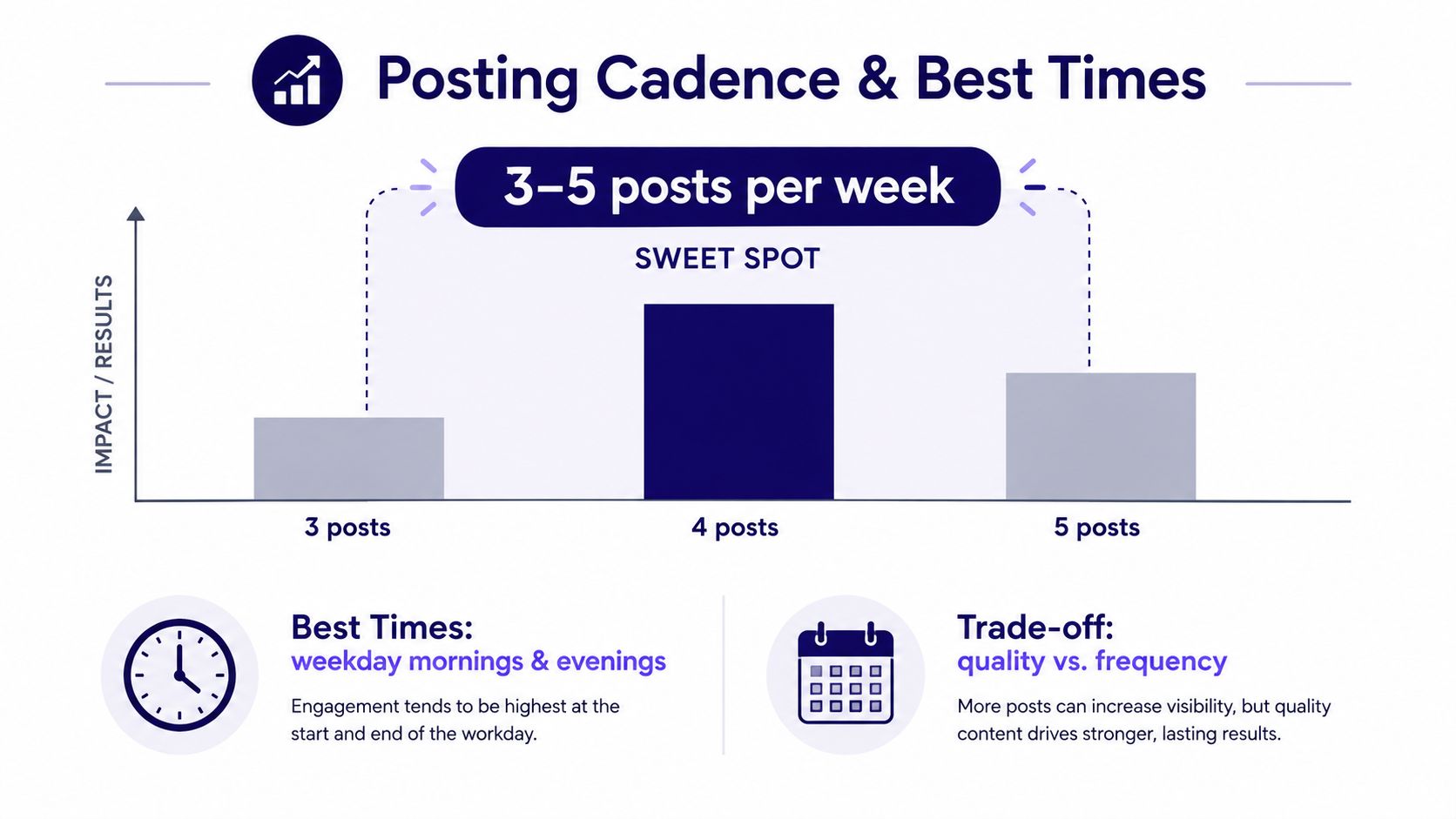
Large-scale Instagram analysis from Buffer identifies 3–5 posts per week as a practical balance for reach and growth. Its reported data shows follower-growth rates of 0.44% for accounts posting 6–9 times per week and 0.66% for accounts posting 10 or more times per week. The figures come from Buffer's Instagram posting-frequency analysis, and they do not create a universal rule for every congregation.
A separate analysis of 2,400 accounts found that per-post engagement declined from 2.10% at fewer than one post per week to 0.53% at 7–14 posts per week. Total weekly engagement still rose 5.4x at the higher frequency, according to Buffer's analysis of posting frequency and engagement. For a church, the practical question is which outcome matters most right now: stronger individual posts, wider weekly reach, or a rhythm volunteers can maintain.
Use timing data as a starting point
Timing research can suggest your first test. Separate analysis across 9.6 million posts identified Thursday at 9 a.m., Wednesday at 12 p.m., and Wednesday at 6 p.m. as the strongest engagement windows. Use those findings as a starting point, not a fixed schedule. Congregations have different time zones, work patterns, school routines, and ministry calendars.
A church with one volunteer may do better with three dependable posts than with a daily promise that collapses by midweek. One workable rhythm is a Monday sermon Reel, a Wednesday encouragement graphic, and a Thursday invitation carousel. If Sunday evening recaps receive stronger responses, test that slot against the broader benchmark.
Timing tests require consistent tracking. Mailchimp's Instagram timing methodology recommends establishing a baseline, recording publish time, content type, reach, impressions, and response patterns, then testing one time slot for at least two weeks while keeping content quality steady. Review the pattern afterward, account for seasonality and time zones, and adjust the calendar around the windows that fit your audience.
Timing is a hypothesis, not a promise. Test one variable at a time so your team knows what actually changed.
Design choices affect whether timing work produces useful engagement. Meta removed the former 20% text-on-image restriction for ads, while current Instagram creative guidance still recommends minimizing image text for performance and accessibility. Use clean graphics, paper or whiteboard-style text when it suits the message, and overlays that look intentionally placed. Do not put words across a face, wall, or background object just because a template leaves empty space.
For a broader timing framework, use this guide to find the best times to post on social media, then compare its suggestions with your Instagram insights.
A Weekly Workflow That Actually Gets Posts Scheduled
The most reliable church workflow begins with material you already have. Sunday's sermon contains teaching points, memorable phrases, questions, and applications that can serve people throughout the week. The task is to extract and shape that material before it disappears into an archive.
Start with the sermon
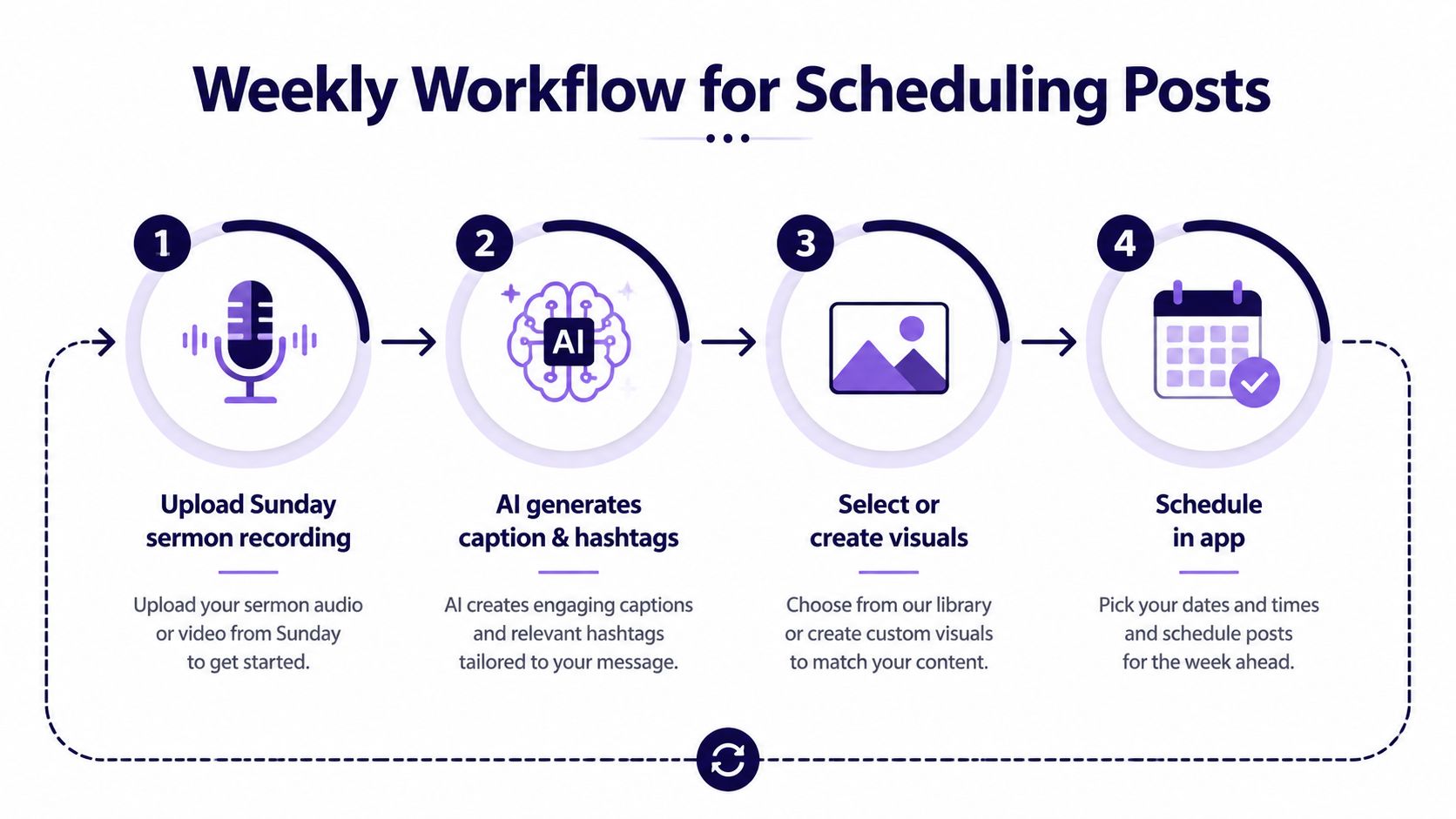
Upload the Sunday sermon recording and transcript to your content workflow. Use AI to identify possible short clips, draft captions, and turn the central teaching into social posts, reflection prompts, or a longer blog. ChurchSocial.ai supports AI-generated Reels from sermons and can generate content from sermon transcripts, which gives volunteers a starting point they can review rather than a blank document.
AI still needs ministry judgment. Check theological wording, names, Scripture references, tone, and whether the clip makes sense without the full sermon. For practical guidance on writing useful prompts and reviewing generated content, the AI post generator best practices resource from Prompt Builder offers helpful context.
Build the week around fixed commitments
After the sermon content is available, pull upcoming events from Planning Center and other church calendars. A calendar integration can surface the midweek gathering, membership class, outreach project, or children's ministry event before someone forgets to add it manually.
Then work through the remaining slots:
- Assign a pillar. Decide whether the post teaches, invites, encourages, or connects.
- Choose the format. Match the idea to a Reel, carousel, graphic, photo, or Story.
- Prepare the visual. Use a template or editor, and keep image text clean and purposeful.
- Add the caption and review notes. Include the action you want people to take.
- Assign an owner. Make responsibility visible to the whole team.
- Drag the post into place. Schedule only after the content passes the church's review process.
A single weekly planning session can replace the daily hunt for something to publish. The exact meeting length matters less than making it recurring and focused. When the whole month is visible, volunteers can spot three event invitations in a row, an empty content category, or an important church date that needs supporting posts.

Use a drag-and-drop calendar to move posts when the pastor changes the event date or a ministry needs a different emphasis. To refine the process over time, test one posting slot at a time and keep the rest of the workflow stable. The guide on how to schedule social media posts can help teams formalize that publishing routine.
A Sample Church Instagram Calendar You Can Copy
A useful sample calendar follows the church week instead of forcing ministry into a brand campaign structure. The posts below assume a church has one sermon recording, a midweek encouragement idea, an upcoming event, and a community image available for the week.
| Day | Format | Pillar | Content Source |
|---|---|---|---|
| Sunday | Photo or carousel | Community life | Service recap or worship detail |
| Monday | Reel | Sermon highlights | Short sermon clip and transcript |
| Wednesday | Feed graphic | Encouragement and Scripture | Verse or reflection from the sermon |
| Thursday | Carousel | Events and invitations | Church calendar or Planning Center |
| Friday | Photo | Community life | Ministry preparation or gathering detail |
The Sunday post should feel like a welcome and a recap, not a second bulletin. A carefully framed image of the worship space, communion table, printed program, or handwritten prayer can communicate the day without making people the default visual subject. If people appear, use images that serve the story and follow your church's consent practices.
Monday is a natural place for a sermon Reel because the teaching is still fresh. Keep the clip focused on one complete thought, add captions for accessibility, and write a caption that gives followers a reason to watch or save it. Instagram permits Reels up to 3 minutes long, with a minimum length of 3 seconds, according to Reels length guidance from Conbersa. That range lets churches reserve short highlights while using a longer excerpt when the teaching requires more context.
Wednesday's encouragement graphic can carry one verse, question, or prayer prompt. Use a clean background, paper or whiteboard-style text where it fits, and avoid covering a random part of a photo with words. Thursday's carousel should answer practical questions about the event, such as who it's for, what to expect, and how to respond.
Friday's community post can show preparation, a room being arranged, a meal being packed, or an object connected to the ministry. It doesn't need to expose every person involved to feel warm and real.
Leave room for what ministry brings
A rigid calendar often fails because church life is not entirely predictable. Hootsuite's social media calendar guidance emphasizes that calendars help teams identify holes in their content mix, while Evergreen Feed recommends leaving one or two empty slots each week for spontaneous or timely posts.
Those gaps might hold an unexpected baptism, a youth trip moment, a timely word from the pastor, or a service opportunity that emerges during the week. Mark them as intentionally open, not forgotten. The calendar should reduce chaos while preserving the church's ability to respond to real ministry.
Keeping the Calendar Alive and Doing It All in One Place
A calendar can look organized on Sunday and fall apart by Thursday. A volunteer misses an approval, an event time changes, or a familiar template starts feeling stale. Without a clear owner, the team returns to posting whenever someone remembers.
Assign one person to review the calendar each week and schedule a short monthly review with the wider team. Bring the posts that earned attention, saves, comments, or meaningful replies. Compare formats and content pillars, then ask whether each post served the church's priorities. A ministry conversation may matter more than a highly visible post.
Review the right signals
Per-post engagement can make frequent publishing appear weaker because each post receives a smaller share of attention. Review the whole week as well. Did the account reach people, create useful conversations, and support sermons, events, and ministry invitations? As noted earlier, frequency analysis shows why total weekly engagement deserves attention alongside per-post results.
Use a simple review checklist:
- Check the mix: Are sermon teaching, community life, encouragement, and invitations represented?
- Review performance: Compare reach, impressions, responses, formats, timing, and content notes.
- Refresh visuals: Retire tired templates and keep layouts volunteers can reproduce quickly.
- Adjust carefully: Change a time slot only when your records provide a clear reason.
- Protect flexibility: Leave room for timely ministry instead of filling every cell.
- Confirm ownership: Give every scheduled post one person responsible for final review.
A shared workspace cuts down on handoffs. ChurchSocial.ai combines AI-generated sermon Reels, posts and blogs created from sermon transcripts, graphic templates, a design editor, and a drag-and-drop calendar for church social media across platforms. It also connects with Planning Center and other church calendars to create content around events. The publisher lists pricing starting at $15 per month.
A different tool can support the same workflow. Compare options by checking whether they provide a visual calendar, scheduling, collaboration, creative production, and event management in one system. This guide to a social media calendar app for churches can help your team assess those needs before selecting a platform.
The working standard is straightforward: a volunteer should open the calendar, see what is due, locate the source material, and schedule the post without searching through several systems. Keep the visual process practical too. Use images without people when appropriate, and add text only when it belongs on a paper, whiteboard, designed graphic, or intentional post-publication overlay.
A dependable Instagram rhythm is possible with volunteers when the plan follows the church week. Start with three reliable posts, repurpose sermon material and existing events, assign clear owners, review results patiently, and leave space for the moments that make ministry personal.
ChurchSocial.ai gives churches one place to turn sermons into Reels and written content, create graphics and carousels, connect Planning Center events, and arrange posts on a drag-and-drop calendar. Visit ChurchSocial.ai to assess whether it fits your team's Instagram workflow.


