
From Sunday Service to Daily Connection
Your church's message is powerful, but is it reaching your community every day of the week? Instagram Stories give churches a practical way to stay present between Sundays, with quick updates, timely encouragement, and simple invitations to engage. Because Stories disappear after 24 hours, they create a natural rhythm for daily connection instead of a polished archive that feels hard to maintain.
That matters for ministry teams that are stretched thin. Most churches don't have a full creative department, and many social accounts are run by a volunteer, a communications pastor, or a staff member doing social media on top of everything else. Good Instagram story best practices should make that work lighter, not more complicated.
The encouraging part is that strong Stories usually come from clarity and consistency, not high production. With ChurchSocial.ai, churches can turn sermon transcripts into social posts and blogs, create AI generated reels from sermons, use graphic templates and an editor for photos and carousels, and manage everything inside a simple drag and drop calendar. If your church already uses Planning Center or another church calendar, that workflow gets even easier because event content can start from the calendar itself.
Below are 8 practical Instagram story best practices for churches that want to move from random posting to a steady digital ministry rhythm.
1. Post Stories Consistently Throughout the Week
Consistency beats intensity on Stories. A church that posts only on Sunday usually disappears from people's daily attention, while a church that posts in a steady rhythm becomes part of the week.
That rhythm doesn't need to be aggressive. Buffer found that posting between one and seven Instagram Stories per day is the sweet spot for completion rate, and posting more than seven tends to hurt retention because people start tapping through or leaving the sequence in Buffer's Instagram Stories guide. For most churches, that means a modest daily cadence is more realistic and more effective than dumping a long series after service.
Put your weekly plan somewhere visual so the team can follow it.
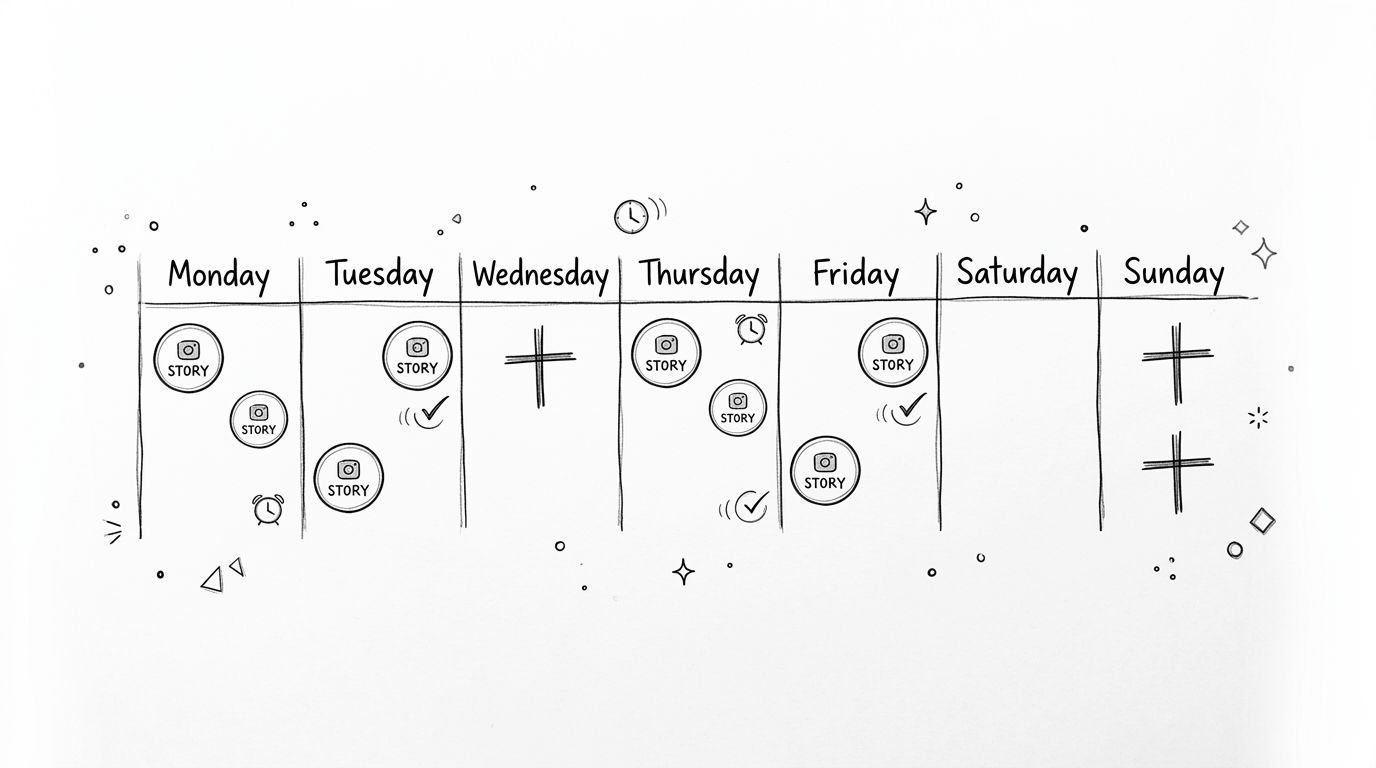
Build a repeatable weekly rhythm
A simple church schedule might look like this in practice:
- Monday encouragement: Share one quote, one prayer prompt, or one photo from Sunday.
- Wednesday connection: Post a ministry update, volunteer moment, or event reminder.
- Friday invitation: Preview Sunday's message, worship, or kids ministry.
- Sunday coverage: Show setup, worship moments, and one or two key takeaways.
ChurchSocial.ai works well here because the drag and drop calendar lets you batch-plan these Stories instead of inventing them each day. A volunteer can schedule the bones of the week in one sitting, then fill in live moments as they happen.
Practical rule: If your team can't sustain it for a month, it isn't a strategy. It's a burst.
Churches that post consistently also make better use of the short lifespan of Stories. Since Stories expire quickly, regular publishing helps your church stay visible throughout the week rather than disappearing between services.
2. Use Behind-the-Scenes Content to Humanize Your Church
People connect with real church life, not just finished stage moments. Stories are one of the best places to show that life because they don't need to feel formal.
That's where many churches get stuck. They assume every Story needs a designed graphic, a camera-ready speaker, or a perfectly framed worship clip. In practice, the content that often feels most welcoming is a quick photo of chairs being set up, coffee being brewed, lesson materials on a table, or volunteers laughing in the kitchen before an event.

Show real ministry work
Behind-the-scenes Story ideas that work well for churches include:
- Sunday setup: Empty room, stage prep, kids check-in stations, welcome table.
- Volunteer moments: Greeters arriving early, worship rehearsal, meal prep, prayer team gathering.
- Midweek ministry: Student night setup, women's Bible study materials, outreach supplies, office prayer time.
- Event preparation: VBS decorations on tables, backpacks lined up for a school drive, baptism shirts folded and ready.
The trade-off is simple. Overproduced Stories can look impressive, but they often feel distant. Candid content feels warmer, more local, and more believable. That's especially true for churches trying to help first-time visitors imagine what it's like to walk in.
A useful visual guideline helps here too. When possible, use images that don't center on faces if you don't need them. A stack of bulletins, a whiteboard with ministry notes, instruments on stage, coffee cups in the lobby, or hands arranging communion elements can tell the story cleanly. If text is needed, add it as a clear overlay or place it naturally on things like paper, signs, or whiteboards. Don't scatter text across random parts of the image.
ChurchSocial.ai makes this easier because you can drop a casual photo into a template, add a short label like “Sunday Setup” or “Our Kids Team Is Ready,” and publish it without turning every Story into a design project.
3. Create Story Series and Recurring Themes for Predictability
A recurring series solves one of the biggest church social media problems. It removes the daily question of what do we post today?
When people know what to expect, they're more likely to pay attention. A church that runs “Prayer Request Thursday” or “Sermon Snippet Friday” teaches its audience to look for specific kinds of content on specific days. It also helps volunteers create faster because they're not starting from zero each time.
Give each day a ministry purpose
A few examples that fit church rhythms well:
- Motivation Monday: Scripture, a short quote, or a reflection from Sunday's message.
- Worship Wednesday: A worship lyric, rehearsal photo, or musical clip.
- Prayer Request Thursday: Question sticker asking how the church can pray.
- Sermon Snippet Friday: One key line from last Sunday or a preview of this week's theme.
- Member Spotlight Saturday: A short testimony, volunteer appreciation post, or ministry story.
Instagram Stories also remain a major channel people use. Agorapulse notes that Instagram Stories reached a projected 300 million daily users globally by the end of 2025, and also notes that larger accounts post Stories at a much higher pace than smaller ones in its Instagram Stories best practices article. Churches don't need to copy high-volume publishing, but they should notice the pattern. Accounts that grow tend to treat Stories as a regular habit, not an occasional add-on.
Predictable content lowers stress for your team and lowers friction for your audience.
ChurchSocial.ai helps make recurring themes workable. You can create branded templates for each weekly series, store them, and reuse them. If your church wants a weekly sermon-based theme, the platform can also create AI generated reels from sermons and build transcript-based social content that feeds your Stories, posts, and blogs from the same source material.
4. Leverage Sermon Clips and Scripture to Drive Spiritual Engagement
Churches shouldn't use Stories only for announcements. The strongest ministry accounts use Stories to shepherd people during the week.
Sermon clips, scripture slides, and reflection prompts work well because they connect your social presence to your actual mission. You're not just filling space. You're extending the conversation that began in the room on Sunday.
Turn one sermon into several Story moments
One sermon can become several useful assets. Church Raise explains that a single sermon can be repurposed into three to five quotable one-liners, a 60-second video clip, a scripture reference graphic, and a reflection question in its church social media content guide. That's a healthy model for churches because it creates variety without inventing content from scratch.
A practical weekly flow could look like this:
- Sunday afternoon: Post one strongest sermon moment as a short clip.
- Monday: Share one line from the sermon as a simple text Story.
- Tuesday: Post the week's anchor scripture.
- Wednesday: Ask a reflection question tied to the message.
- Friday: Repost a takeaway that points toward Sunday.
ChurchSocial.ai transcends its role as a mere scheduler. Churches can create AI generated reels from sermon recordings, generate social posts and blog drafts from sermon transcripts, and build matching graphics in the template editor. That means one message can feed multiple touchpoints without requiring a full editing stack.
For churches that want scripture-based Story language ready to go, this collection of Bible verse captions for Instagram is a useful starting point.
Keep sermon Stories short and connected
Long sermon recaps often lose people because they feel like lecture notes dropped into Stories. The better approach is to choose one thought per frame and carry a clear throughline from slide to slide.
A good sequence might be: key line, supporting verse, one application question, one invitation to respond. That feels complete without becoming heavy.
5. Use Interactive Stickers and Polls to Boost Engagement
Stories work best when people do something, not just watch. Polls, question stickers, quizzes, and countdowns turn church social media from a bulletin board into a conversation.
That matters in ministry because interaction reveals what people are thinking, needing, and noticing. A poll about service times won't replace pastoral care, but it can surface patterns. A question sticker about prayer needs can open direct messages that lead to real follow-up.
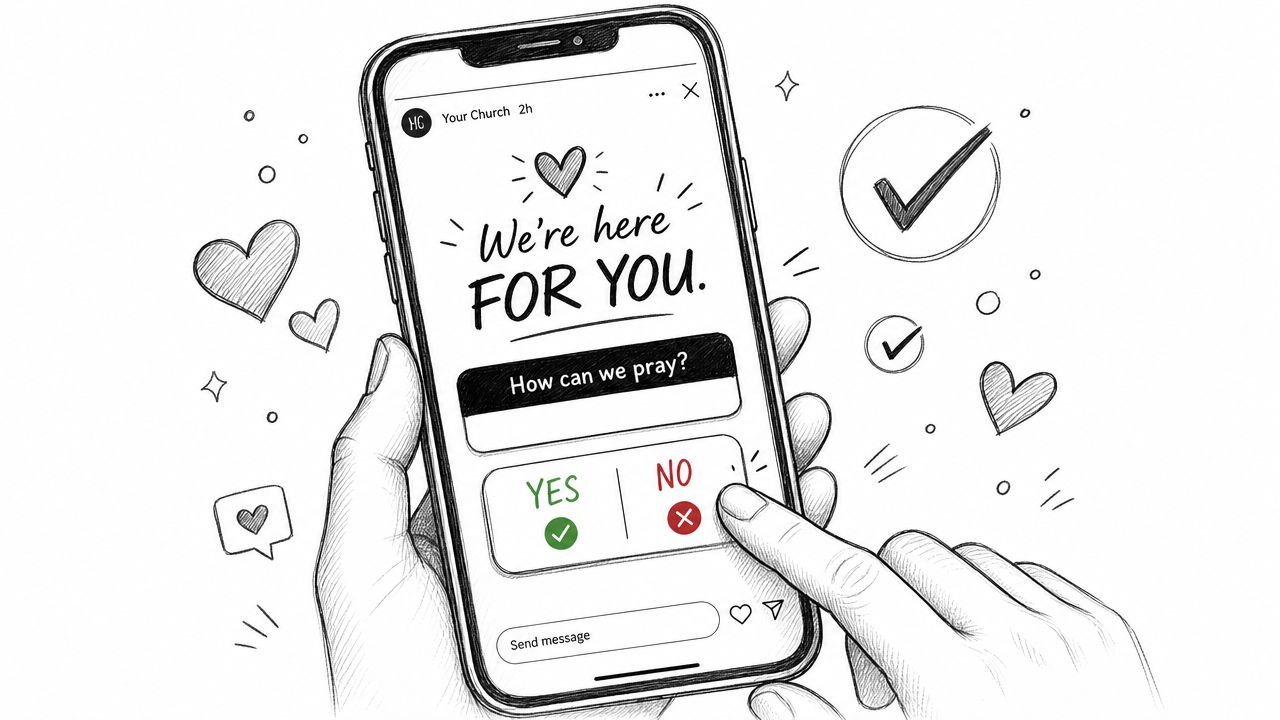
Ask easier questions first
Some churches jump straight to big spiritual prompts and get little response. Start lighter, then deepen over time.
Good low-friction examples include:
- This or that polls: Early service or later service, coffee or tea, hymns or modern worship.
- Event preferences: Potluck option A or B, outreach day choice, volunteer T-shirt color.
- Bible quizzes: Simple scripture knowledge or sermon recap questions.
- Countdowns: Easter, VBS, youth camp, baptism Sunday, community dinner.
- Prayer prompts: “How can we pray for you this week?”
Most best-practice articles stop at “use a poll sticker.” The more important issue for churches is how to structure Story sequences so people don't leave halfway through. Resolute PR notes that many guides overlook Story completion rate for sermon or educational content, and highlights that drop-offs often happen after four frames, with longer sequences needing a clear hook and throughline to hold attention in its Instagram Stories article. That applies to interactive content too. Put the sticker early. Don't bury it on frame six.
Ask one question per frame. If people have to decode the Story, they'll skip it.
ChurchSocial.ai helps here by letting you plan these interaction points inside a broader content calendar. You can pair a poll with a sermon clip, a countdown with a Planning Center event, or a prayer request sticker with a midweek ministry reminder so your interactive content has context.
6. Create Story Highlights to Extend Content Lifespan and Improve Navigation
Stories disappear fast, but Highlights let your best ministry content stay useful. That's important for churches because many visitors check your profile before they ever visit your building.
A well-organized Highlights row acts like a front porch. It answers basic questions, shows what church life feels like, and gives people a clear sense of what to expect.
Build Highlights that help new people
Start with categories people need:
- New Here: Service times, parking, kids check-in, what to wear, where to enter.
- Sundays: Worship moments, lobby atmosphere, preaching clips, volunteer welcome.
- Events: Current announcements, seasonal events, special services.
- Sermons: Short clips and message takeaways.
- Kids Ministry: Rooms, safety, check-in, lessons, family events.
- Serve: Volunteer opportunities and ministry teams.
- Give: Ways to give and stories of ministry impact.
- Prayer: Prayer prompts, requests, and care opportunities.
Churches often underuse Highlights by treating them like leftovers. Instead, think of them as permanent onboarding tools. If someone lands on your profile on Friday night, your “New Here” Highlight should help them feel less uncertain about visiting on Sunday morning.
ChurchSocial.ai supports this workflow because your team can create matching cover images in the graphics editor, organize content around ministry categories, and keep related assets together inside one publishing system. If your events already live in Planning Center or another church calendar, you can build Story content around those events and then save the strongest pieces to Highlights.
Instagram Stories only last 24 hours before expiring, which is exactly why Highlights matter so much for churches that want steady visibility and easier navigation as noted by ChurchTechToday's Instagram guidance for churches.
7. Optimize Story Timing and Frequency Based on Your Congregation's Activity Patterns
Timing matters more than many churches think. A good Story posted when your people are busy commuting, wrangling kids, or already offline won't perform like the same Story posted when they're actively checking Instagram.
The fix isn't guessing. It's watching your own patterns and adjusting.
Match your schedule to church life
A few common church scenarios make this obvious:
- A commuter-heavy church may get better weekday response in the early morning or lunch break.
- A church with many families may see more interaction after school pickup and before bedtime.
- A student ministry account may get more attention later in the evening than the main church account.
- A Sunday reminder might work best before people leave home, while a midweek event reminder may work better earlier in the day.
Not every account needs the same cadence either. Some churches do well with one or two Stories on weekdays and a fuller sequence on Sundays. Others do better with a near-daily touchpoint because their ministries are active all week.
The strategic guardrail is discoverability without spam. For Story discoverability, churches should use hashtags that fall between 10,000 and 500,000 posts, avoiding tags that are too saturated or too obscure according to Viral Solutions' church Instagram best practices. That won't solve timing by itself, but it helps your Stories stay visible without looking noisy.
A more advanced tactic is audience segmentation. Posting to a Close Friends list can increase engagement with known attendees because those viewers are more likely to respond, which can strengthen future Story performance as explained in this YouTube training on Close Friends strategy. For a church, that can work well for volunteer updates, team reminders, or member-specific moments that don't need to go to the whole public audience.
For a deeper scheduling framework, this guide on best times to post on social media can help your team think through timing by platform.
8. Cross-Promote Content Across Multiple Platforms Using a Unified Content Calendar
Most churches don't struggle because they lack ideas. They struggle because they keep recreating the same idea for every platform.
That's why cross-promotion matters. One sermon clip can become an Instagram Story, a Reel, a Facebook post, a YouTube Short, and a TikTok video. One event reminder can become a Story countdown, a feed graphic, and a Facebook announcement. The ministry message stays the same. The packaging changes.
Build once, distribute wisely
A practical example looks like this:
- Sunday sermon: Clip one strong moment for Stories and short-form video.
- Monday: Turn the sermon transcript into a written social post.
- Tuesday: Pull a quote into a square graphic or carousel.
- Wednesday: Ask a reflection question on Stories.
- Thursday: Publish a blog summary built from the transcript.
- Friday: Promote the weekend with an event reminder linked to the church calendar.
ChurchSocial.ai is built for exactly this kind of workflow. Churches can create AI generated reels from sermons, generate social posts and blogs from sermon transcripts, use graphic templates and the editor for photos and carousels, and manage everything in one drag and drop calendar. The Planning Center integration and support for other church calendars is especially useful because events can become content prompts automatically instead of relying on someone to remember every date manually.
There's also a format shift worth noting. A 2025 creator strategy shift highlighted that two to three static photo slides with minimal text often outperform more graphic-heavy or talking-head Story content for church and personal brands because the platform increasingly rewards a sense of personal connection in this YouTube breakdown of current Story strategy. That's good news for churches. You don't need a studio. You need a clear system and content that feels human.
If your team is trying to coordinate messaging across channels, this explainer on what is multi-channel marketing is a helpful next read.
Instagram Story Best Practices: 8-Point Comparison
| Strategy | 🔄 Implementation complexity | ⚡ Resource requirements | 📊 Expected outcomes | 💡 Ideal use cases | ⭐ Key advantages |
|---|---|---|---|---|---|
| Post Stories Consistently Throughout the Week | Low–Moderate: set schedule and templates | Moderate: regular content creation & scheduling time | Steady reach growth and habit-forming engagement (⭐️⭐️⭐️) | Small→mid churches building regular touchpoints | Predictability, reduced last-minute work, better algorithmic favor |
| Use Behind-the-Scenes Content to Humanize Your Church | Low: casual capture and quick edits | Low–Moderate: volunteer contributions & quick-edit tools | Strong authenticity and trust; deeper emotional connection (⭐️⭐️⭐️) | Churches seeking to appear welcoming and relatable | Relatable UGC-friendly content with low production needs |
| Create Story Series and Recurring Themes for Predictability | Moderate: initial theme/template setup | Moderate: design templates and scheduling | Increased anticipation and consistent weekly content (⭐️⭐️⭐️) | Teams wanting repeatable content frameworks and volunteer roles | Reduces decision fatigue; reusable templates and rhythms |
| Leverage Sermon Clips and Scripture to Drive Spiritual Engagement | Moderate–High: recording/transcript workflows (automatable) | Moderate: quality recordings + AI clip generation | High shareability and spiritual engagement; drives attendance (⭐️⭐️⭐️⭐️) | Churches prioritizing teaching outreach and repurposing sermons | Automated clip creation; direct tie to core mission and multiple formats |
| Use Interactive Stickers and Polls to Boost Engagement | Low–Moderate: craft meaningful questions/stickers | Low: stickers + analytics review time | Significant lift in engagement and actionable audience insights (⭐️⭐️⭐️) | Gathering feedback, running Bible trivia, or soliciting prayer requests | Converts passive viewers to participants; yields usable data |
| Create Story Highlights to Extend Content Lifespan and Improve Navigation | Low–Moderate: curation and cover design | Low: ongoing curation effort | Extends lifespan of Stories and improves profile navigation (⭐️⭐️⭐️) | Onboarding new visitors and organizing evergreen content | Permanent digital brochure; improves discoverability and time on profile |
| Optimize Story Timing and Frequency Based on Activity Patterns | Moderate: analytics, A/B tests and schedule adjustments | Moderate: analytics tools & scheduling across time zones | Maximizes views and engagement efficiency (⭐️⭐️⭐️⭐️) | Multi-site churches or data-driven social strategies | Higher reach with same content; eliminates guesswork and odd-hour posting |
| Cross-Promote Content Across Multiple Platforms Using a Unified Calendar | Moderate–High: format adjustments and platform rules | Moderate: multi-platform formatting and calendar management | Expanded reach and improved social ROI across channels (⭐️⭐️⭐️⭐️) | Churches aiming to maintain presence on Instagram, TikTok, YouTube, FB | One-click distribution; consistent messaging and reduced duplication |
Turn Your Stories Into a Thriving Ministry Tool
The best Instagram story best practices for churches aren't flashy. They're sustainable. Post consistently, keep your content human, build recurring themes, use sermon content wisely, invite interaction, organize Highlights, learn your audience's timing, and repurpose the work you're already doing.
That approach is especially important for churches because social media usually lives downstream from ministry, not at the center of the weekly schedule. The person running Instagram may also be prepping slides, answering emails, leading volunteers, or planning Sunday. If your Story strategy depends on constant creativity and manual editing, it won't last.
A better workflow starts with reuse. Sunday's sermon should keep working on Monday, Wednesday, and Friday. A church event shouldn't need five separate content creation sessions for five platforms. A volunteer shouldn't have to choose between posting something decent and posting nothing at all. The more your process turns one ministry moment into multiple useful assets, the more likely your church is to stay visible and connected all week long.
That's why systems matter as much as strategy. ChurchSocial.ai gives churches a practical way to turn ideas into a repeatable publishing rhythm. You can create AI generated reels from sermons, turn sermon transcripts into social posts and blogs, build images and carousels with templates and a built-in editor, and schedule everything from a simple drag and drop calendar. If your team uses Planning Center or another church calendar, event-based content becomes easier to spot and easier to publish on time.
There's also freedom in keeping your visuals simple. Churches don't need every Story to look like an ad campaign. In many cases, cleaner images, fewer words, and more natural moments work better. Use photos of spaces, materials, preparation, and ministry details when possible. Add text only where it makes sense, such as on a note, whiteboard, printed page, sign, or a clean overlay added after the image is captured. That keeps your Stories readable and grounded.
If your church wants to grow its digital ministry with more intention, Stories are one of the best places to start. They're fast, relational, and built for weekly rhythms. Pair that with a system that removes friction, and social media starts to feel less like one more task and more like one more way to pastor people.
For churches thinking beyond daily posting, it also helps to connect Story strategy with broader modern church growth strategies.
ChurchSocial.ai helps churches turn Instagram Stories from a last-minute scramble into a clear weekly system. You can plan content in a visual calendar, create AI generated reels from sermons, turn sermon transcripts into posts and blogs, design photos and carousels with built-in templates, and keep event promotion aligned with Planning Center and other church calendars. If your team wants a simpler way to stay consistent across Instagram, Facebook, TikTok, YouTube, and more, ChurchSocial.ai is built for that job.


