
Saturday night has a way of exposing every weakness in a church media workflow. The sermon is ready. The slides still need polish. Instagram needs something better than a blurry stage photo. Someone asks for a screen graphic, a square post, and a Story version, all from the same idea, and suddenly “find some sermon clip art” turns into a scramble.
Most churches don't have a design department waiting in the wings. They have a volunteer, a pastor with Canva open on too many tabs, or a communications lead trying to make one visual stretch across every platform. That's why sermon clip art matters. Not as decoration, but as a practical tool for clarity, consistency, and speed.
Beyond Bullet Points The Power of Visuals in Ministry
A pastor starts explaining a hard idea. Half the room is tracking with him. The other half is trying to turn abstract language into something they can picture. A good visual closes that gap fast.
Churches have used visuals in preaching for a long time. Churches of Christ congregations once relied on large sermon charts painted on bed sheets to reinforce the message, and the Abilene Christian University sermon chart collection preserves more than a century of that practice. The tools changed. The ministry need did not.
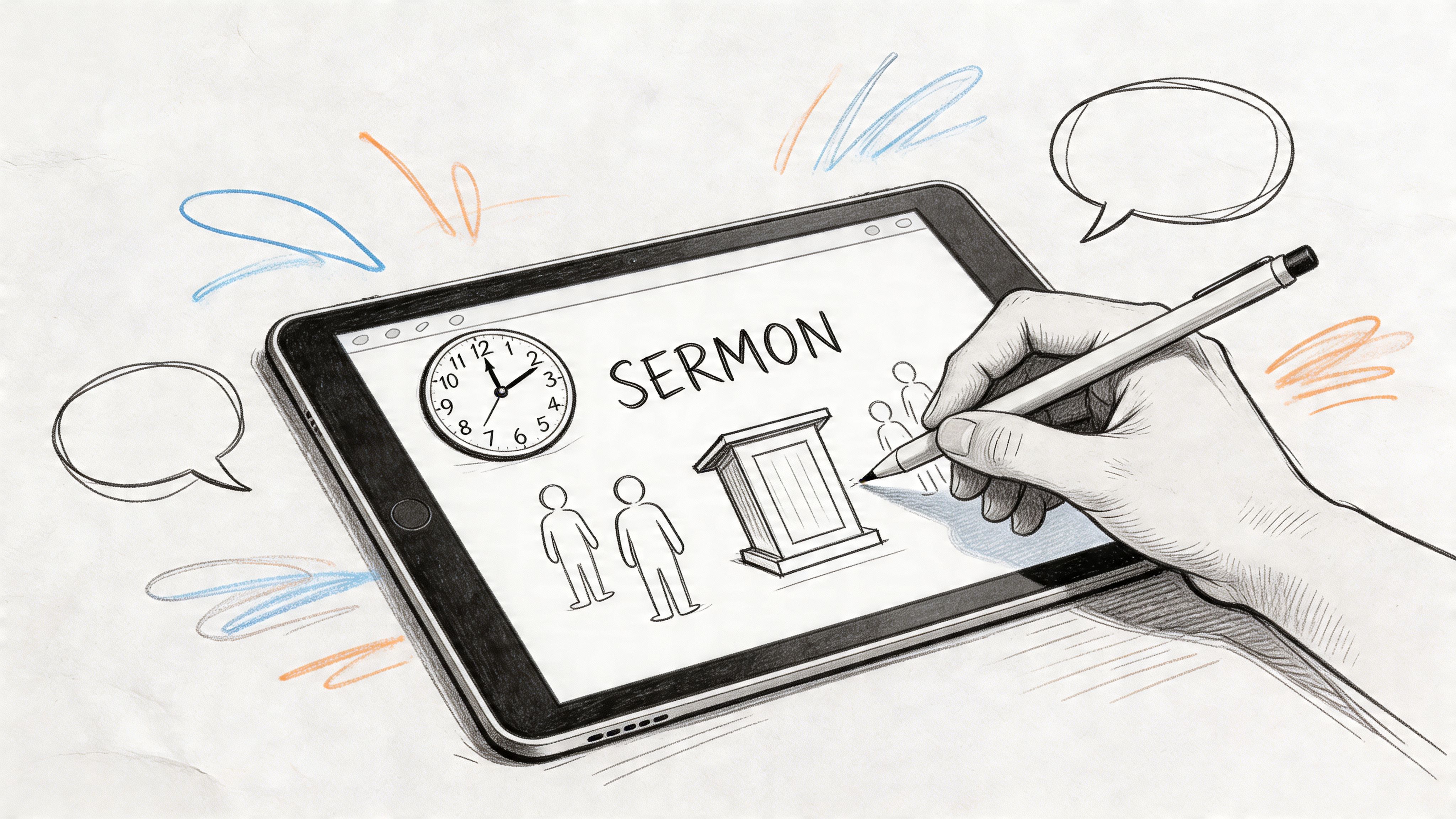
In weekly church communication, visuals do more than fill a slide. They give people a mental handle for the sermon, help a series feel consistent across screens and social posts, and keep the message visible after Sunday. I have seen a simple, well-chosen image carry the main idea farther than a paragraph of text ever could.
That does not mean every sermon needs dramatic artwork or a custom illustration set. It means each sermon needs a clear visual direction. There is a trade-off here. Highly detailed graphics can impress the team that made them, but they often slow production and distract from the point. Generic clip art is faster, but it rarely gives the message enough clarity or personality to stick.
A strong sermon visual usually does three jobs:
- Clarifies the theme: It gives the congregation a simple picture to attach to the main idea.
- Creates consistency: The same visual language across slides, posts, and handouts makes the ministry feel intentional.
- Extends the sermon: A graphic reused through the week keeps the message in front of people beyond the service.
Practical rule: If the visual does not make the sermon easier to remember, remove it.
Church teams usually run into trouble at one of two points. Some overdesign and bury the message under effects, textures, and symbolism. Others grab a random dove, cross, or cloud background and call it done. Both choices create extra work without adding much meaning.
Better sermon clip art starts with the sermon burden itself. If the message is about endurance, reconciliation, wisdom, or generosity, the visual should support that idea with enough specificity to be memorable and enough restraint to stay useful across formats. That is the difference between decoration and communication, and it is why visual storytelling for church communication matters.
The ultimate win is not a single good graphic. It is a repeatable workflow that turns one sermon idea into a title slide, lower thirds, square posts, Story graphics, and weekday follow-up content without rebuilding the look every time. That is where many church teams lose hours each week, and it is also where an AI-powered system like ChurchSocial.ai can save time while keeping the church brand consistent.
Finding Your Visuals Where to Source Sermon Clip Art Legally
Most church teams don't struggle because there are no options. They struggle because there are too many, and each one comes with different usage rules, quality levels, and time costs.
The market is large. iStock offers 865 sermon clip art illustrations and serves over 10 million monthly users, which reflects a broader shift as 70% of churches in the U.S. and Europe use social media visuals in their outreach, according to the iStock sermon clip art listing. The question isn't whether visuals are available. It's whether your team can find the right ones without introducing legal risk or wasting an afternoon.
The three main places churches look
Some teams begin with free repositories. Others go straight to paid stock sites. Churches that produce graphics often enough usually end up preferring a church-specific media library because the content is already closer to what ministry needs.
Here’s the trade-off at a glance.
| Sermon Clip Art Sourcing Options | |||
|---|---|---|---|
| Source Type | Typical Cost | Pros | Cons |
| Free repositories | Free | Low barrier, useful for simple projects, good for testing ideas | Licensing can be confusing, quality varies, church-specific options are limited |
| Paid stock libraries | Paid per asset or subscription | Polished artwork, larger selection, better search tools | Costs add up, still requires time to customize, not always ministry-focused |
| Church-specific media libraries | Subscription or membership | Faster relevance, sermon-ready categories, often includes templates and worship graphics | Style may feel familiar across churches, some libraries have less variety than general stock sites |
Licensing terms that actually matter
A lot of church teams assume “we're a ministry” means “we can use it.” That isn't how image licensing works.
Focus on these terms:
- Royalty-free: You pay based on the platform's terms, then use the asset within those permissions without paying each time you post it.
- Creative Commons: Some assets are free to use, but the license may require attribution or restrict commercial-style uses or modifications.
- Editorial use only: Don't use these for church branding, sermon promotions, or regular social posts. They're generally restricted.
- Extended or enhanced license: This matters if you're printing broadly, using assets in merchandise, or applying them in ways beyond standard social media and presentation use.
If your volunteer can't explain where the image came from and what license covers it, don't publish it yet.
What usually works best for churches
For occasional needs, free options can be enough. For weekly preaching and social content, free sources often slow teams down because they spend more time sorting through irrelevant assets than designing.
Paid stock can help when you need a very specific illustration style. Church-specific libraries are often better when you need speed and consistency. If your church runs multiple ministries or publishes regularly, a curated bank of ministry-ready assets usually beats generic stock search.
Church teams that need help finding no-cost media options can also review this roundup of free media for churches.
A simple selection filter
Before downloading anything, ask four questions:
- Does it match the sermon's actual theme?
- Can we use it legally on social, screens, and print?
- Will it still look good after we add our title and logo?
- Does it fit our church's visual style?
If the answer to any of those is no, keep searching. Cheap visuals aren't cheap if they cost trust, consistency, or time.
From Scratch to Stunning Creating Custom Sermon Graphics
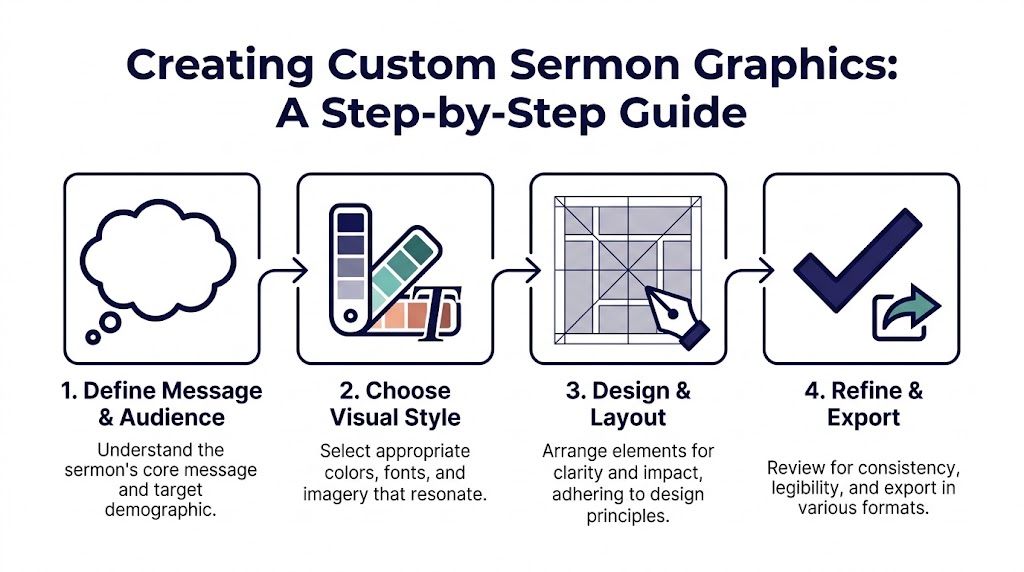
Finding sermon clip art is only half the job. The other half is turning it into something that feels like your church, not a borrowed design from a stock library.
That usually comes down to restraint. You don't need more layers, more effects, or more decorative symbols. You need a clear message, readable typography, and a layout that survives every format your ministry uses.
Start with message before style
The strongest sermon graphics begin with one sentence. What is this message about, in plain language?
Once that's clear, build the visual around that idea:
- For a series on prayer: use quiet, minimal imagery and generous spacing.
- For a series on spiritual battle: use tension, contrast, and stronger visual shapes.
- For a message on peace: choose simpler forms and avoid cluttered backgrounds.
Don't start by browsing fonts. Start by identifying mood, theme, and audience.
The design basics that matter most
Non-designers don't need a design degree. They do need a few rules they can trust.
- Contrast: Light text on a light background fails fast, especially on projectors. Make sure titles separate clearly from the image behind them.
- Hierarchy: The sermon title should be the first thing people notice. The date, speaker name, or series subtitle should never compete with it.
- Font pairing: One display font and one simple supporting font is usually enough. More than that gets messy quickly.
- Whitespace: Empty space isn't wasted space. It gives your message room to breathe.
A graphic can be simple and still feel finished. A crowded graphic often feels unfinished, even after another hour of tweaking.
Pick the right file type for the job
Church teams lose time when they export one version and force it everywhere.
Use the format that fits the destination:
| File format | Best use | What to watch |
|---|---|---|
| PNG | Social posts needing transparency, overlays, logos | Larger file sizes than JPG |
| JPG | Photo-based graphics and general social publishing | No transparency, repeated exports can reduce quality |
| SVG or other vector formats | Logos and artwork that need scaling | Not every social scheduler handles vectors directly |
| Editable source files | Future updates, alternate sizes, volunteer handoff | Only useful if your team can access and edit them |
Church communications teams benefit from multi-format delivery because they can repurpose the same visual across platforms instead of rebuilding it. ProChurch Tools notes that a sermon series graphic can be created in just a few minutes with the right tools, and professional services often provide editable Photoshop files compatible with Canva so teams can keep adjusting assets as needed, as discussed in this ProChurch Tools video.
Build for multiple placements, not one perfect canvas
A sermon graphic rarely lives in one place. It appears on a projector, website, Instagram feed, Story, maybe even a bulletin.
That means the layout has to flex. The safest method is to design a master concept, then create variations with the same colors, fonts, and core art. Don't just crop a wide graphic into a vertical one and hope for the best. Recompose it.
If you're using generated imagery for concept art or atmospheric backgrounds, a tool like this realistic AI photo generator can help you explore visual directions before you finalize the church version. It's especially useful when you want symbolic imagery without relying on photos of people.
What usually hurts quality
The most common problems are easy to spot:
- Too much text: If the whole sermon outline is on the graphic, the design has stopped serving the message.
- Generic symbolism: Not every series needs a cross silhouette in the background.
- Effects overload: Heavy shadows, glow effects, and layered textures usually date a design fast.
- No brand continuity: If youth ministry, weekend service, and church socials all look unrelated, trust erodes visually.
The goal isn't to impress other designers. It's to make the message clear, recognizable, and easy to publish again next week.
The Automated Workflow From Sermon to Social in Minutes
Sunday wraps, the room clears, and by Monday morning the communications team is already behind. The sermon was strong, but the follow-up content still depends on someone pulling quotes, finding visuals, resizing graphics, writing captions, and remembering to schedule posts. That pace wears teams down fast.
A better system starts with the sermon as the raw material for the whole week. The message feeds the visuals, the captions, the clips, and the posting calendar, all from one source.
Where the manual process usually stalls
I have seen the same three bottlenecks in church after church.
Content extraction takes too long. A staff member or volunteer has to rewatch the message, hunt for strong lines, and guess which moments will carry into the week.
Design loses context. If the person making the graphic only gets the title, they often miss the tone, the tension, or the specific application that gave the sermon weight.
Publishing slips last. Good assets get made, then sit in Canva, Dropbox, or a text thread because no one had time to finish the final step.
Churches rarely struggle because they lack ideas. They struggle because each handoff adds delay.
What changes with an AI-powered sermon workflow
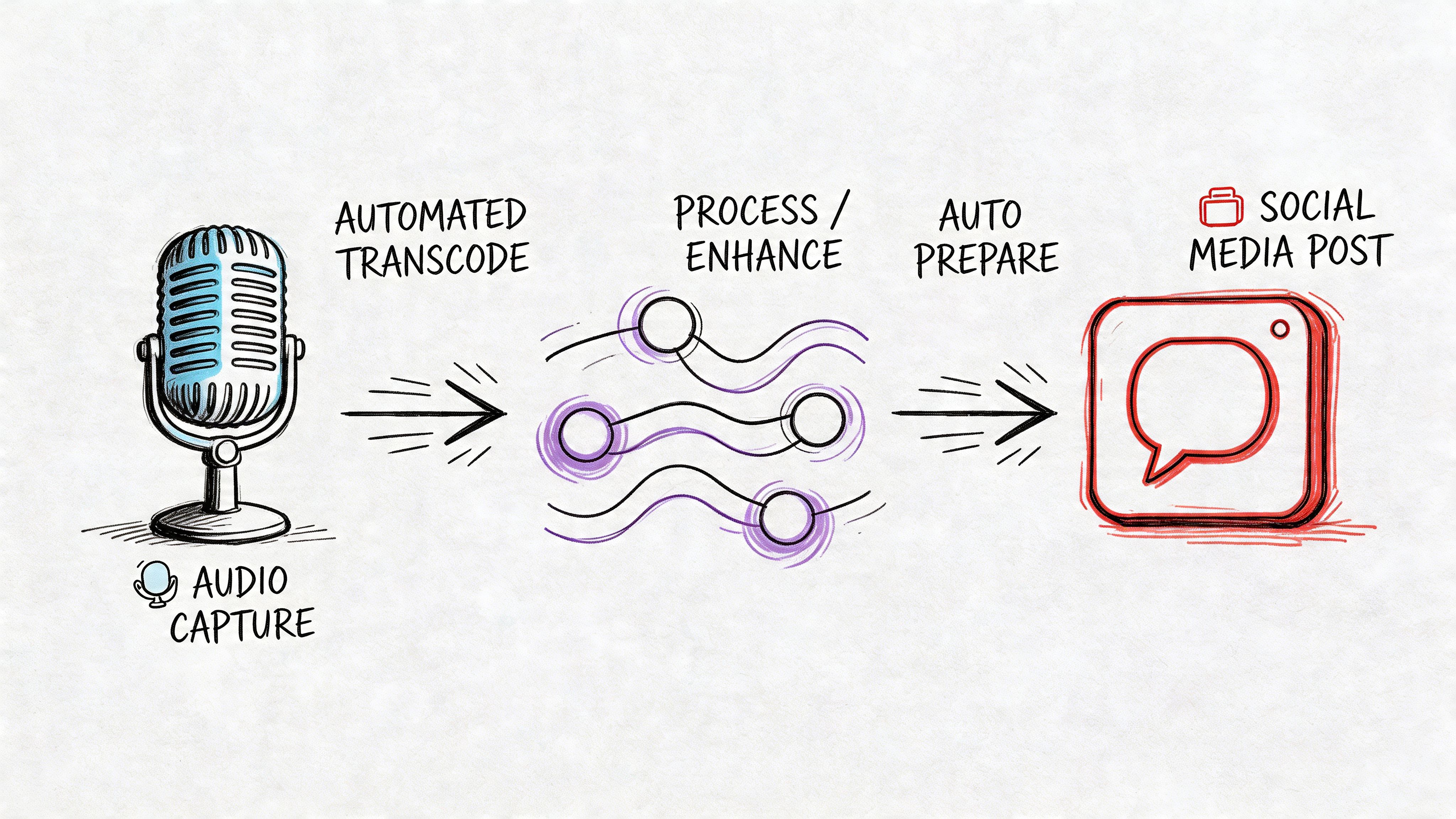
The actual shift is not automated clip art by itself. The actual shift is building a workflow where the sermon transcript or audio triggers the rest of the content pipeline.
That means the visual direction comes from the message, not from a quick search for a generic church background. It also means the same source can produce a series graphic, quote cards, short video clips, captions, blog support content, and scheduled posts that still feel like they belong together. That is where a platform like ChurchSocial.ai saves serious time. It helps teams stop treating every asset as a fresh project and start treating the sermon as the content engine.
For churches trying to publish consistently without adding staff hours, that difference matters.
A practical weekly workflow
A sermon-centered process usually looks like this:
Capture the sermon audio or transcript
The message becomes the source file for the week.Pull the main ideas and strongest lines
Good automation identifies repeated themes, clear applications, and short sections that work well on social.Generate visuals from the sermon itself
Instead of searching for isolated art assets, the system creates branded directions tied to the actual content of the message.Build the content set together
Feed graphics, Stories, reels, captions, and follow-up posts come from the same sermon, so the church sounds consistent all week.Queue the posts before the week gets busy
Scheduling inside the same workflow removes one of the biggest failure points. Content that is ready to post does get posted.
This is the part many teams miss. Speed helps, but consistency is what changes outcomes over time.
Why this beats hunting for one asset at a time
Searching for sermon clip art still has a place. Sometimes you need one icon, one texture, or one background and that is enough. But one asset does not solve the weekly communications workload.
A sermon-to-social workflow covers the full chain:
| Manual process | Integrated process |
|---|---|
| Search for art asset | Start with sermon transcript or audio |
| Build one sermon graphic | Create a full set of branded content pieces |
| Copy and paste text into each platform | Generate captions and post variations together |
| Keep assets in separate tools | Create, organize, and publish in one flow |
| Hope someone remembers the midweek post | Put the week on the calendar right away |
If your team wants a practical model for repurposing sermon content with AI, that guide will help. Teams also benefit from standard digital asset management best practices once the volume of weekly content starts to grow.
The goal is simple. Get more ministry from the sermon you already preached, with less scrambling on Monday.
Best Practices for Managing Your Visual Assets
Strong sermon visuals lose value fast if your team cannot find the right file on Tuesday, update it on Thursday, and reuse it six months later without starting over.
I have seen churches do solid creative work and still burn hours every week because assets live in too many places. One volunteer has the logo on a laptop. Another has the latest Instagram template in Canva. Someone else is posting from a folder called “new final finals.” The result is predictable. Duplicate work, inconsistent branding, and last-minute guesses.
Build a naming system your future self can trust
Every file name should answer three questions quickly. What is it? Where does it go? Is it the approved version?
A structure like this works well:
- Year and series first:
2026_Spring_TheBookOfJames - Platform second:
InstagramSquare,Story,Slides,Web - Version last:
v1,approved,captioned
That small habit pays off when a pastor asks for “that James graphic from last spring” and your team can pull it in seconds instead of searching five folders and two design tools.
Keep one source of truth for brand assets
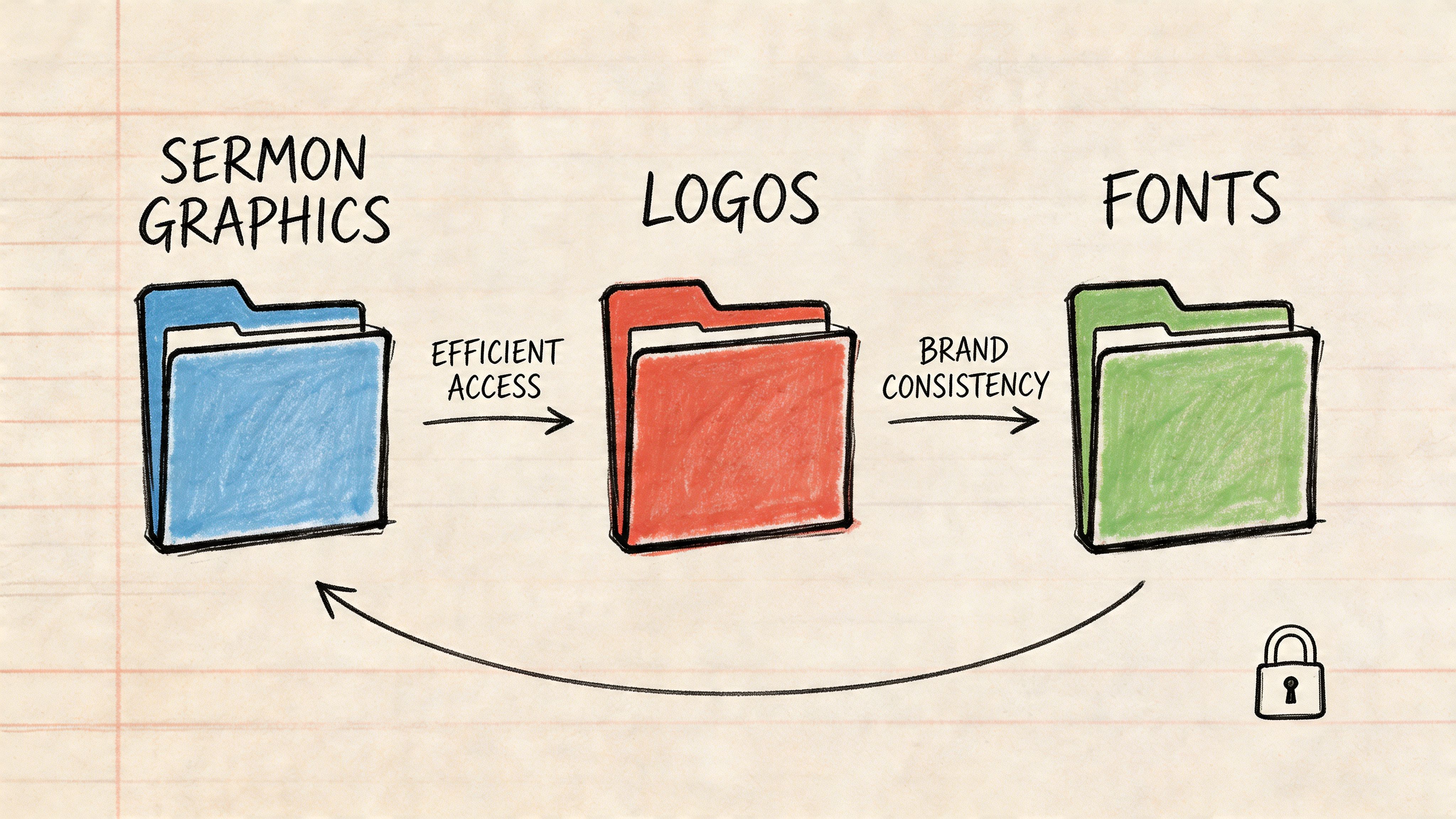
Store logos, fonts, color references, lower thirds, and recurring background elements in one approved library. If volunteers are choosing between four logo files or guessing at hex codes, brand consistency slips with every post.
Keep the library simple enough that people will use it. A church does not need endless options. It needs the right approved options, clearly labeled and easy to access. That matters even more if you are creating sermon graphics, reels, quote cards, and slides from the same weekly message.
Keep one approved logo folder. Keep one approved font folder. Remove guesswork.
Templates beat reinvention
Weekly ministry communications run better on templates than inspiration.
Keep reusable templates for:
- Sermon series titles
- Quote cards
- Short video covers
- Event reminders
- Scripture graphics
Templates protect quality and save time. They also make it much easier to hand work to a volunteer, staff member, or AI tool without losing your church’s visual identity.
That is one reason a sermon-to-social workflow works better than collecting clip art one piece at a time. When the system starts with the sermon and pushes content into repeatable branded formats, your assets stay organized because the process is organized.
Add metadata before your library gets messy
Tag files by series, speaker, scripture, season, and format while the volume is still manageable. Churches usually wait too long to do this. Then Easter graphics, baptism photos, sermon slides, and social templates all pile up in one general media folder.
A little structure up front saves a lot of cleanup later. For teams tightening their process, this guide to digital asset management best practices is a useful framework.
Don't skip accessibility
Alt text belongs in the publishing checklist. If a sermon graphic carries meaning, describe both the image and its purpose. If it includes title text, write alt text that gives a screen reader user the same useful information a sighted user gets from the post.
The teams that stay consistent usually are not designing more. They are storing files in the right place, naming them clearly, and using a workflow that turns one sermon into reusable, branded content without the weekly scramble. Tools like ChurchSocial.ai help by keeping creation, organization, and scheduling connected, which is what makes the whole system hold up over time.
Your Next Step to Better Church Communication
Sermon clip art still matters. It just works best when it's part of a larger system.
The churches making steady progress online aren't only finding better graphics. They're connecting sermon visuals, social posts, short videos, and scheduling into one repeatable workflow. That reduces the Saturday night scramble and gives the message more room to travel during the week.
You don't need a large staff to do that well. You need a process that starts with the sermon, keeps your visuals organized, and helps your team publish consistently without bouncing between disconnected tools.
If you're ready to move from one-off graphics to a full sermon-to-social workflow, explore ChurchSocial.ai. It helps churches turn sermons into reels, social posts, blogs, and branded graphics, then schedule everything from one drag-and-drop calendar with integrations for Planning Center and other church calendars.


