
Sunday's sermon is still fresh, the church calendar is filling up, and someone has just asked whether the Easter posts are ready. Meanwhile, the volunteer managing Instagram is also answering messages, preparing announcements, helping with an event, and trying to remember which photo belongs to which caption. A social media scheduler for Instagram should reduce that pressure, not create another complicated system.
For churches, the primary need goes beyond choosing a posting time. You need a practical way to turn sermons, events, ministry updates, and community stories into useful content, then let staff and volunteers review and publish it without losing track of the wider calendar. Instagram's built-in tools can help with basic scheduling, but a ministry-focused platform such as ChurchSocial.ai is designed around the content churches already produce.
Why Your Church Needs More Than Just Posting
A church Instagram account can look quiet for reasons that have nothing to do with a lack of ministry activity. The worship team is rehearsing, children's ministry is preparing for the weekend, a small group is serving the community, and a pastor is preaching a message that could encourage people throughout the week. Yet the account may still depend on one volunteer remembering to create and publish something at the last minute.
That volunteer doesn't need another lecture about consistency. They need a workflow that respects limited time and turns existing ministry work into clear, timely communication. A scheduled post about an upcoming gathering can help someone discover the church. A sermon clip can give a person who missed Sunday a reason to listen. A simple carousel can answer a question before a visitor ever sends a direct message.
Churches already use Instagram at meaningful scale, although adoption has been uneven. A church-focused survey summarized by Capterra reported that 13% of Protestant pastors were on Instagram in 2017, while broader church audience data in 2026 showed Instagram representing 35.0 million followers, or 21% of the combined audience of the top 100 church accounts. The church social media research summarized by ReachRight Studios puts that contrast into perspective. Instagram isn't a side channel for every congregation, but it is an important place for churches that want to reach people where they already spend time.
Consistency supports ministry communication
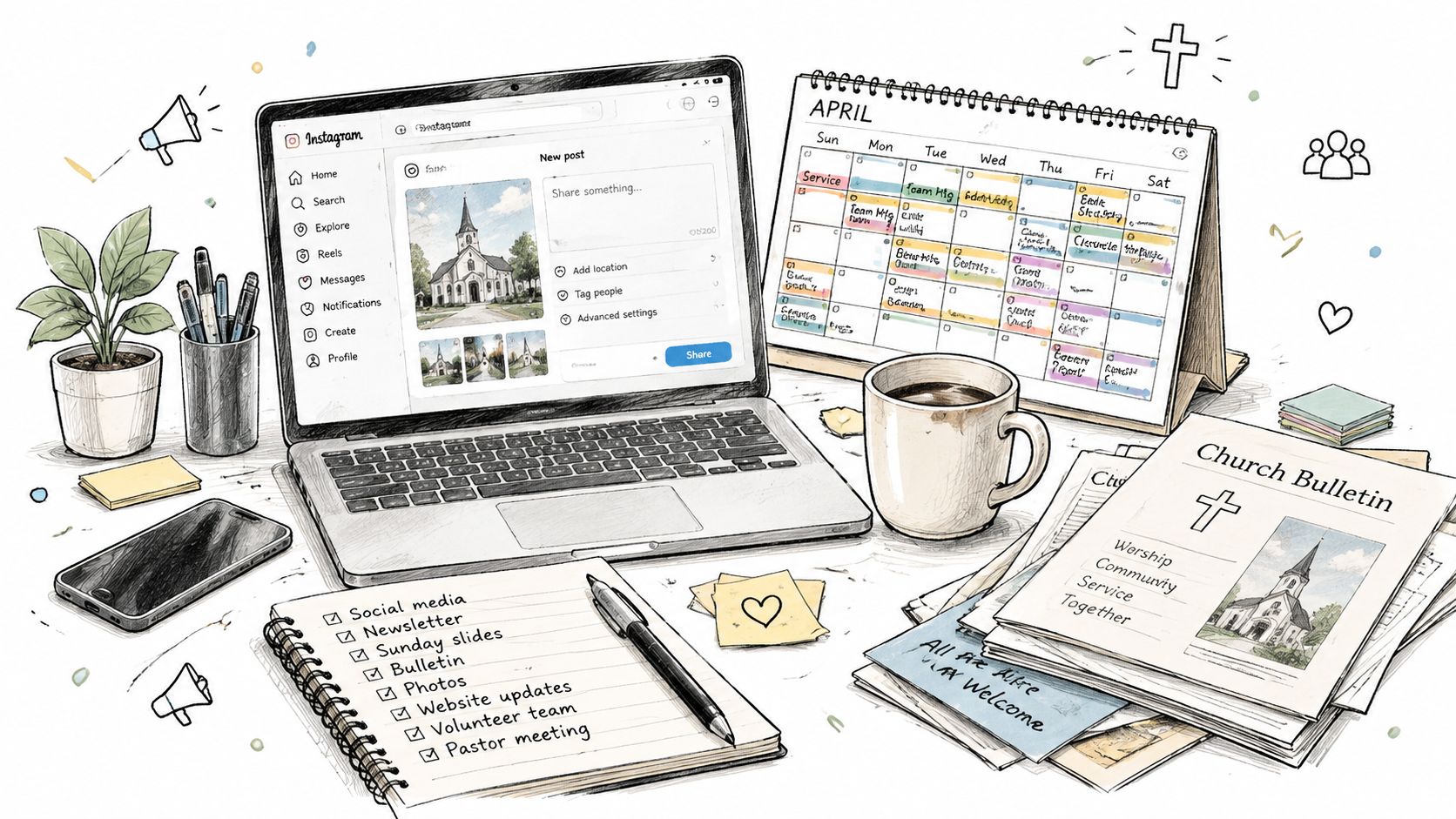
Consistency doesn't mean flooding followers with announcements. It means giving people a dependable view of church life. A balanced account can include a sermon idea, a reminder about an event, a Scripture-based reflection, a volunteer invitation, and a community update. The content should serve people before, during, and after their connection with the church.
A calendar makes that possible because the team can see whether the week contains only promotional reminders or a healthy mix of encouragement, teaching, invitation, and follow-up. The church social media calendar guide can help your team organize those categories around real ministry rhythms instead of chasing random posting ideas.
The right question isn't only about price
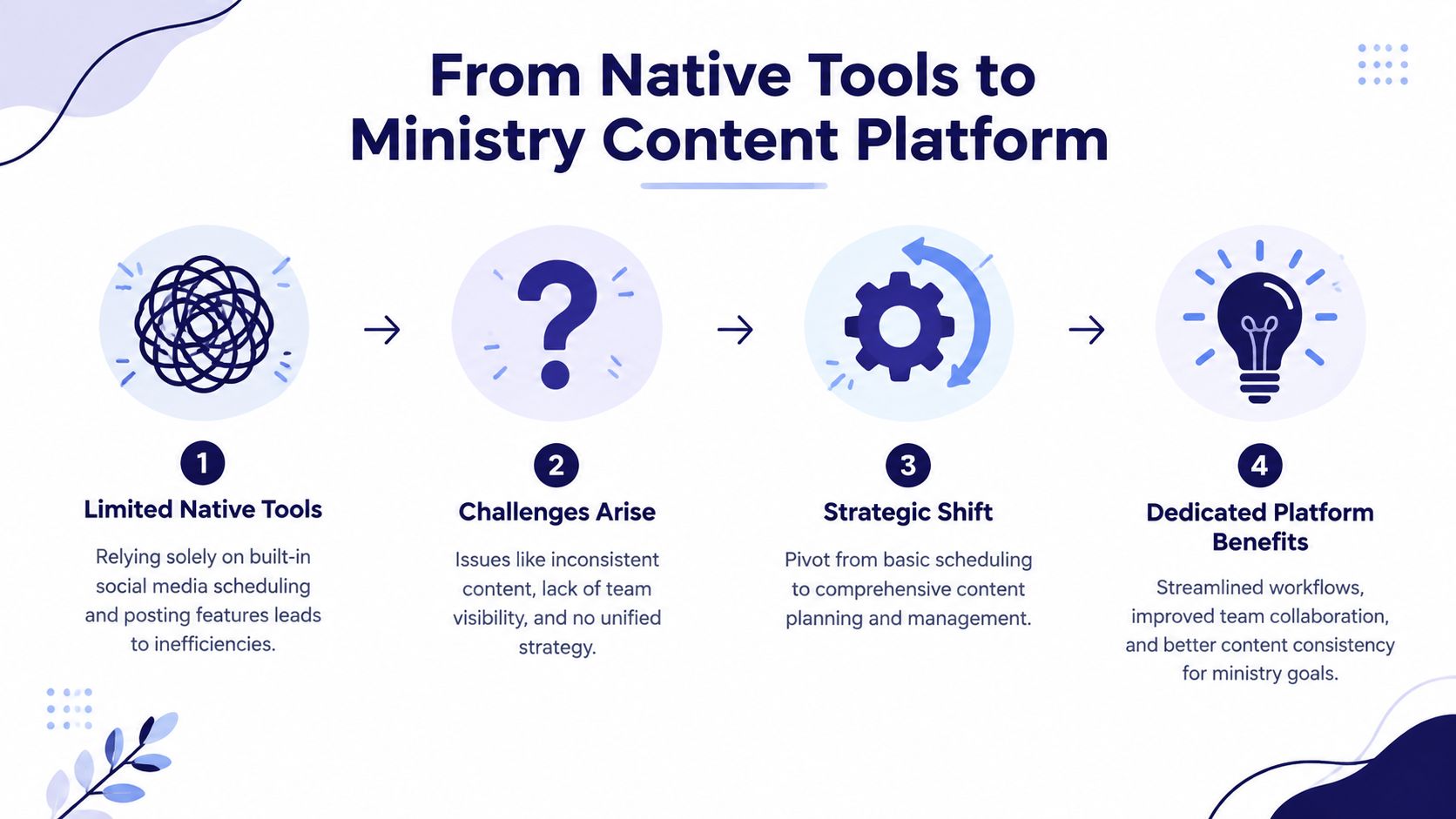
Instagram's native scheduling tools are free, which makes them a sensible starting point. The problem appears when the church needs more than isolated posts. A volunteer may have to create the caption in one place, edit a video in another, check the event date somewhere else, and ask a pastor for approval through a separate conversation.
That fragmented process increases the chance of missed details. A wrong time, an outdated registration link, or a sermon graphic published after the series has moved on can weaken communication even when everyone is working hard. Churches looking for broader planning principles can also review Optimizing church's social media, especially when they need to connect content choices with outreach goals.
Practical rule: Treat Instagram as part of your church's communication system, not as a separate chore that someone handles after everything else is finished.
What Native Instagram Scheduling Offers Churches
Instagram's built-in scheduling is useful for churches that need a simple way to prepare standard content. Professional accounts can schedule eligible posts and Reels through Instagram's native business tools, which keeps the publishing process close to the platform itself. For a small team posting occasional photos or a sermon video, that may be enough to get started.
The limits become clearer when a church plans a campaign rather than a single post. Instagram's native scheduling is available only to professional and public accounts, is capped at 25 posts per day, and reaches only 75 days ahead. Stories and collaborative posts still aren't fully supported in the native workflow. These restrictions are documented in SocialBee's guide to scheduling Instagram posts.
Where native tools work well
Native scheduling can be a good fit when:
- One person owns the account: A volunteer can prepare a photo, caption, or Reel without coordinating a larger approval process.
- The content is straightforward: A Sunday reminder, event graphic, or short video can move from draft to scheduled post with little overhead.
- The planning window is short: Weekly communication may fit comfortably within Instagram's available horizon.
- The church wants to learn the basics: Teams can understand captions, media selection, and publishing requirements before adding another platform.
Those benefits matter. Churches shouldn't pay for complexity they won't use. But free access doesn't remove the work of creating, reviewing, organizing, and adapting content.
Why church campaigns hit the ceiling
A church planning a seasonal series may want to map content well before the launch date. A volunteer team may also need Stories for reminders, collaborative posts for ministry partners, and a shared view of what has already been approved. Native scheduling doesn't provide a complete answer for those needs.
The daily cap is unlikely to trouble a normal church account on an ordinary week. The longer planning limit and unsupported formats are more relevant. A church may plan a sermon series, outreach campaign, or volunteer drive months ahead, then need a workflow that keeps those assets visible alongside regular posts.
Native Instagram scheduling is therefore a useful publishing function, not a full ministry content system. For churches that want practical guidance on preparing Reels within Instagram's requirements, this guide to scheduling Instagram Reels offers a focused reference.
The Case for a Dedicated Ministry Content Platform
A volunteer finishes Sunday service with a sermon recording, an upcoming event, and several announcements to share. The scheduler can publish the final posts, but it cannot decide which message should become a Reel, write the first caption, or organize the work for review. Churches need a workflow that begins before publishing.
One sermon can produce a short Reel, a written reflection, a discussion question, a quote graphic, and a blog post. One calendar event can become an invitation, a reminder, a volunteer update, and a follow-up message. This content multiplication helps a church communicate consistently without asking a volunteer to invent fresh ideas every day.
Instagram planning guidance recommends balancing Reels, static posts, and Stories across a 6–8 week production cycle. Churches also need a repeatable process that turns sermons and other raw material into scheduled content without adding staff. Hootsuite's Instagram scheduling guidance reflects the move from isolated posting toward structured production.
From sermon source to scheduled content
A practical ministry workflow starts with material the church already has:
- Capture the source: Begin with a sermon transcript, event details, ministry announcement, or approved image.
- Create variations: Turn that source into a caption, Reel concept, carousel, blog post, or discussion prompt.
- Apply the church's voice: Edit the wording so it sounds pastoral, local, and suitable for the congregation.
- Review the details: Check dates, times, links, names, and calls to action.
- Schedule the finished assets: Put approved content into a shared calendar with the right format and channel.
ChurchSocial.ai supports this workflow with AI-generated Reels from sermons and AI-generated content from sermon transcripts, including social posts and blogs. Its graphic templates and editor help churches create photos and carousels. The drag-and-drop calendar lets staff and volunteers manage scheduled content across social media accounts. Churches can review the broader social media management platform for ministry teams when they need these pieces in one system.
Why specialization matters
Generic schedulers usually assume the content is already finished. That model suits a marketing team with designers, copywriters, and an established approval process. It creates extra work when one church volunteer must find the strongest sermon idea, create the graphic, check the event calendar, and prepare the post.
A ministry content platform starts with the church's actual source material. It does not replace pastoral judgment or human review. It gives volunteers a workable first draft, so they can refine the message instead of facing a blank caption field.
A church does not need more content for its own sake. It needs a dependable path from ministry activity to clear communication.
The value comes from structure with oversight. A small team can publish thoughtfully, respond to current events, and keep online communication connected to what is happening in the church community.
Core Features Your Church Scheduler Needs
A useful social media scheduler for Instagram should be judged by the church workflow it supports, not by the length of its feature list. The central question is simple: can your team move from sermon, event, or announcement to approved content without unnecessary handoffs?
The table below compares the main options.
| Feature | Native Instagram Tools | Generic Schedulers | ChurchSocial.ai |
|---|---|---|---|
| Visual calendar | Limited platform view | Usually available | Drag-and-drop calendar for church content planning |
| Sermon-to-content workflow | Not built around sermons | Usually requires finished assets | AI-generated Reels and content from sermon transcripts |
| Feed posts and carousels | Supports eligible native formats | Often supported | Graphic templates, editor, photos, and carousels |
| Reels | Natively supported for eligible professional accounts | Coverage varies by tool and plan | Sermon-based Reel creation and scheduling workflow |
| Stories | Not fully supported in-app | Coverage varies | Use the platform's workflow to organize supported content and identify manual needs |
| Event planning | No church-calendar workflow | Often requires manual entry | Integrates with Planning Center and other church calendars |
| Team collaboration | Basic account access | May include approvals and roles | Designed for staff and volunteers working from a shared calendar |
| Brand creation | Requires separate design tools | Often requires separate design tools | Templates and editor for branded graphics |
| Multi-channel planning | Instagram-focused | Often supports multiple channels | Unified planning across church social accounts |
A major historical reason scheduling tools became important was Instagram's March 1, 2018 introduction of business post scheduling through its Graph API. That change allowed third-party platforms to publish automatically rather than requiring manual posting from a phone, and it helped establish the modern scheduler category around direct publishing, queue management, and centralized workflows. The historical account of Instagram scheduling explains why scheduling became part of broader business management.

Visual planning for sermon series
Grid planning helps the team see how a series will appear as a whole. Instead of reviewing posts in isolation, a communications pastor can check whether the graphics feel connected, whether the captions repeat themselves, and whether the account includes more than event promotion.
This visual review is especially helpful when several people contribute content. A volunteer may create a quote graphic, while a staff member prepares a Reel and another person adds a registration reminder. The calendar gives everyone one place to check timing and context.
AI content creation with human review
AI is most useful when it accelerates the first draft. ChurchSocial.ai can use a sermon transcript to generate social posts, blogs, and other content formats, while its sermon tools can create Reels from the message. A pastor or communications leader should still review theology, tone, Scripture references, and local details before publishing.
The benefit is practical. The team starts with material connected to the actual sermon instead of generic prompts that don't reflect the church's teaching or current season.
Design, Reels, and carousels in one workflow
Churches often lose time moving between a video editor, a design tool, Instagram, and a spreadsheet. ChurchSocial.ai combines graphic templates and an editor for photos and carousels with a calendar for scheduling. Its workflow also supports sermon-based Reel creation, which helps the team turn longer teaching into a format people can encounter during the week.
Instagram Reels still need placement-specific preparation. Published clips should use vertical 9:16 video, while the cover, caption, and audio are managed separately from the export file. Ministry Automation's sermon-to-social guidance provides useful production context for teams preparing sermon clips.
Calendar integrations and shared responsibility
An event post is only helpful when the date and details are accurate. Integrating with Planning Center and other church calendars can reduce manual copying and help the social media plan reflect the ministry schedule.
That connection also makes delegation easier. A volunteer can prepare content, a pastor can review it, and a communications leader can maintain the larger calendar without asking each person to search through separate tools. A good platform doesn't remove responsibility. It makes responsibility visible.
Choosing the Right Scheduler for Your Church Size
The right tool depends less on the size of your Instagram audience than on the complexity of your content operation. A solo volunteer, a mid-sized church team, and a multi-site communications department face different bottlenecks.
Before choosing, identify who creates content, who approves it, where event details live, and which formats matter most. Then choose the lightest system that solves the actual problem, not the tool with the longest feature page.
A small church led by one volunteer
If one person handles Instagram between other ministry responsibilities, ease of use matters most. The volunteer needs a clear calendar, reusable templates, and help turning sermons into usable drafts. A system that requires separate design, transcription, writing, and scheduling tools will likely become another abandoned login.
ChurchSocial.ai fits this situation when the priority is moving from sermon material to finished posts and Reels with less manual preparation. Start with a small, repeatable content pattern, then expand only when the volunteer can maintain it.
A mid-sized church with staff and volunteers
A growing church should prioritize visibility and handoffs. The communications director may plan the calendar, while pastors provide sermon material, ministry leaders submit events, and volunteers create graphics or schedule posts.
Look for shared planning, approval workflows, calendar integrations, and clear ownership. ChurchSocial.ai's Planning Center and other church-calendar integrations are relevant here because the social calendar can stay connected to the events the church is promoting.
A large or multi-site church
A larger church needs governance as much as publishing speed. Different campuses may need distinct events and voices, while the central team still wants consistent branding, review standards, and a reliable production process.
Generic platforms can offer strong grid previews, approvals, and analytics, but pricing and capacity vary considerably. Zapier's comparison of Instagram scheduling apps lists Buffer from $6 per month per channel, Iconosquare from $39 per month, and Hootsuite from $140 per month, with grid preview, approvals, and analytics among the important differentiators. Those prices are comparison points, not a reason to choose a platform without testing its workflow.
Choose based on the work your team repeats every week. A sophisticated dashboard won't help if volunteers can't find the calendar or pastors can't review drafts.
For many churches, the practical decision is to test whether one platform can handle source content, design, approvals, scheduling, and event coordination. ChurchSocial.ai is designed for that ministry-centered use case, while generic tools may make more sense when a church already has a mature content production process and needs broader enterprise reporting.
Build a Smarter Ministry Workflow Today
A church doesn't need to manufacture a new marketing campaign every day. It needs to notice the ministry content already being created and give that content a clear path to the people who may need it.
Start with the sermon. Pull out the central idea, a concise quote, a question for reflection, and a short moment that can become a Reel. Add the church's upcoming events from Planning Center or another calendar, then use a visual schedule to balance teaching, invitation, encouragement, and community updates. The team can review the details before anything publishes.
ChurchSocial.ai supports that process with AI-generated sermon Reels, transcript-based social posts and blogs, graphic templates, a design editor, and a drag-and-drop calendar for managing social media. It also helps staff and volunteers work from the same plan instead of passing files and reminders through disconnected tools.
Keep human judgment at the center. AI can suggest wording and formats, but pastors and ministry leaders should confirm accuracy, theological clarity, permissions, and pastoral tone. Churches can also explore practical ideas about Voice Control Pro on business productivity when they're looking for ways to reduce repetitive administrative work across a busy team.
The goal isn't to make your church sound like a brand. The goal is to help your church communicate faithfully and consistently with the people it serves. A well-managed Instagram account can make it easier for someone to understand what your church believes, find an upcoming gathering, hear a meaningful sermon idea, or take a first step toward community.
ChurchSocial.ai helps churches turn sermons into AI-generated Reels and written content, create photos and carousels with templates and an editor, and manage publishing through a simple drag-and-drop calendar connected with church events. Visit ChurchSocial.ai to see how the platform can help your staff and volunteers build a more dependable Instagram workflow.


