
You volunteered to manage your church's social media because you know how to write, take decent photos, or use Facebook without calling for help. By the second week, you're answering prayer requests in direct messages, trimming Sunday video, designing event graphics, checking comments, and wondering who approved the expectation that one unpaid person should run the church's entire communications department.
That arrangement won't last without boundaries. A volunteer social media manager can support a church well, but only when the role has a defined scope, a repeatable calendar, backup coverage, and tools that remove unnecessary work. Your job this week isn't to become a full-time marketer. It's to build a small, dependable ministry system that turns the church's real message into useful online conversations.
What a Church Volunteer Social Media Manager Actually Does
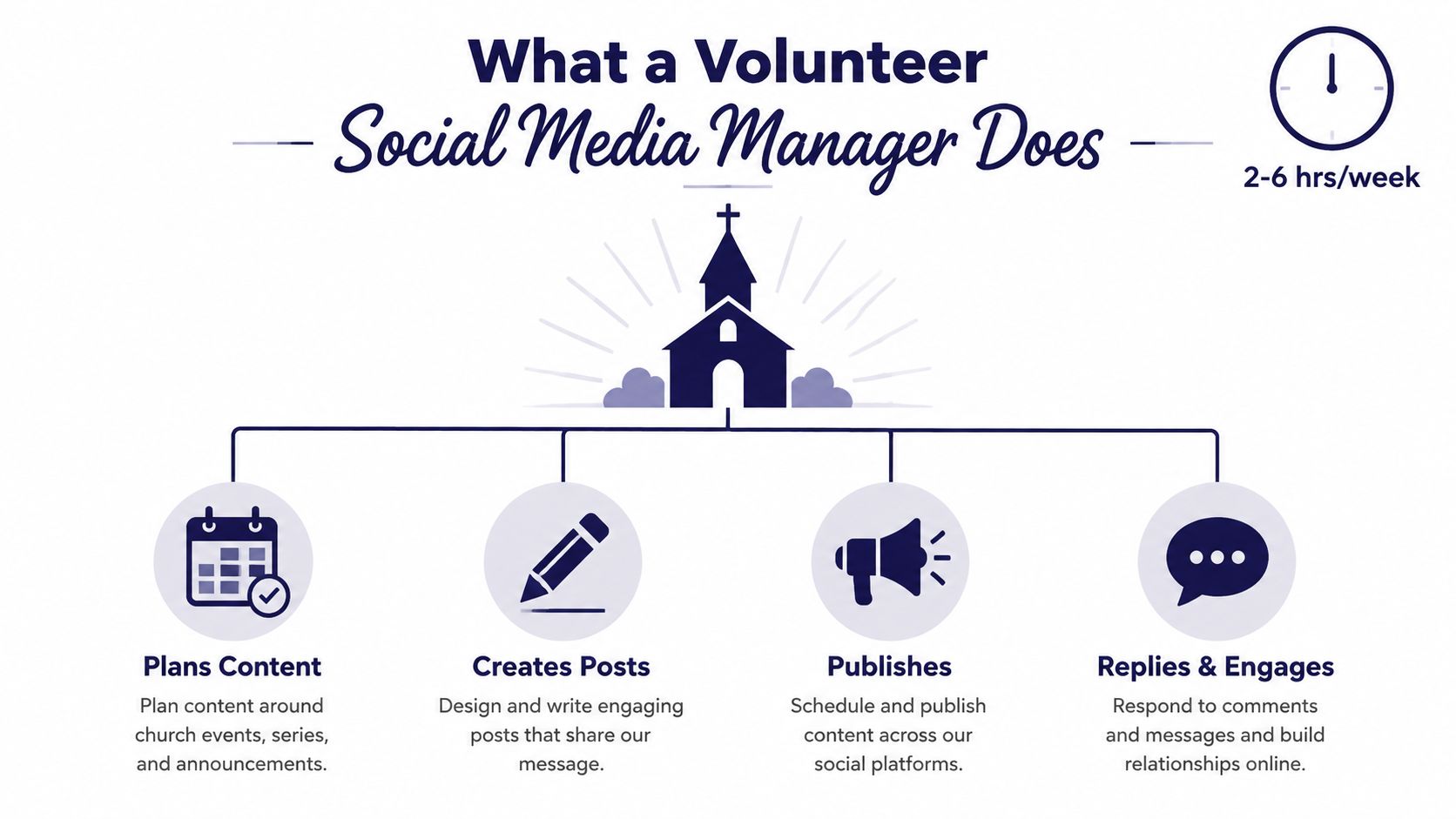
A church volunteer social media manager plans, creates, publishes, and monitors the church's online presence. In practice, that means writing captions, scheduling posts, replying to comments and direct messages, capturing a few usable moments on Sunday, and passing prayer requests or pastoral concerns to the right staff member.
This role is usually structured as a flexible, part-time commitment rather than a full job. Current volunteer listings describe arrangements of about 4–6 hours per week or 5–10 hours per week, often remotely and without pay, as shown in this current remote volunteer listing. For a small church, plan around 3–5 hours weekly plus Sunday monitoring, unless leadership formally expands the role.
Keep the scope small enough to survive
Your core responsibilities should fit into four lanes:
- Plan content: Choose the week's theme, review the church calendar, and identify upcoming services, groups, events, and ministry moments.
- Create posts: Write captions, select approved photos, build simple graphics, and adapt sermon ideas into accessible content.
- Publish consistently: Schedule approved posts and confirm that links, dates, locations, and calls to action are accurate.
- Reply and engage: Answer ordinary comments and messages, welcome visitors, and escalate pastoral, safeguarding, or crisis matters.
You aren't automatically the church's graphic designer, pastor, photographer, videographer, or crisis communicator. You can use templates and capture simple content, but leadership must decide what the church believes, how it responds to controversy, and who handles sensitive care.
Treat church accounts as organizational property, not extensions of your personal profiles. Ask for role-based access, a shared photo folder, the brand guide, a clear approval contact, and a documented process for removing access when someone steps away. Churches that want practical guidance beyond posting tactics can also review these social media tips for nonprofits.
For a church-specific workflow, keep the social media manager tips available while you set up your first month.
Practical rule: If a task doesn't fit planning, creating, publishing, basic analytics, or community interaction, name the owner before you accept it.
This is real ministry work. It helps people find worship times, understand the church's mission, ask for prayer, and take a next step. Ministry work still needs guardrails, especially when one volunteer is carrying it.
Your First 30 Days Onboarding Checklist
Don't begin by promising to post every day. Begin by securing access, learning the church's voice, and creating a small bank of approved material. A calm first month prevents the common mistake of publishing quickly and discovering later that nobody knows who approves posts, where photos come from, or what should never appear online.
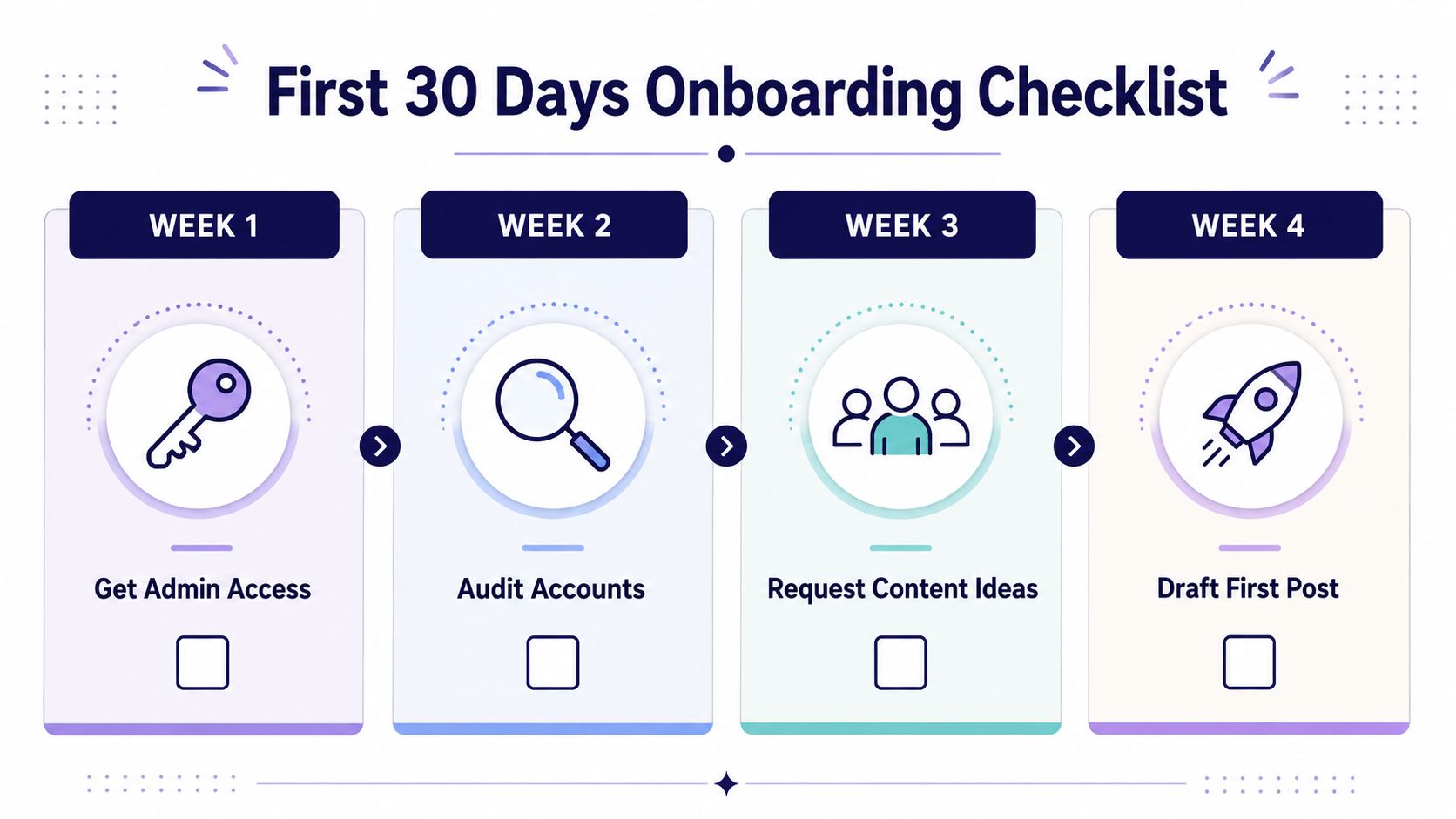
Week one, secure the keys
Request administrator or editor access to each active account. Change shared passwords where leadership has authorized it, enable the account's available security protections, and document who else can access the church pages.
Then audit what already exists. Check profile images, biographies, service times, website links, pinned posts, contact buttons, and old event announcements. Ask for the church's brand guide, approved logo files, photo folder, consent guidance, and any previous analytics. You need the raw materials before you need more ideas.
Week two, listen before you publish
Shadow one weekend service. Capture raw photos and short video clips of the building, worship environment, sermon notes, signage, ministry spaces, or hands preparing hospitality. Images without people are often easier to approve, so use architecture, objects, printed programs, whiteboards, instruments, or room details when they tell the story clearly.
Draft a one-page voice guide. Include the tone, preferred terms, recurring hashtags, punctuation preferences, and a short list of what never gets posted without leadership approval. Add rules for children, prayer requests, illness, grief, political topics, staff matters, and identifiable personal information.
Week three, build reusable material
Create a starter content bank of 20 reusable post templates. Include sermon quotes, event countdowns, volunteer spotlights, prayer prompts, Scripture graphics, welcome posts, reminders, and simple questions.
Use consistent graphic templates rather than redesigning every post. ChurchSocial.ai provides graphic templates and an editor for photos and carousels, which gives a volunteer a practical way to keep visual consistency without starting every design from a blank canvas.
Week four, launch softly
Build a two-week content calendar and send it to the lead pastor or communications point person. Ask for feedback on voice, theology, dates, images, and calls to action. Don't ask five people for simultaneous approval. Choose one accountable reviewer and define how quickly they need to respond.
Use this printable checklist:
- Access: Accounts, permissions, security, and backup owner confirmed.
- Voice: Tone, hashtags, approval rules, and prohibited content documented.
- Visuals: Logo, templates, photo folder, and image-use expectations organized.
- Calendar: Two weeks of posts drafted, reviewed, scheduled, and assigned to platforms.
Weekly and Monthly Workflow That Sticks
A sustainable workflow has fewer moving parts than most churches expect. Stop treating social media as a series of daily emergencies. Choose fixed work windows, batch similar tasks, and make Tuesday and Sunday your dependable publishing days.
Use a weekly rhythm
Monday, planning huddle, 30 minutes. Review the sermon theme, upcoming events, ministry priorities, and any leadership announcements. Pick one central idea for the week and decide which posts require approval.
Wednesday, batching session, 90 minutes. Write captions, select images, build graphics, edit short clips, and schedule the first group of posts. Templates earn their keep. You're making decisions once instead of reopening the same design tool every evening.
Friday, weekend preparation, 20 minutes. Confirm service times, directions, registration links, weather-sensitive information, and Sunday coverage. Prepare a short list of moments to capture rather than filming everything.
Sunday, monitoring and reply sweep, 30 minutes in the evening. Check comments and messages, save useful photos, note questions people asked, and flag pastoral needs. Don't spend the whole service staring at your phone. Worship first, capture only what the church has approved.
That sample adds up to roughly four hours:
| Work window | Focus | Time |
|---|---|---|
| Monday | Planning huddle | 30 minutes |
| Wednesday | Batch creation and scheduling | 90 minutes |
| Friday | Weekend preparation | 20 minutes |
| Sunday | Monitoring and replies | 30 minutes |
| Flexible block | Editing, approvals, and posting | About 70 minutes |
Review the system monthly
On the first Monday of each month, set aside 60 minutes to review performance, archive strong posts, retire templates nobody uses, and scan the next month's sermon series, holidays, and church calendar events. Keep the review practical. Identify what deserves repeating and what should stop.
The church's social presence should support worship, discipleship, belonging, and action. A useful nonprofit digital strategy beyond likes can help you keep attention on meaningful outcomes rather than an endless stream of reactions.
Use a drag-and-drop calendar to make ownership visible. ChurchSocial.ai includes a visual calendar for planning and updating social media, and its Planning Center integration can bring upcoming church events into the social planning workflow. Planning Center's rule is important: make calendar edits in Planning Center Calendar first, then let connected programs reflect those changes.
Batch creation protects the volunteer. Daily improvisation consumes the volunteer.
Content Shortcuts From Sermon to Scroll
Your church already produces a substantial source of content every week: the sermon. The mistake is treating it as one video that gets uploaded once. A sermon can become a connected set of posts, provided you edit for clarity and don't publish every sentence just because software found it.
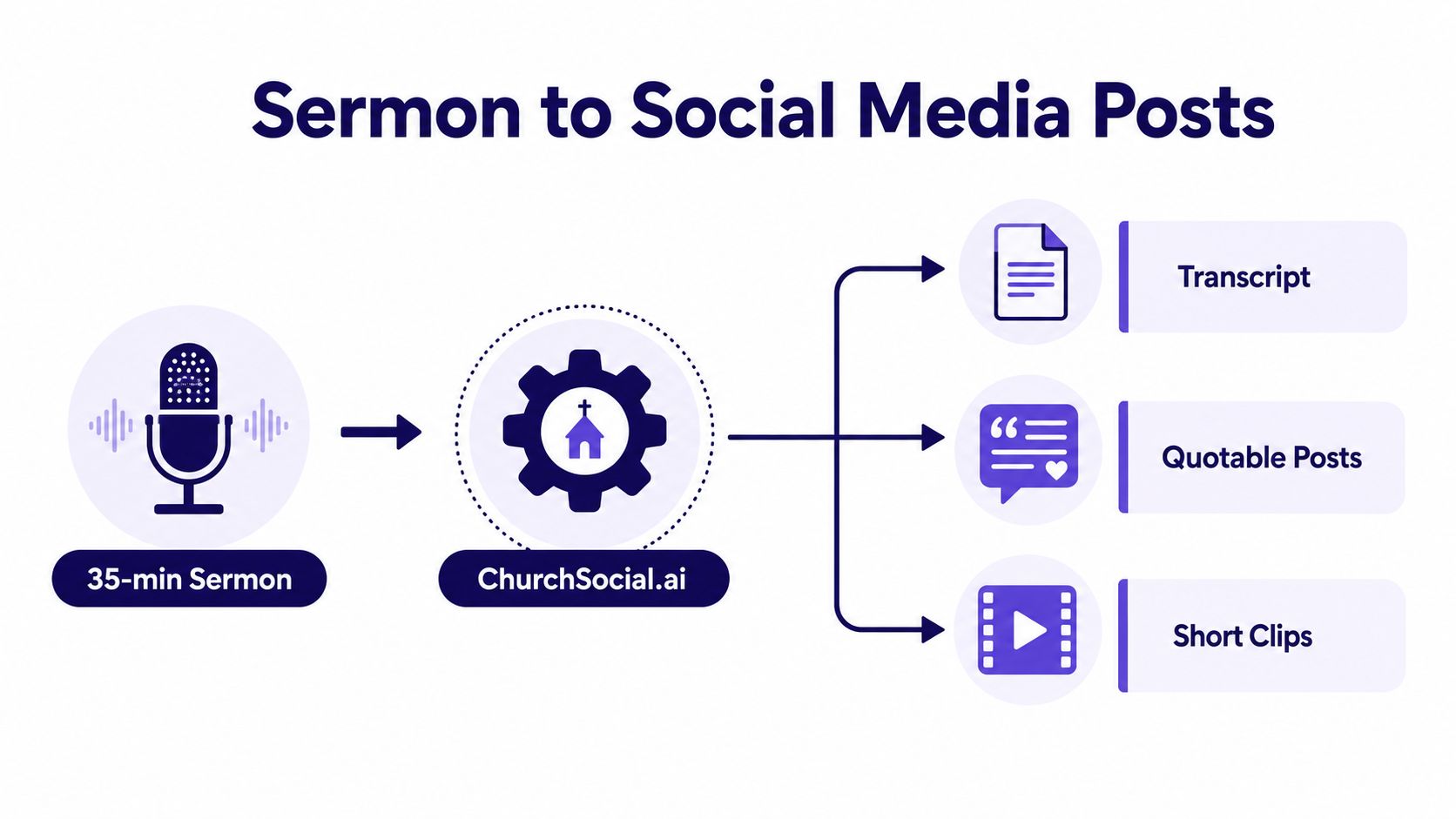
ChurchSocial.ai can turn sermon material into AI-generated reels, social posts, blog drafts, and other formats. Upload the sermon audio or video, review the generated transcript, select three to five strong lines, and choose one central idea for the week.
Follow a one-sitting production line
For a 35-minute sermon, use this sequence:
- Upload and transcribe, about 10 minutes. Add the recording, check the transcript for names, Scripture references, and theological wording, then mark the main teaching movements.
- Choose the editorial spine, about 5 minutes. Select one sentence that explains the sermon's practical invitation. Every post should support that idea or serve a clear church-calendar purpose.
- Create the short video, about 15 minutes. Use a 60-second sermon clip with captions. Remove long pauses, verify the words on screen, and choose a clean cover image. ChurchSocial.ai can generate sermon-based reels and clips, but you still approve the final cut.
- Build the static graphic, about 10 minutes. Place a quote on a consistent template. Use a Scripture template, quote-on-photo template, or sermon-bite carousel. Avoid putting text on random parts of an image. If text belongs in the image, make it look intentional, such as on a printed page, whiteboard, slide, or clean overlay.
- Write the discussion post, about 10 minutes. Turn the same idea into a question or poll that invites a real response.
- Schedule and adapt, about 10 minutes. Schedule the week in the platform calendar, then adapt the strongest line for the newsletter or church app banner.
Use prompts that give the tool editorial boundaries:
- “Rewrite this caption in a warm, concise church voice. Keep the meaning, remove jargon, and end with one clear question.”
- “Create a short Reel caption from this sermon excerpt. Keep the Scripture reference accurate and avoid promising a result the sermon does not state.”
- “Turn this quote into a carousel outline with one idea per slide and a final invitation to hear the full sermon.”
The point isn't to publish six identical sermon excerpts. Build a Monday reflection, a Tuesday Reel, a Wednesday quote graphic, a Thursday question, a Friday weekend invitation, and a Saturday reminder. For additional ideas, use this guide to repurpose content with AI.
Engagement, Moderation, and Safety Basics
Engagement is ministry, not a scoreboard. Reply warmly and briefly, mirror the church's approved voice, and answer ordinary comments and messages within 24 hours on weekdays and 48 hours on weekends. If a message contains a prayer request, don't provide pastoral counseling beyond your role. Pass it to the designated pastor or care leader.
Keep a saved-replies folder with five approved responses:
- First-time visitor: Welcome them and point them to the next useful step.
- Prayer request: Thank them for trusting the church and confirm that the request has been passed along.
- Factual correction: Acknowledge the error, correct the post, and note the update without becoming defensive.
- Off-topic comment: Redirect the conversation to the post's subject or invite the person to contact the church privately.
- Grief: Respond with compassion, avoid speculation, and involve pastoral leadership.
Agree on moderation rules before a difficult comment arrives. Don't delete criticism without consulting leadership. Don't argue theology in the comments. Hide obvious spam and personal attacks rather than deleting them when the platform allows, and preserve screenshots when a matter may need review.
If someone threatens self-harm or violence, screenshot the message and escalate it to the senior pastor immediately. During a community tragedy or staff scandal, pause scheduled content within 30 minutes, publish one holding statement drafted by leadership, and hold replies until the next morning. A volunteer shouldn't improvise the church's crisis response from a phone in a parking lot.
Metrics That Matter for a Small Church
Follower count is a lagging indicator. For a 200-member congregation, it doesn't tell you whether online attention is helping people attend, ask for prayer, register for an event, or connect with the church.
Track three numbers each month and resist adding more until the team can use these well:
| Metric | What to Measure | Healthy Range |
|---|---|---|
| Weekend reach | Weekend reach divided by average Sunday attendance | 60% to 120%, based on the benchmark provided |
| Meaningful interaction rate | Comments and DMs divided by posts published | Above 8% on Facebook and above 3% on Instagram, based on the benchmark provided |
| Link clicks | Clicks to the church website or giving page | No universal range. Watch direction and action quality |
The first metric shows whether social content is reaching beyond the room. The second shows whether people are responding rather than scrolling past. The third connects social activity to a next step the church can support.
Don't check the dashboard every morning. Review these metrics once a month in a one-page Google Sheets scorecard, then send the pastor two sentences of context. Explain what changed, what content contributed, and what you'll adjust next month.
The benchmark matters less than consistent measurement. A smaller number of meaningful inquiries can be more valuable than a large post that produces no registrations, questions, visits, or pastoral connections.
Putting It All Together and Avoiding Burnout
Start with a routine you can keep during a busy ministry season:
- Sunday evening: Batch-create the next posts.
- Tuesday: Finish approvals and schedule content.
- Thursday: Check comments, DMs, and event details.
- Last Friday of the month: Enter the scorecard and send context to the pastor.
Add a 60-minute weekly planning block, a 30-minute mid-week engagement check, and one monthly metrics review. Assign a backup volunteer who can publish a correction, pause scheduled content, or answer urgent messages when you're unavailable.
Watch for warning signs. Dreading notifications means the role needs a boundary conversation. Drafting posts after midnight means the workload has exceeded the agreement. Avoiding the inbox for days means you need coverage, not guilt.
Respond early:
- Need a break: Rotate off for a week.
- Too much access or responsibility: Hand the keys to a backup volunteer.
- Unclear workload: Cap the role at a set number of hours.
- Ongoing demand: Ask leadership to consider a part-time communications hire.
Faithful, consistent posting beats viral reach. Protecting the volunteer's soul protects the ministry, because a church's online presence shouldn't depend on one exhausted person carrying everything.
ChurchSocial.ai helps churches turn sermons into reels, captions, blogs, graphics, and carousels, then plan and schedule them through a drag-and-drop calendar that can connect with church calendars such as Planning Center. Visit ChurchSocial.ai this week, connect your church calendar, and build your first sermon-to-social content batch before the next Sunday service.


