
A volunteer social media manager has just finished preparing Sunday's service. The sermon matters, the worship team is ready, and people who can't attend in person would benefit from joining online. But there's limited time, no dedicated broadcast engineer, and a week already crowded with announcements, ministry events, and follow-up posts.
The strongest Facebook Live results rarely come from pressing “Go Live” and hoping people appear. They come from a repeatable church communications workflow that covers planning, promotion, technical reliability, conversation, accessibility, repurposing, and review. Facebook Live audiences have historically watched live video roughly three times longer than prerecorded video, and one benchmark found they comment at about ten times the rate, according to the Facebook Live Streaming Benchmark Report. That opportunity is valuable, but only when volunteers can manage the full cycle without creating unnecessary work.
These best practices for Facebook Live show churches how to build that system. ChurchSocial.ai can help teams plan broadcasts, turn sermon transcripts into social posts and clips, create graphics and carousels, manage a visual calendar, and coordinate publishing across church channels.
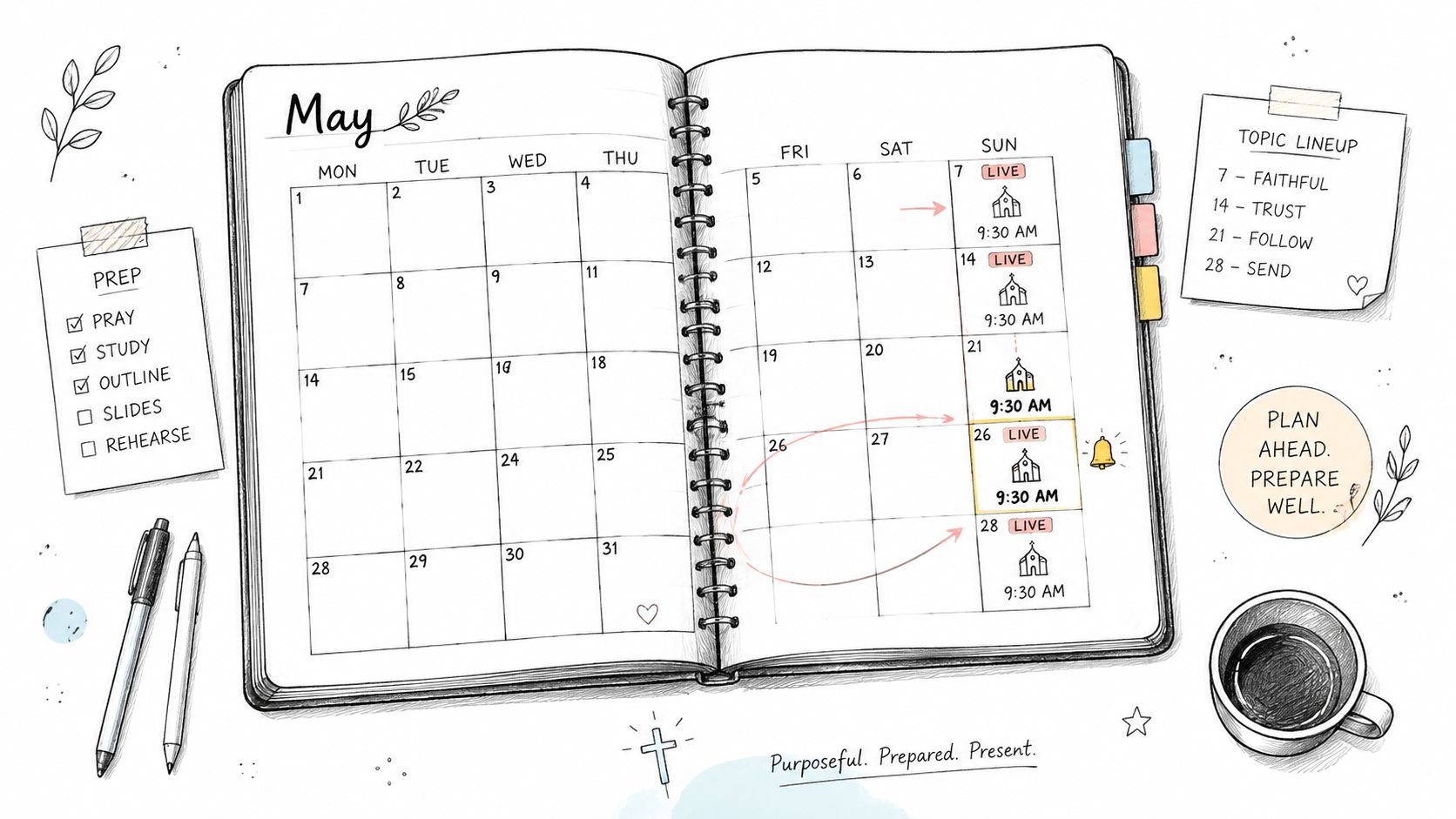
1. Plan Your Facebook Live Schedule in Advance Using a Visual Calendar
A consistent schedule helps your congregation form a viewing habit. A church that broadcasts its Sunday service at the same time each week gives members a clear expectation, while a midweek prayer gathering or pastoral Q&A can serve a different ministry need.
Start by choosing recurring broadcasts that your church can sustain. A small congregation might begin with Sunday worship and add a monthly prayer gathering. A multi-site church may need separate entries for campus services, shared announcements, and occasional network-wide events. Facebook guidance and industry summaries commonly recommend streaming for at least 20 to 30 minutes, since viewers need time to discover the broadcast and engagement can build after the opening recommendations.
Use one calendar for the broadcast and everything around it. ChurchSocial.ai's content calendar guidance supports a visual planning approach that keeps preparation tasks beside publishing tasks.
Build reminders around the broadcast
Your calendar should include:
- The live event: Record the date, start time, destination, title, description, and person responsible for starting the stream.
- Promotion posts: Schedule an announcement, a reminder, and a final prompt before going live.
- Volunteer preparation: Assign camera, audio, moderation, and follow-up responsibilities.
- Post-stream time: Reserve time to answer comments, save the replay, and identify useful sermon moments.
ChurchSocial.ai's drag-and-drop calendar can help churches plan weeks ahead, while Planning Center and other church calendar integrations can bring events into the content workflow. Publish the regular schedule on your website, in the bulletin, and through existing congregation communications. Scheduled Facebook Live broadcasts can also help churches announce services ahead of time and build anticipation before the stream begins, as described in this Facebook Live scheduling guide.
Practical rule: Plan the follow-up before you schedule the broadcast. A live stream without a replay and repurposing plan creates avoidable work later.
2. Create Compelling Sermon-Based Content to Drive Facebook Live Engagement
A sermon shouldn't exist only as a full-length replay. The message can become a week of useful communication when your team identifies its central teaching, memorable illustrations, practical applications, and questions that invite reflection.
Before the service, write down the main idea and the audience response you want. During or after the broadcast, mark moments that can stand alone. A pastoral explanation of a Bible passage might become a short clip. A prayer point can become a discussion prompt. A concise statement about discipleship can work as a graphic or caption, provided it remains faithful to the sermon's meaning and context.
ChurchSocial.ai can turn sermon transcripts into social posts, blogs, discussion questions, and other formats. Its Sermon Clip Creator can also help generate short, captioned clips from a full broadcast. The 30-minute sermon repurposing guide offers a practical framework for treating one message as a source for multiple assets.
Give every asset a clear purpose
Avoid publishing several pieces that all repeat the same sentence. Instead, assign each asset a job:
- A short video clip: Introduce one teaching point and direct viewers to the full sermon.
- A text post: Ask a specific question that encourages thoughtful discussion.
- A quote graphic: Highlight a concise idea that can be understood without the full sermon.
- A blog post: Expand the message for people who prefer reading or need a reference later.
- A small-group prompt: Help leaders carry the Sunday message into weekday conversations.
This approach also improves accessibility. A late viewer may not understand a clip without context, so include the sermon theme, speaker, and relevant passage in the caption or opening graphic. Keep text overlays readable and purposeful. ChurchSocial.ai's graphics studio and templates can help volunteers create branded photos and carousels without placing random text on busy images.
For example, a pastor's teaching on forgiveness could produce a full replay, a clip explaining one practical step, a carousel with reflection prompts, and a discussion question for small groups. Each piece serves a different audience while pointing back to the live ministry.
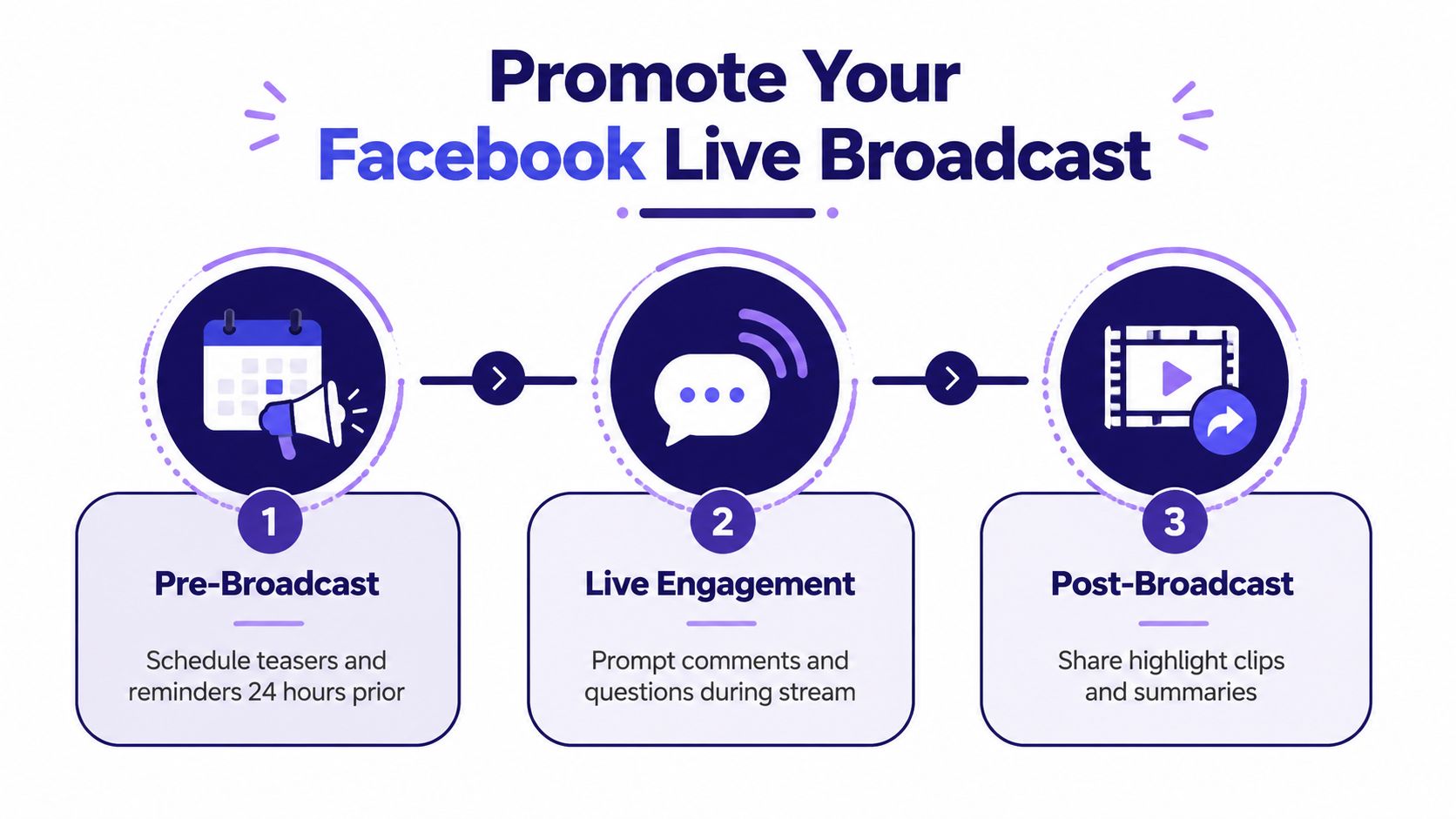
3. Promote Your Facebook Live Broadcast Before, During, and After Going Live
Promotion works best as a sequence, not a single announcement. Congregations need an early reason to care, a reminder close to the event, clear guidance during the broadcast, and a useful next step after the replay becomes available.
Start with the promise of the gathering. “Join us for Sunday worship” is clear, but a more helpful description might identify the theme, prayer focus, guest speaker, or pastoral conversation. Keep the message accurate and welcoming. ChurchSocial.ai can schedule promotional posts across Facebook, Instagram, and other platforms, helping a volunteer prepare the campaign in one sitting. Its event promotion guidance can help shape the announcement sequence.
A practical campaign might include an early teaser, a reminder the day before, and a final prompt before the broadcast. Create the announcement with ChurchSocial.ai's graphic templates or editor. Images should prioritize the event itself, such as an uncluttered sanctuary, a Bible, a prepared stage, or a handwritten prayer theme. Add text only when it clarifies the date, time, or reason to attend.
Keep the live conversation visible
During the stream, invite viewers to participate with specific prompts:
- Prayer requests: Ask viewers what they'd like the church to pray about.
- Welcome comments: Invite people to share where they're watching from, without pressuring them to disclose private details.
- Sermon questions: Encourage viewers to ask for clarification during natural pauses.
- Next steps: Point people toward a care form, church website, small group, or upcoming gathering.
A moderator can pin the central prompt and answer practical questions while the pastor or host remains focused. After the service, schedule a highlight clip, a reflection question, or a link to the replay. If your church website needs better social previews, use this Open Graph tag setup tutorial to help shared pages display the intended title and image.
One church might announce a prayer gathering early in the week, remind followers the day before, invite prayer requests during the stream, and publish a short reflection afterward. That sequence turns one broadcast into a continuing conversation rather than a post that disappears in the feed.
4. Optimize Video Quality and Technical Setup for Professional Live Streams
Viewers will often tolerate a simple camera, but they struggle to follow a broadcast with unclear audio, unstable framing, harsh lighting, or repeated interruptions. For churches, audio deserves priority because a meaningful sermon or prayer becomes difficult to receive when voices compete with room noise.
Use a tripod or secure mounting system, place an external microphone near the speaker, and check the frame from a mobile device before the service begins. Face the subject toward available light rather than placing a bright window behind them. If the church uses a sanctuary camera system, verify that the Facebook feed receives the intended camera and audio mix instead of assuming the connection is working.
Facebook's technical guidance lists a practical baseline of 1080p at 30 fps, a 3,000 to 6,000 Kbps video bitrate, a 2-second keyframe interval, H.264 Level 4.1 video, and AAC stereo audio at 44.1 kHz. The same guidance identifies an 8-hour maximum stream length. Churches don't need to use every setting manually, but the technical volunteer should understand the broadcast target and confirm that the streaming software or hardware is configured appropriately in the Facebook Live Video API reference.
Use a short rehearsal
Run through the complete path before people arrive:
- Signal: Confirm the upload connection and keep a backup plan for an outage.
- Sound: Test speech, music, prayer, and any handheld microphones separately.
- Framing: Check that the pulpit, worship area, or interview space stays visible.
- Captions: Confirm that captions are enabled or prepare captioned replay assets.
- Roles: Assign someone to monitor the broadcast and comments.
A church that streams from a laptop can improve the experience with a stable mount and better microphone before buying complex equipment. If buffering affects your audience, review practical ways to reduce buffering on slow internet and test the actual location used for the service.
Use ChurchSocial.ai's graphics studio for purposeful overlays, such as a service title or prayer prompt. Don't cover faces, lyrics, or Scripture with decorative text.
5. Engage Your Audience in Real-Time with Interactive Elements and Comments
A church livestream shouldn't treat online viewers as invisible spectators. People joining from home, work, a hospital room, or another country need clear invitations to participate, and a dedicated moderator can make that participation feel organized rather than disruptive.
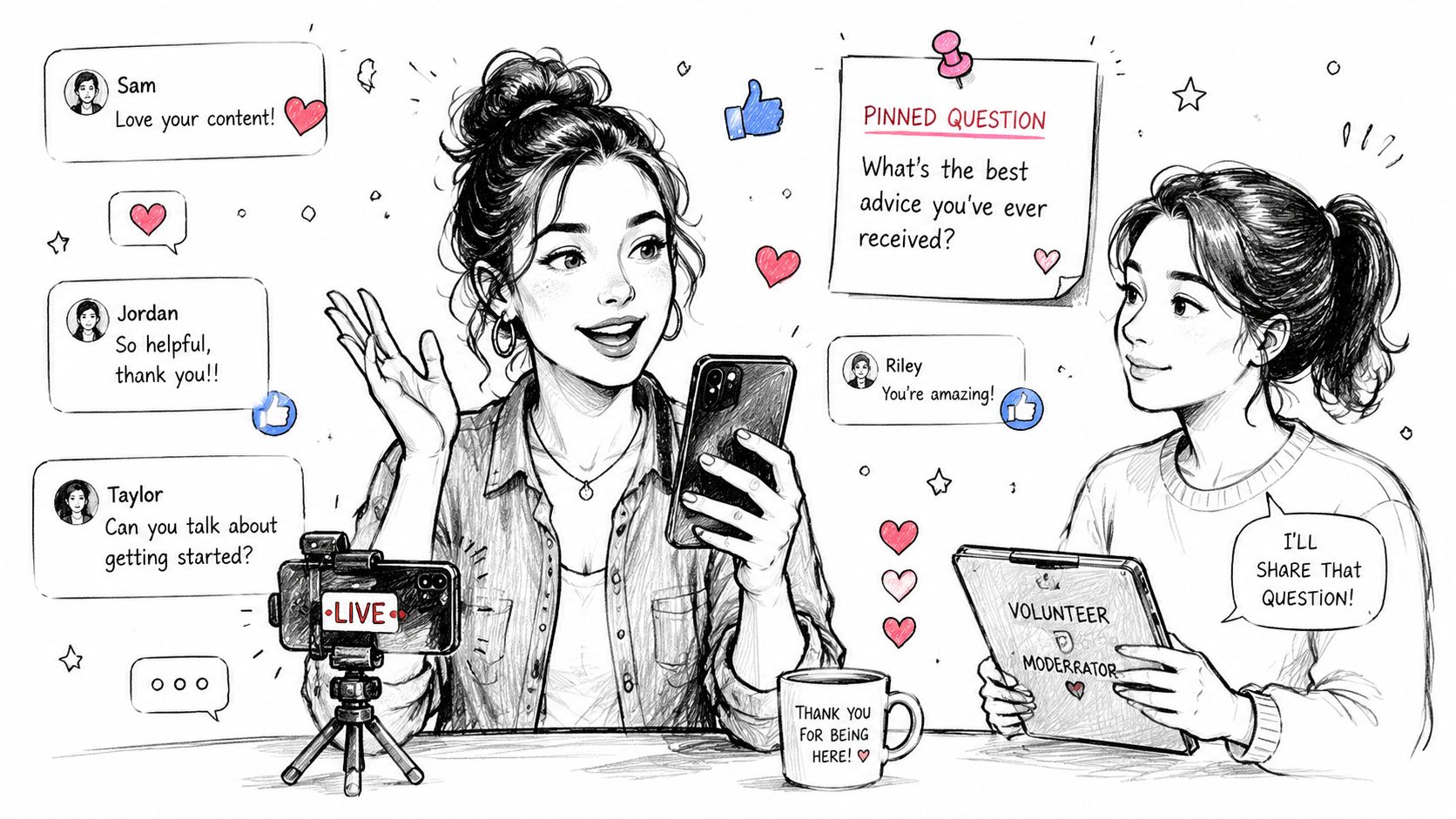
Assign the role before the service. The moderator can welcome viewers, watch for prayer requests, identify genuine questions, hide disruptive comments, and tell the host when a question deserves attention. This person shouldn't be expected to operate the camera, run slides, and manage comments at the same time.
Ask questions that have a clear answer. “How is everyone doing?” may receive little response, while “What would you like us to pray for today?” gives viewers a concrete way to join. During a pastoral Q&A, collect questions in advance and invite additional questions in the comments. During a prayer gathering, the moderator can group similar requests for the leader without exposing sensitive personal details.
Protect the ministry tone
Real-time engagement needs boundaries. Establish moderation expectations before the broadcast and avoid reading private information aloud. Thank people by name when appropriate, but don't make the service feel like a roll call. A brief welcome to online viewers can be meaningful, especially when it happens at a natural pause.
A youth leader might invite prayer requests and pause to pray over themes that viewers share. A pastor could repeat the sermon's main question for people who joined late, then respond to a few comments during a planned discussion moment. These actions make the broadcast interactive without interrupting every part of worship.
Online participation is ministry, not merely moderation. Give the moderator enough authority and preparation to welcome people, protect the conversation, and surface questions at the right time.
Use pinned comments for the central discussion prompt, service information, or a link to the next step. After the broadcast, return to unanswered comments while the conversation is still active. ChurchSocial.ai can help schedule a follow-up post that continues the question rather than ending engagement with the replay.
6. Repurpose Your Live Stream Content Across Multiple Platforms and Formats
A full Facebook Live replay is useful, but it isn't the right format for every viewer. Some people want the complete sermon, while others need a short explanation, a written reflection, a quote, or a question they can discuss with a group.
Begin with the transcript. Identify the strongest moments, then adapt each one for its destination rather than copying the same Facebook link everywhere. ChurchSocial.ai's Sermon Clip Creator can help produce short, platform-specific clips with automatic transcription and burned-in captions. Its AI tools can also generate captions, blog content, discussion questions, and other sermon-based formats.
A Sunday service might become:
- A full replay: Published on the church's primary video destination and website.
- A short Facebook clip: Focused on one practical teaching point.
- An Instagram Reel or TikTok video: Edited vertically with captions and a direct opening.
- A quote graphic: Designed in ChurchSocial.ai's template library with a clean background.
- A blog post: Expanded from the sermon transcript for search and reference.
- An email reflection: Connected to the week's pastoral theme.
Match the asset to the audience
A sermon clip needs context in its opening and caption. A blog post needs headings and a clear explanation of the passage. A carousel can break a teaching point into steps, while a discussion question can invite responses without requiring someone to watch the entire service.
Schedule the follow-up content across the week so the message remains available after Sunday. ChurchSocial.ai's drag-and-drop calendar lets volunteers see Facebook, Instagram, TikTok, YouTube, and other publishing tasks together. Use platform-native uploads when possible, and review each asset on a phone before publishing.
For churches working with video files, these MLS video optimization tips offer additional guidance on adapting video for different placements. The central rule is simple: preserve the message, but change the presentation to fit the viewer's context.
7. Use Data and Analytics to Measure Impact and Improve Future Broadcasts
Analytics should answer practical ministry and communications questions. Did people stay through the main teaching? Did the announcement reach viewers? Did a prayer prompt produce conversation? Did technical problems cause a noticeable drop in attention?
Review the broadcast while details are fresh. Record the viewer count, peak concurrent viewers, watch time, engagement rate, shares, and comments in a simple document or spreadsheet. Add context, such as a holiday, guest speaker, unusual service format, technical issue, or change in promotion. Numbers without context can lead a team to change the wrong thing.
Compare like with like
A weekly Sunday service should be compared with other Sunday services, not automatically with a prayer gathering or pastoral interview. A short clip should be judged by its role as a discovery asset, while a full service replay may serve people who already know the church.
Look for patterns in:
- Opening retention: Do viewers leave before the welcome or sermon begins?
- Watch time: Which parts keep people watching?
- Comments: Which questions generate thoughtful responses?
- Shares: Which topics prompt people to pass the message along?
- Replay activity: Does interest continue after the live broadcast ends?
Don't change five variables at once. If the team changes the start time, title, thumbnail, format, and promotion sequence together, it won't know what affected the outcome. Test one meaningful adjustment, document the result, and discuss the learning with church leadership.
For example, if the comments show that viewers need more context, the host can repeat the topic and Scripture reference for late joiners. If viewers leave during a long technical introduction, the team can start with a welcome and clear purpose before handling details. ChurchSocial.ai can keep the next broadcast, related posts, and review notes visible in the same calendar, making improvement part of the workflow instead of an occasional meeting topic.
8. Create a Centralized Content Calendar to Coordinate All Church Communications
A Facebook Live schedule becomes much more useful when it sits beside the rest of the church's communication. Without one shared view, a volunteer may publish a service reminder while another team promotes an unrelated event, or a sermon clip may appear before the congregation has received the full message.
ChurchSocial.ai's centralized visual calendar can hold live broadcasts, announcements, sermon clips, graphics, carousels, blogs, and follow-up posts. A small church can batch several weeks of content during a dedicated planning session. A larger church can assign owners, due dates, approval steps, and platform destinations so the work doesn't depend on one person remembering every detail.
Design the calendar for handoffs
Create categories that reflect how your church communicates, such as worship, teaching, prayer, community, events, and outreach. Use recurring templates for Sunday service announcements, sermon quotes, prayer prompts, and event reminders. Keep the copy and visual style consistent, but leave room for the actual message and audience need.
Planning Center and other church calendar integrations can help bring events into the social schedule. That matters for multi-site churches, where campus events may change and the social team needs a reliable source for dates and details. The calendar should show not only when a post goes live, but also when someone must write it, design it, review it, and respond to comments.
A practical workflow might look like this:
- Planning: Add the broadcast and its purpose.
- Production: Assign the host, camera operator, moderator, and content editor.
- Promotion: Schedule announcements across the relevant platforms.
- Delivery: Confirm the stream, captions, comments, and pinned information.
- Repurposing: Create clips, graphics, blog content, and discussion prompts.
- Review: Record learning and update the next broadcast plan.
That structure helps solo volunteers and larger communications teams use the same process at different scales. It also turns Facebook Live from an isolated technical task into part of the church's ongoing pastoral communication.
8-Point Facebook Live Best Practices Comparison
| Strategy | Implementation Complexity 🔄 | Resource & Time ⚡ | Expected Outcomes ⭐ / 📊 | Ideal Use Cases | Key Advantages 💡 |
|---|---|---|---|---|---|
| Plan Your Facebook Live Schedule in Advance Using a Visual Calendar | Low, beginner-friendly; discipline required 🔄 | Low resources; 30 min setup, ongoing maintenance ⚡ | ⭐ Builds viewing habits; 📊 more consistent attendance and promotion | Regular services, recurring meetings, multi-site scheduling | Predictability, easier promotion, staff coordination; tip: set recurring broadcasts & reminders 💡 |
| Create Compelling Sermon-Based Content to Drive Facebook Live Engagement | Moderate, content selection & light editing 🔄 | Moderate; 5–10 min per sermon with AI; needs clear audio ⚡ | ⭐ Higher engagement; 📊 more shareable clips and SEO benefits | Sermon-driven ministries wanting repurposed content | Scales content output, increases reach; tip: use AI clip tools and include CTAs 💡 |
| Promote Your Facebook Live Broadcast Before, During, and After Going Live | Moderate, requires cross-channel coordination 🔄 | Moderate; ~15 min planning per broadcast + scheduling time ⚡ | ⭐ Increased live viewers & retention; 📊 extended content lifespan | Special events, guest speakers, regular services needing boosts | Drives concurrent viewership and follow-ups; tip: schedule reminders and pin CTAs 💡 |
| Optimize Video Quality and Technical Setup for Professional Live Streams | High, intermediate to advanced setup & troubleshooting 🔄 | High resources; 2–4 hrs initial setup, gear & stable internet required ⚡ | ⭐ Improved retention & professionalism; 📊 fewer disruptions and complaints | High-production services, large audiences, long-term investment | Better viewer experience and accessibility; tip: use external mics, test 30 min before 💡 |
| Engage Your Audience in Real-Time with Interactive Elements and Comments | Low–Moderate, needs live moderation and quick responses 🔄 | Human-focused; ongoing during broadcast + 10–15 min post ⚡ | ⭐ Stronger engagement and loyalty; 📊 more comments, shares, UGC | Q&A sessions, youth groups, interactive services | Builds community and feedback loops; tip: assign a dedicated moderator and use pinned prompts 💡 |
| Repurpose Your Live Stream Content Across Multiple Platforms and Formats | Moderate, platform-specific optimization required 🔄 | Moderate; ~10–15 min per broadcast with AI; accounts & minor edits ⚡ | ⭐ Much wider reach; 📊 extended impressions and SEO gains | Ministries wanting multi-platform presence and automation | Maximizes content ROI and visibility; tip: optimize aspect ratios and upload natively per platform 💡 |
| Use Data and Analytics to Measure Impact and Improve Future Broadcasts | Low, tracking and interpretation required 🔄 | Low time; ~15 min analysis per broadcast; analytics tools needed ⚡ | ⭐ Data-driven improvements; 📊 identifies best times, topics, and tactics | Churches refining strategy and demonstrating impact | Objective insights for decisions and leadership reporting; tip: review within 48 hrs and track trends 💡 |
| Create a Centralized Content Calendar to Coordinate All Church Communications | Low, setup and team buy-in required 🔄 | Moderate; 1–2 hrs initial setup, 30–60 min monthly maintenance ⚡ | ⭐ Consistent messaging; 📊 fewer duplicates and better team workflow | Teams managing multi-platform schedules and volunteers | Centralized planning, batch scheduling, approvals; tip: color-code types and assign owners 💡 |
Build a Facebook Live System Your Church Can Sustain
The best practices for Facebook Live become manageable when the church treats each broadcast as a cycle rather than a single event. Before the stream, schedule the broadcast, write its promise, prepare the promotion, assign volunteer roles, and confirm what viewers should do next. During the stream, deliver a clear message, monitor the comments, repeat essential context for late joiners, and protect the tone of the conversation.
Accessibility belongs in that same preparation. Captions, readable graphics, clear audio, repeated context, and concise on-screen information help people who watch on mobile devices, join late, listen with sound off, or need additional support. A tighter run-of-show may serve a volunteer team better than total spontaneity because the host and moderator know when to pause, welcome viewers, explain the topic, and invite interaction.
After the broadcast, save and review the replay. Identify sermon moments that can become captioned clips, quote graphics, carousels, blog posts, email reflections, or small-group questions. ChurchSocial.ai can support that process with its sermon tools, AI Caption Writer, graphics templates, editor, and publishing calendar. The team doesn't need to create every possible asset. It needs to choose useful formats and schedule them consistently.
A sustainable volunteer workflow can stay simple:
- Schedule the broadcast: Add the event, purpose, owner, and follow-up time.
- Promote it: Prepare clear announcements and reminders across the church's channels.
- Test the setup: Check framing, audio, internet, captions, and the broadcast destination.
- Assign engagement: Give one person responsibility for comments and moderation.
- Make it accessible: Use captions, clear language, readable overlays, and repeated context.
- Repurpose the message: Create a small set of clips, posts, graphics, and written resources.
- Review performance: Record what worked, note what failed, and change one variable next time.
Start with one recurring broadcast your volunteers can maintain. Put the next live service and its follow-up content into one shared ChurchSocial.ai calendar, assign each task to a real person, and schedule the first promotion before the week becomes crowded. Improve the system after every broadcast, not by chasing complexity, but by removing the points that make volunteers hesitate or viewers leave.
ChurchSocial.ai helps churches plan Facebook Live promotion and follow-up content in a unified calendar, create sermon clips with captions, generate social posts and blogs from transcripts, and design branded graphics and carousels with templates and an editor. Visit ChurchSocial.ai to organize your next broadcast and its repurposing workflow in one place.


