

Most churches already have the raw material for daily devotional videos. What they usually don’t have is margin. The pastor is preparing sermons, the admin team is covering events, and the social feed gets whatever someone can post between meetings. Midweek spiritual care often ends up depending on good intentions.
That’s why daily devotional videos work best when they’re treated as a system, not a side project. A church doesn’t need a studio, a video team, or a full-time editor. It needs a repeatable workflow that turns what’s already being preached and taught into short, usable content people can watch during the week.
The timing matters. People still want daily time with God, but their mornings and attention habits are shaped by phones, feeds, and notifications. Churches that learn to serve that moment well can stay connected to their congregation far beyond Sunday.
Connecting Your Congregation Daily Through Video
A lot of pastors feel the same tension. They want to shepherd people between services, but there’s only so much time in a week. Writing a fresh devotional every day, filming it, editing it, and posting it can sound like a great ministry idea right up until someone has to own the process.
The encouraging part is that the desire for daily spiritual rhythm is already there. A 2023 Lifeway Research survey reported that 65% of Protestant churchgoers intentionally spend time alone with God at least daily, and those attending worship at least four times a month were twice as likely to engage in devotions more than once daily. Churches aren’t trying to manufacture interest. They’re stepping into an existing habit.
Why video fits real life
The challenge isn’t whether people care about devotion. The challenge is access, consistency, and format. A printed devotional works for some people. An email works for others. But video gives a church a way to place a familiar pastoral voice into the devices people already reach for every day.
That changes how devotional ministry feels. Instead of asking, “How do we get people to adopt another church program?” the better question is, “How do we deliver biblical encouragement in a format people can receive easily?”
Practical rule: Daily devotional videos should lower friction. If the video feels hard to access, too long to finish, or too polished to produce consistently, the workflow will break.
What daily devotional videos do well
They help churches stay present in ordinary moments:
- They extend the sermon into the week. A Sunday message often has more than one application point. Short devotionals let you unpack those moments one at a time.
- They create pastoral familiarity. People hear a trusted voice in a calm, repeatable format.
- They help volunteers publish consistently. A simple system is easier to sustain than a big weekly production.
- They meet different comfort levels. Some members may not join a class or group, but they will watch a short video before work or at lunch.
There’s also a practical communications benefit. When your church publishes daily devotional videos consistently, your social channels stop feeling like an announcement board and start feeling like a ministry channel.
The shift churches need to make
The biggest mistake is thinking every devotional needs to be built from scratch. It doesn’t. A better approach is to treat Sunday teaching as the source, then shape it into short weekday moments. That’s more realistic for pastors, clearer for volunteers, and healthier for the schedule.
Daily devotional videos aren’t one more thing to create. They’re one more way to steward what your church is already preaching.
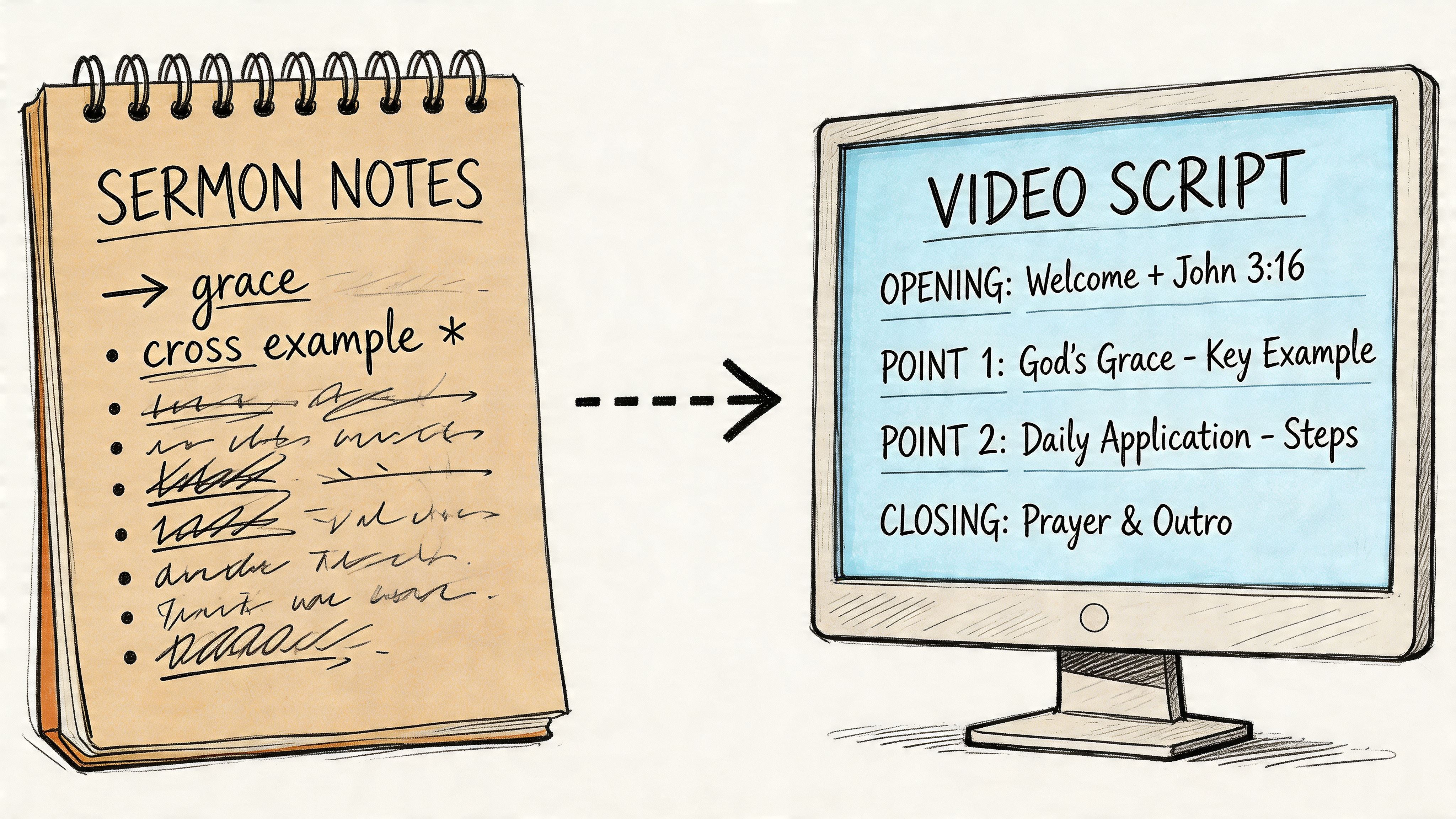
From Sermon Notes to a Powerful Script
Most churches don’t need more ideas. They need a cleaner path from sermon content to a camera-ready script. The strongest daily devotional videos usually come from material that has already been preached, refined, and heard by real people.
Start with your last four sermons. That gives you enough range to build a short batch of devotionals without making every video sound identical. Review the sermon notes, transcript, or outline and mark the moments that naturally stand on their own. Look for a single Scripture, a sharp application point, a memorable phrase, or a brief pastoral encouragement that doesn’t require the whole sermon to make sense.
Batch your planning in one sitting
If you try to script a new devotional every morning, you’ll eventually miss days. Batch planning is what makes the ministry sustainable.
Here’s a workflow that works well for churches:
- Choose one sermon series or recent message set. Staying inside one theme keeps your week coherent.
- Pull the transcript or outline. If you need help structuring sermon material before scripting, this guide on how to make a sermon outline is useful for tightening the source content.
- Highlight seven to ten stand-alone ideas. Don’t aim for depth and breadth at the same time. Choose one clear thought per video.
- Match each idea with a single passage. Keep the biblical anchor obvious.
- Write the takeaway in one sentence. If you can’t say the devotional’s point in one sentence, the script is still too broad.
- Draft all scripts in the same session. Even rough first drafts are better than starting from zero every day.
A month of daily devotional videos doesn’t require thirty unique theological themes. It requires thirty clear entry points into Scripture and obedience.
Write for speaking, not for reading
A devotional script should sound like a pastor talking to one person, not like a manuscript being recited. Written language often becomes stiff on camera. Spoken language feels simpler and warmer.
Use short sentences. Cut long introductions. Put the Scripture early. Land on one application. If a line feels formal when you say it out loud, rewrite it.
If a volunteer or pastor can’t read the script naturally in one take, the script needs editing more than the video does.
A simple pattern helps. Open with the verse or theme. Explain one truth. Apply it to ordinary life. End with one next step, prayer, or encouragement.
Simple Daily Devotional Script Template
| Section | Prompt / Purpose | Example |
|---|---|---|
| Opening | Start with the Scripture, theme, or one clear pastoral sentence | “Today I want to encourage you from Psalm 139.” |
| Bible focus | Name the passage and the key truth | “This passage reminds us that God knows us fully and still cares for us.” |
| Explanation | Clarify one idea from the sermon in plain language | “That means you don’t have to perform for God before coming to Him.” |
| Application | Connect the truth to a real weekday moment | “If you’re carrying stress into work today, begin by naming it honestly before the Lord.” |
| Closing | End with a prayer prompt, challenge, or encouragement | “Take one minute today and invite God into the part of your day you’ve been avoiding.” |
What works and what doesn’t
Some scripting choices consistently help. Others create friction fast.
What works
- One main idea: People remember a single clear takeaway.
- Specific weekday application: Commutes, parenting, work pressure, conflict, anxiety, gratitude.
- Conversational wording: The best scripts sound normal out loud.
- Scripture first: The devotional feels anchored, not improvised.
What doesn’t
- Mini sermons: A devotional video is not a compressed Sunday message.
- Too much context: If you spend most of the video setting up the point, you’ve lost the point.
- Dense church language: Assume mixed familiarity. Clarity serves everyone.
- Multiple calls to action: End with one response, not three.
A strong script passes three tests
Before recording, ask three quick questions:
- Can someone understand this without hearing Sunday’s sermon?
- Can the speaker deliver it naturally in one calm take?
- Can a viewer act on it today?
If the answer is yes, the script is ready. If not, trim again. Strong daily devotional videos usually start with restraint. The church already has the message. The task is to shape it into something brief, faithful, and easy to receive.
Recording Your Devotionals Without a Film Crew
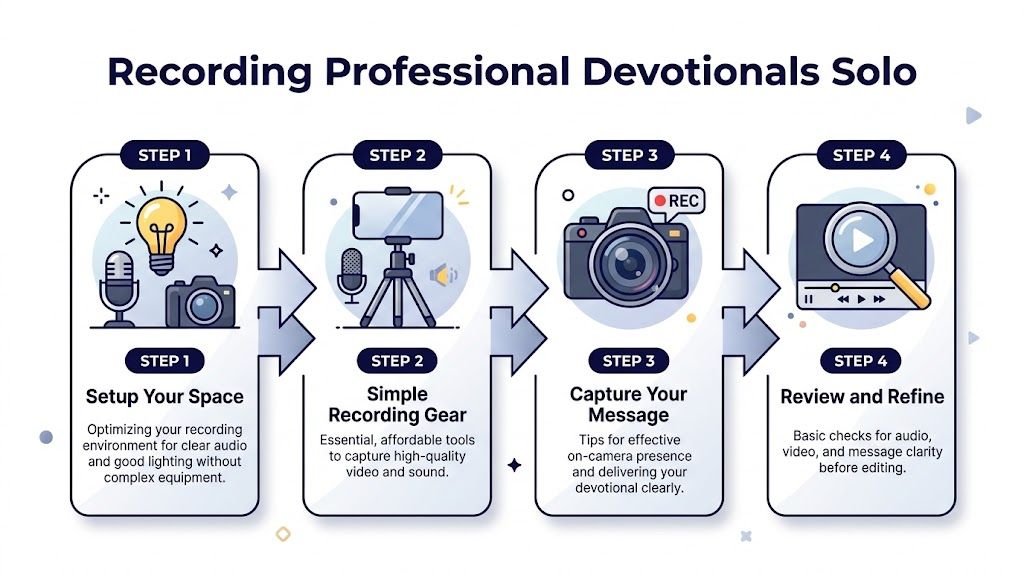
Churches often overestimate what camera quality can fix and underestimate how much room noise, bad lighting, and awkward delivery can hurt a devotional. The good news is that daily devotional videos don’t need cinematic production. They need to feel clear, calm, and trustworthy.
A modern smartphone is enough for most churches. Add a stable tripod and a simple microphone option, even wired earbuds with an inline mic if that’s what you have available. What matters most is whether people can hear the speaker comfortably and stay focused on the message.
Build a simple recording setup
You don’t need a church stage. In fact, many daily devotional videos feel better in a smaller space. A quiet office, classroom, or corner with soft furnishings will usually sound cleaner than a large sanctuary.
Use this checklist before you record:
- Choose a quiet room: Turn off fans, loud air units, and nearby devices if possible.
- Face a window: Natural light from in front of the speaker usually looks better than overhead room light alone.
- Stabilize the phone: Handheld video feels distracting for devotional content.
- Clear the background: Keep it tidy and free from visual clutter.
- Record a short test clip: Don’t assume the setup works. Check it.
For churches refining a repeatable workflow, this article on a video recording system for church is a good companion for documenting gear, room setup, and volunteer roles.
Focus on audio before anything else
People will tolerate a simple background. They won’t tolerate muddy audio for long. If the room echoes or the microphone is too far away, the devotional will feel amateur even if the image looks sharp.
That’s why the first recording decision should be about sound. Bring the microphone as close to the speaker as your setup allows. If you’re using the phone mic, move the camera closer and frame tighter instead of placing it across the room.
Good devotional video audio sounds intimate. It should feel like the speaker is talking with the viewer, not across a hallway.
Help the speaker look natural on camera
Most pastors are comfortable preaching to a room and less comfortable talking into a lens. That’s normal. The camera removes congregational feedback, so delivery often gets either too flat or too formal.
A few small adjustments help a lot:
- Look at the lens, not the screen. Eye contact is simulated through the lens.
- Stand or sit in a stable posture. Movement should feel intentional, not restless.
- Speak slightly slower than normal conversation. Online viewers need a little more clarity.
- Smile when appropriate. Warmth reads quickly on camera.
- Pause after key lines. That gives the message room to breathe and helps later editing.
If the speaker stumbles once, keep going. Restarting every few seconds usually makes delivery worse. Record two or three full takes instead. Most churches get better results by choosing the strongest complete take than by chasing a perfect one.
Keep your visual choices consistent
Consistency matters more than novelty. A recurring background, similar camera angle, and steady framing help people recognize the series. That’s useful for both church members and first-time viewers.
Try this simple framing rule. Place the camera at eye level. Keep the speaker centered or slightly off-center. Leave a little space above the head, but not so much that the person looks small in the frame.
Review before anyone leaves the room
This step saves frustration later. Watch the first clip with headphones before the speaker walks away. Check four things:
- Can you hear every word clearly?
- Does the light look even on the face?
- Is the speaker looking at the camera often enough?
- Did the message stay concise and natural?
A five-minute review is better than discovering preventable issues during editing. Daily devotional videos become manageable when recording is boring in the best way. Same setup, same process, same reliable result.
Editing and Branding Videos with ChurchSocial.ai
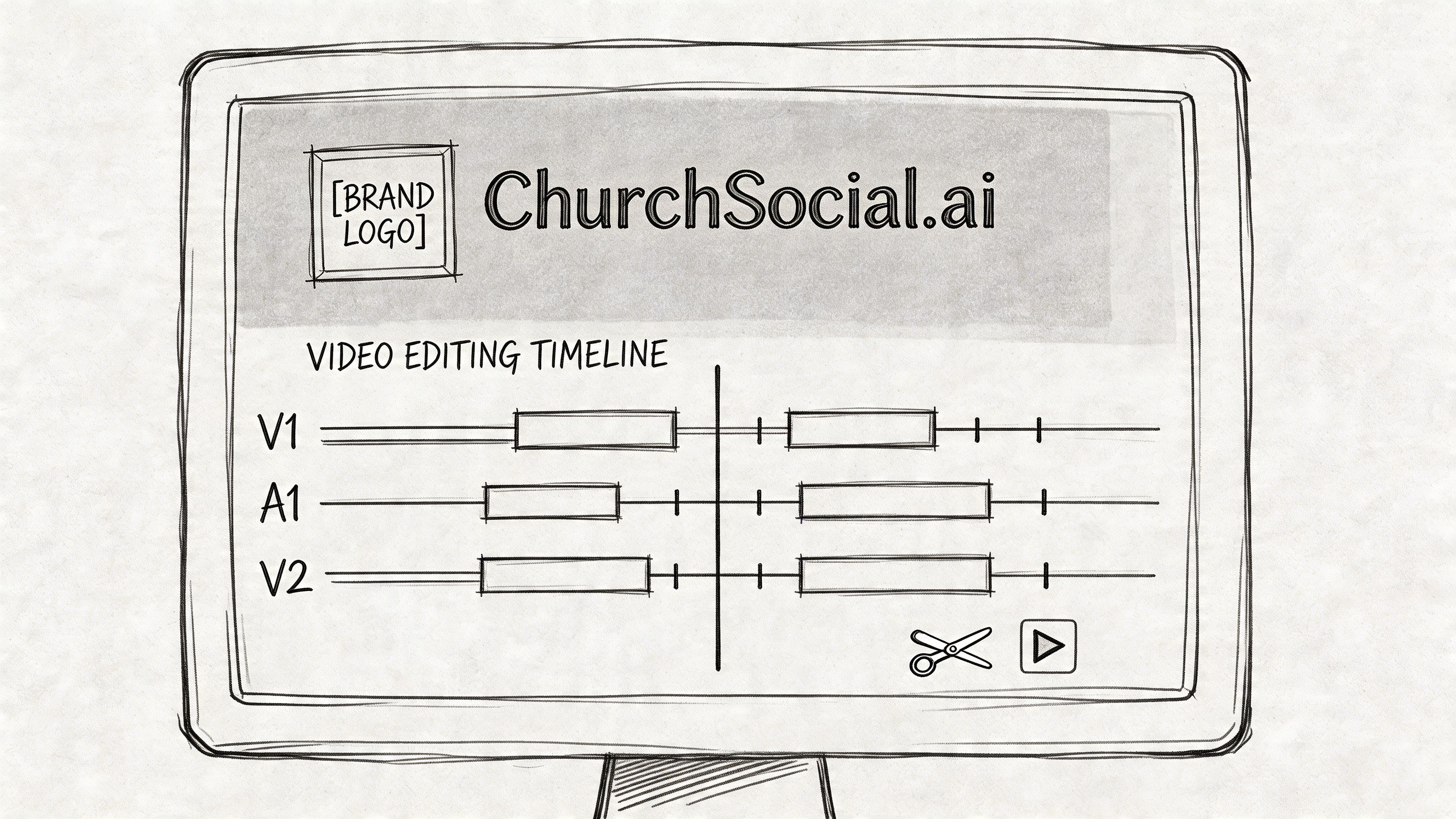
Editing is where many church content plans stall. Recording a devotional is usually possible. Finishing it is what eats the week. Someone has to trim awkward pauses, add captions, create a thumbnail, format it for multiple platforms, and keep the final video consistent with the church’s visual identity.
That bottleneck is why churches should simplify post-production aggressively. The best editing workflow is not the one with the most features. It’s the one your team can repeat without depending on one highly technical volunteer.
Start with the cleanest possible cut
For daily devotional videos, the edit should serve clarity, not showmanship. Trim the dead space at the beginning and end. Remove obvious stumbles if needed. Tighten long pauses that don’t add meaning. Then stop.
A lot of churches overedit devotional content. They add too many transitions, too much background music, or design elements that pull attention away from the Scripture and application. A simple talking-head devotional with clean captions and a strong opening often performs better than a complicated timeline.
Captions are not optional
Many people watch social video with sound low or off. If the words aren’t visible, the message gets lost fast. Captions also help with clarity, accessibility, and retention.
Churches that need a lightweight captioning workflow can review practical options like these free subtitle generator tools from Typist. The point isn’t to chase novelty. It’s to make the message easy to follow wherever someone watches.
When you add captions, keep them readable:
- Use high contrast text
- Avoid covering the speaker’s mouth
- Keep line length short
- Correct Scripture references and names manually
- Watch the full export once before posting
Branding should feel steady, not loud
A devotional series benefits from recognizable visual cues. That doesn’t mean every frame needs heavy graphics. It means your church should make a few branding choices and stick with them.
Use one thumbnail style. Keep the same title treatment for the series. Add the church logo where it makes sense, but don’t let it dominate the frame. If the church has brand colors, use them in a restrained way on title cards or cover images.
A devotional should look like it belongs to your church before anyone reads the account name.
Useful branding elements for daily devotional videos include:
- A recurring thumbnail layout
- A simple opening or closing slate
- Consistent fonts across captions and graphics
- A calm color palette tied to your church identity
- A standard series name used across platforms
Let AI handle the repetitive work
ChurchSocial.ai proves practical for real ministry teams. Instead of building every asset manually, churches can use the platform’s tools to reduce the repetitive steps that usually slow production down.
The Sermon Clip Creator helps turn longer sermon recordings into shorter usable moments. That matters because churches often already have solid teaching on hand, but they don’t have time to scrub through footage and cut each moment manually. The AI Caption Writer makes subtitle creation much faster, and the Graphics Studio helps teams apply branded visuals without needing a trained designer.
That combination changes the workload. Instead of spending most of your energy on technical cleanup, you can spend it on reviewing theology, tone, and pastoral clarity.
A better editing decision tree
When a volunteer opens the edit, have them ask these questions in order:
| Question | If yes | If no |
|---|---|---|
| Is the message clear in the first few seconds? | Keep the opening tight | Trim to the first meaningful line |
| Can viewers follow without sound? | Move to branding review | Add or fix captions |
| Does the video feel visually consistent with the series? | Export platform versions | Add thumbnail and simple branded elements |
| Is there anything distracting? | Publish | Remove the distraction before posting |
The strongest post-production workflow doesn’t make your church look bigger than it is. It makes your church look intentional. For daily devotional videos, that’s the standard worth chasing.
Scheduling and Repurposing Your Videos for Maximum Reach
Publishing one devotional at a time feels manageable until the week gets busy. Then Thursday is missed, Friday is rushed, and the series loses momentum. Churches that stay consistent usually rely on scheduling, not memory.
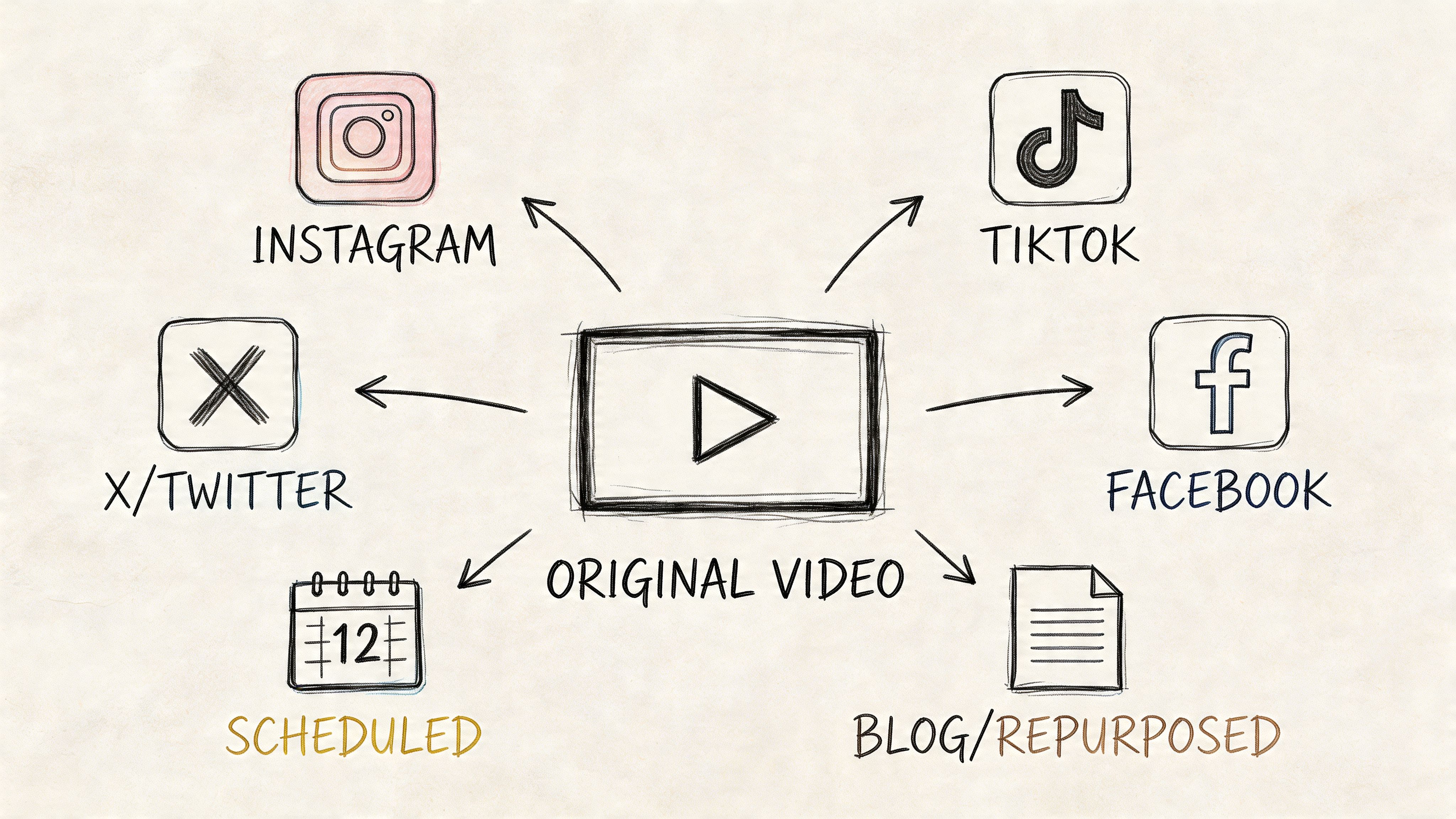
The better model is create once, publish many times. A single devotional can become a main video post, a vertical clip, a caption-based post, a blog reflection, a discussion prompt for small groups, and a follow-up story post. That doesn’t dilute the message. It helps different people receive it in different formats.
Schedule the week before the week starts
A church communications rhythm gets healthier the moment content is queued in advance. That applies even if your team is small.
A practical weekly setup looks like this:
- Monday post: Full devotional video
- Midweek post: Short clip from the same devotional
- Story or short caption post: One quote, question, or verse image
- End-of-week reuse: A recap carousel, short reflection, or email embed
ChurchSocial.ai’s drag-and-drop calendar is useful here because it gives churches one place to plan and schedule posts across platforms without juggling multiple native apps. If your church also manages events through Planning Center or another calendar workflow, having social content close to the church schedule reduces missed opportunities.
Repurpose by audience, not just by platform
A common mistake is posting the exact same file and caption everywhere. That saves time, but it ignores how people use each platform. Repurposing works better when the church adjusts format and framing to match attention patterns.
If you want a broader framework, this guide on how to repurpose content gives helpful ideas for extending one piece of content into multiple assets. For churches specifically, this resource on how to repurpose content is a strong reference point for turning sermons and devotionals into a fuller publishing calendar.
A sermon-based devotional might become:
- YouTube: The full devotional with a strong thumbnail and searchable title
- Instagram Reels: A short vertical excerpt with one key takeaway
- Facebook: The full video or a native clip with a more pastoral caption
- Blog format: A brief written devotional for your website
- Email content: A short intro paragraph and embedded video
- Small group prompt: Two or three discussion questions based on the same Scripture
Short-form video deserves special attention
Churches that want to reach younger audiences can’t rely only on longer videos. A key opportunity lies with short-form video. 2025 data shows that 68% of Gen Z Christians ages 18 to 25 prefer spiritual content under 60 seconds for daily consumption. That doesn’t mean abandoning depth. It means creating an entry point.
A short clip works best when it focuses on one sentence, one challenge, or one line of Scripture. It should feel complete on its own, even if it also points back to the full devotional. In such cases, automated clipping is especially helpful for churches with limited editing capacity.
Short-form content is often the invitation. The fuller devotional is where trust and teaching deepen.
Build a repurposing chain your volunteers can follow
Don’t leave repurposing to improvisation. Write the process down. A volunteer should know what to create after the main devotional is finished.
A simple chain might look like this:
- Export the main devotional
- Pull one short vertical clip
- Generate a caption post from the transcript
- Create one static graphic with the verse or takeaway
- Turn the transcript into a short blog or website devotional
- Schedule everything together in one calendar session
AI provides significant effort savings for churches. Instead of rewriting the same idea from scratch for every format, teams can turn one transcript into several assets quickly, then spend their time reviewing voice and accuracy.
Keep the message coherent across the week
Repurposing doesn’t mean saying something different each time. It means presenting the same biblical truth in forms that fit the platform. That consistency matters. A church’s devotional content should feel like one coordinated ministry voice, not a stack of unrelated posts.
When daily devotional videos are tied to a schedule and a repurposing plan, consistency stops depending on whoever happens to be free that afternoon.
Measuring the Impact of Your Video Devotionals
Churches don’t need analytics to prove that God can use a video. They do need analytics to learn whether their process is helping people stay engaged. Measurement is not about chasing vanity. It’s about paying attention so the next devotional is easier to watch, easier to understand, and more likely to reach someone at the right moment.
The most useful numbers are the ones that answer practical ministry questions. Are people staying with the video long enough to hear the main point? Are they responding in ways that suggest reflection, prayer, or conversation? Are some formats working better than others?
What to watch first
Start with a small set of metrics your team can review consistently:
- Retention: Are viewers staying long enough to receive the heart of the devotional?
- Click-through behavior: Are thumbnails and titles inviting enough for people to start the video?
- Comments and replies: Do people respond with prayer requests, reflections, or Scripture engagement?
- Shares and saves: These can signal that the content felt useful enough to revisit or pass along.
- Completion patterns by platform: Some devotionals will work better in one channel than another.
The point is not to worship the dashboard. The point is to identify where friction exists. If people click but leave early, the opening likely needs work. If they never click at all, your packaging may be the problem rather than the content.
Use realistic benchmarks
A church plant study on video devotionals offers helpful guardrails. Researchers found that a key success benchmark was achieving 50 to 70% retention in a multi-platform campaign, and A/B testing thumbnails boosted click-through rates by 25%. That’s useful because it gives churches permission to evaluate and improve rather than guess.
The same study also reinforces a basic truth from day-to-day ministry work. Small adjustments matter. A clearer thumbnail, better first sentence, or stronger visual framing can improve whether people begin the devotional.
Don’t treat underperforming videos as failure. Treat them as feedback on packaging, pace, clarity, or platform fit.
Common problems churches run into
Performance issues usually come from a few repeatable sources:
| Problem | What it often means | Better move |
|---|---|---|
| Fast drop-off in the opening | The intro takes too long | Start with Scripture or the core takeaway |
| Strong message, low clicks | Thumbnail or title isn’t compelling | Test a clearer title and alternate cover image |
| Good results on one platform only | The format fits one audience better | Recut for vertical or shorten for other channels |
| Inconsistent posting | Workflow depends on spare time | Batch and schedule further ahead |
| Comments are shallow or absent | The content may not invite response | End with one reflective question or prayer prompt |
Read analytics through a pastoral lens
Not every meaningful outcome shows up as a number. A devotional that prompts a private prayer request or helps a member stay connected during a hard week may never produce standout platform metrics. That doesn’t make it ineffective.
At the same time, ministry and clarity are not opposites. If people consistently leave before hearing the biblical point, the church should respond. Better hooks, cleaner audio, and tighter scripts are not marketing tricks. They are acts of stewardship.
A healthy review rhythm is simple. Look at the data regularly. Note patterns. Make one or two changes at a time. Then keep publishing. Daily devotional videos improve when churches learn from real viewer behavior without letting the platform define the ministry.
Churches don’t need a bigger media department to build a steady devotional rhythm. They need a workflow that turns sermons into clips, transcripts into posts and blogs, and a scattered schedule into a clear publishing calendar. ChurchSocial.ai helps churches do exactly that with AI-generated sermon reels, transcript-based content creation, graphic templates, scheduling tools, and calendar integrations designed for real ministry teams.


