
A sermon can land with real force on Sunday and still disappear by Tuesday.
That's the situation a lot of churches are in. The message was clear. The room was engaged. Someone uploaded the sermon to YouTube. Then almost nobody found it, and the few who did often clicked away before the heart of the message came through. That's frustrating, especially when the content itself is strong.
YouTube channel optimization matters because your church's channel is often the first digital interaction someone has with your ministry. For many people, it functions like a front door, a bulletin board, and a first conversation all at once. If the channel is confusing, inconsistent, or hard to discover, the message doesn't travel as far as it could.
Good optimization isn't about chasing internet fame. It's about helping the right person find the right message at the right moment, then making it easy for them to stay, watch, and take a next step.
Your Digital Welcome Mat
A small church can preach a faithful, timely sermon and still feel invisible online. That doesn't usually happen because the sermon lacked value. It happens because posting a video and optimizing a video are not the same thing.
A church in this position often has the same pattern. Sunday's sermon gets uploaded with a generic title, a blank or short description, and a thumbnail pulled from the video itself. By Monday, the leadership team is back to pastoral care, events, volunteers, and next week's service. YouTube keeps moving, but the sermon doesn't.
That's where the mindset shift has to happen. YouTube isn't only a content archive. It's a digital mission field. People search there when they're anxious, grieving, curious about faith, wrestling with Scripture, or looking for a church before they ever walk into one.
Your channel should feel like a warm front porch, not a storage closet for old livestreams.
For churches, that changes the goal of youtube channel optimization. The aim isn't to impress other creators. The aim is to remove friction between your church's message and the people who need to hear it.
A strong channel helps in a few practical ways:
- It extends Sunday into the week. One sermon can continue serving people after the room is empty.
- It introduces your church clearly. New viewers can tell who you are, what you believe, and what kind of teaching they'll find.
- It respects volunteer time. A simple, repeatable system beats a heroic last-minute scramble every week.
The churches that make steady progress usually aren't the ones with the biggest media budgets. They're the ones that build a reliable process. They choose clarity over complexity, consistency over novelty, and service over vanity metrics.
That's good news for small teams. You don't need a studio crew to do this well. You need a channel that welcomes people, a workflow that fits real church life, and a few habits that make your message easier to discover.
Building Your Digital Sanctuary
Before a viewer watches a sermon, they evaluate the channel. They notice the name, the banner, the profile image, the About section, and how the homepage is organized. If those pieces feel scattered, the channel feels uncertain.
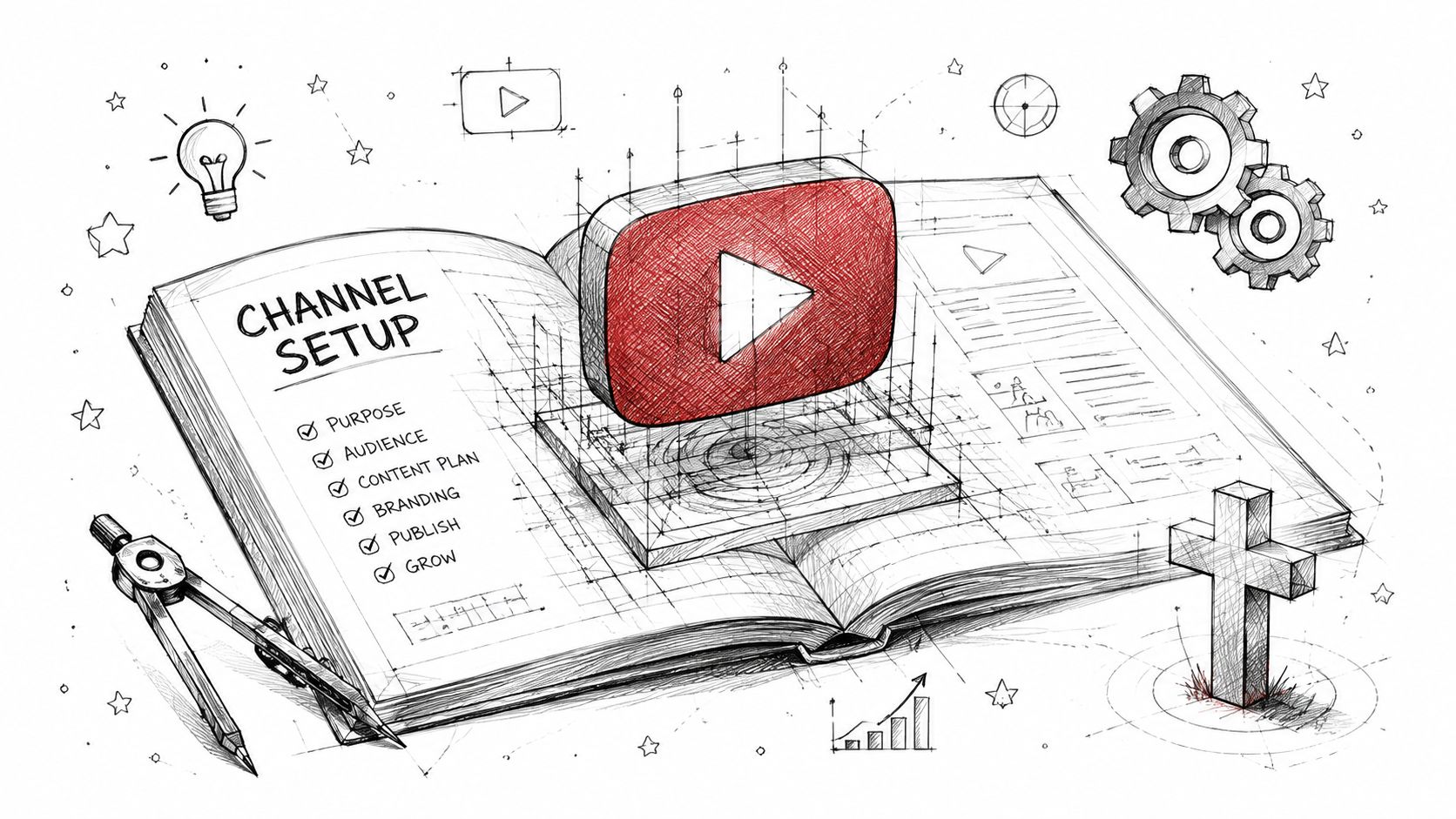
Start with a name people can search
Use your church's actual name first. If your church name is common, add the city or neighborhood. “Grace Church” is hard to distinguish. “Grace Church Dayton” is much clearer.
This isn't the place for insider language or clever abbreviations. A first-time visitor should be able to recognize your church instantly and find you again later.
Build a banner that answers basic questions
Your banner should do simple work. It should tell people who you are and give them a reason to stay. In most church contexts, that means your name, visual identity, and a short line that reflects your mission.
If you include service times, make sure someone on your team owns updates. Outdated information creates distrust fast.
Use this quick checklist:
- Clear church identity: Put the church name where it's easy to read.
- Consistent visuals: Match the banner to the colors and style people see on your website and other channels.
- Minimal copy: Only include text that helps a newcomer. Too much turns the banner into clutter.
Write an About section like a greeter would speak
The About section shouldn't sound like a filing cabinet. It should sound like a thoughtful welcome. Explain who your church serves, what viewers can expect on the channel, and where to go next if they want to visit in person or online.
A good About section often includes:
| Channel element | What it should communicate |
|---|---|
| Who you are | Your church name, location, and core identity |
| What you share | Sermons, devotionals, worship, Bible teaching, event updates |
| Who it helps | New believers, families, local community, online viewers |
| Next step | Website, service invitation, prayer request path |
If your church posts sermons regularly, create channel sections and playlists that make sense to outsiders. “Romans Series,” “Start Here,” “Christmas at Our Church,” and “Questions About Faith” are easier to browse than one long feed.
Practical rule: Organize the channel for the person who has never heard of your church, not the member who already knows where everything is.
One helpful example of sermon-specific channel planning appears in this guide to YouTube church sermons. It's useful when you're deciding how much of your channel should center on weekly preaching versus other kinds of ministry content.
Speaking Their Language with Keywords
A volunteer uploads Sunday's sermon with the title “Anchored.” By Tuesday, it has a handful of views from regular attenders and almost no reach beyond them. The sermon may be strong. The packaging is too vague for the person searching YouTube at 11:30 p.m. for help with fear, grief, prayer, or a passage they do not understand.
Keywords solve that problem. In church work, keyword research is pastoral listening translated into search language. The goal is not to chase trends for their own sake. The goal is to help the right person find biblical help at the moment they are looking for it.
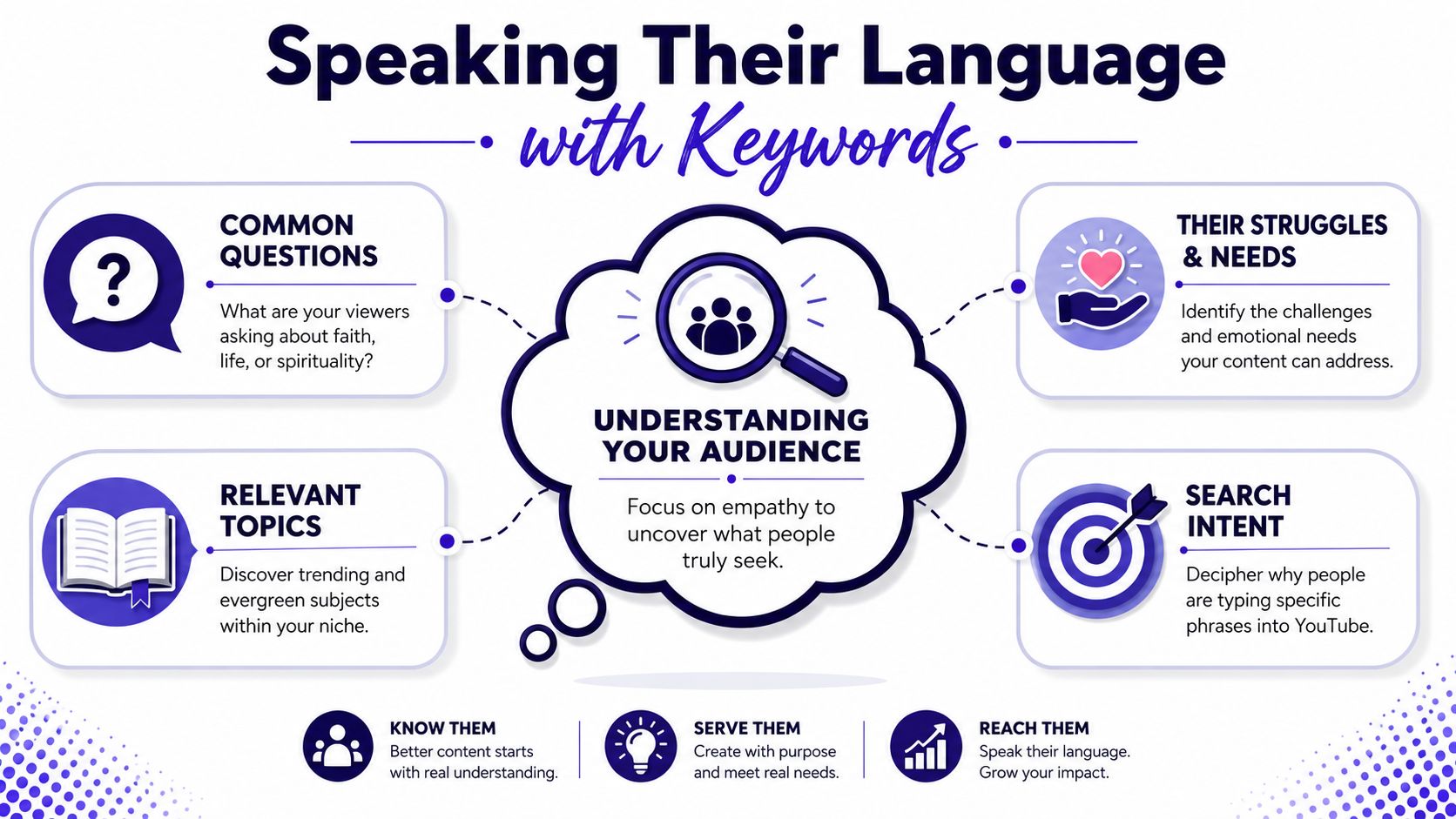
Start with the questions people actually ask
Church teams often title messages for the room, not for search. “Anchored” may fit the series. “How to Trust God When Life Feels Uncertain” gives a new viewer context immediately. “Psalm 46 Sermon on Fear and God's Presence” does the same thing while connecting the message to a Bible passage someone may already be searching for.
Use YouTube's search bar like a listening tool. Start typing a phrase and note the autocomplete suggestions. Those suggestions reflect language real users enter into search.
Three useful buckets usually cover most church content:
- Bible passage searches: “Romans 8 explained,” “what does Psalm 23 mean,” “James 1 sermon”
- Life-need searches: “how to pray when anxious,” “Christian help for grief,” “finding hope after loss”
- Faith exploration searches: “who is Jesus,” “how to start reading the Bible,” “church online for beginners”
This is one place where a tool can save a volunteer hours. ChurchSocial.ai can help teams turn sermon themes into clearer video titles, descriptions, and clips without forcing everyone to learn a full SEO workflow from scratch. That matters when the same people are also covering slides, social posts, and Sunday announcements.
Optimize the metadata viewers and search can both understand
YouTube pays close attention to what each individual video is about. Search Engine Journal's guide to YouTube SEO recommends using clear target keywords in the title, description, and tags so the platform can better understand and rank the video for relevant searches (Search Engine Journal's YouTube SEO guide). For churches, the takeaway is simple. Each sermon needs its own title and description written for discovery, not just archive purposes.
A practical workflow looks like this:
- Place the main phrase early in the title. Front-loading helps both readability and search clarity.
- Write descriptions for humans first. Summarize the message, mention the key passage, and include one or two related phrases naturally.
- Use the first two lines well. Those lines often show up before a viewer clicks “more.”
- Add a clear next step. Link to your church site, prayer request page, or livestream hub.
- Tag with restraint. A few relevant tags help. A long list of weak or repetitive tags usually wastes time.
For example, compare these two approaches:
Weak title: Anchored
Stronger title: How to Trust God When Life Feels Uncertain, Psalm 46 Sermon
Weak description: Sunday sermon from our Anchored series.
Stronger description: This sermon from Psalm 46 explores how to trust God when life feels uncertain, anxious, or out of control. If you are looking for biblical encouragement in a hard season, this message walks through God's presence, strength, and peace.
Specificity helps people. It also helps YouTube.
Use keywords without sounding mechanical
Stuffing the same phrase into every line makes church content sound cold fast. A better pattern is to choose one main phrase, then support it with natural related language. If the main topic is Christian anxiety help, related wording might include prayer, fear, peace, trust, and Scripture for anxious thoughts.
That gives you room to write like a pastor, not like a search engine checklist.
If your team also creates Shorts from sermons, title clarity still matters there, but the workflow changes. Shorts depend more on a clear topic, a fast setup, and a strong visual frame than on a long description. If you are balancing speed and quality, this guide on when to use YouTube auto-generated thumbnails for church videos can help you decide where automation saves time and where a custom touch is worth it.
Optimize for the person asking for help, not the insider language your staff already understands.
Churches that supplement organic reach with ads should also separate broad keyword ideas from wasted targeting. This primer on YouTube ad optimization strategies is useful for understanding how keyword choices affect paid distribution, even though ad campaigns and sermon SEO are different jobs.
Crafting Engaging Thumbnails and Videos
A family searches YouTube on Tuesday night for help with fear, grief, or a strained marriage. They are not evaluating your doctrine in the first second. They are deciding whether to click.
That is why thumbnails and openings matter so much for church channels. They are part of hospitality. They help a real person recognize, fast, “This message may be for me.”
Thumbnails should make one clear promise
Church thumbnails usually get weaker when the team tries to fit the whole sermon into one image. Tiny text, busy backgrounds, and a neutral frame from the pulpit rarely earn attention on a phone screen. A stronger thumbnail does less.
Use a simple standard your volunteers can repeat each week:
- One focal point: one face, one object, or one visual idea
- Three to five words max: only if the words add clarity the title does not already provide
- High contrast: readable on mobile, not just on a desktop monitor
- Consistent style: same fonts, colors, and layout so the channel feels cared for
That consistency helps people trust the channel before they know your church well. It also saves design time. Volunteers do better with a template than with a blank canvas every Saturday night.
If your team is deciding between speed and polish, this guide on when to use YouTube auto-generated thumbnails for church videos gives a practical framework for choosing where automation is good enough and where a custom thumbnail is worth the extra minutes.
The opening seconds need direction
A long intro bumper, a broad welcome, or several announcements at the top can lose the very viewers you hoped to reach. YouTube's own guidance on audience retention emphasizes keeping viewers engaged early, and description best practices from Backlinko's YouTube SEO guide support writing clear, detailed descriptions with important terms near the beginning.
For churches, the practical takeaway is straightforward. Start by naming the problem, naming the passage, and giving the listener a reason to stay.
A stronger opening sounds like this:
“If fear has been running your week, stay with me. We're in Psalm 46 today, and this passage shows how God steadies people who feel overwhelmed.”
That opening earns attention because it is specific. It matches the title and thumbnail. It serves the person who clicked, not just the people already in the room.
Hold attention with structure people can follow
Retention usually drops when the video feels hard to track, not when the teaching is too serious. Good structure helps without turning a sermon into a performance.
Use a few simple supports:
- Clear chapter markers: help viewers return to the exact point they need later
- Visual resets: Scripture on screen, lower thirds, or a second camera angle at natural moments
- Direct transitions: tell viewers where the sermon is going before shifting to the next point
- Focused end screens: give one next step, such as a related message or testimony video
This is also where tools can protect volunteer time. ChurchSocial.ai can help teams turn transcripts and sermon themes into usable content faster, which makes it easier to keep titles, thumbnails, clips, and follow-up posts aligned with the church's mission instead of scrambling to publish something at the last minute.
If your church also creates event promos, testimony videos, or ministry explainers outside the sermon itself, tools like Veo3 AI for professional videos can support cleaner production. The goal is not a flashy channel. The goal is to remove friction so more people hear the message.
The Sermon Repurposing Workflow
Most churches don't have a content problem. They have a workflow problem.
One sermon contains a week's worth of ministry material, but many teams only publish the full recording and stop there. That leaves a lot of useful content unused. A better system treats the sermon as the source, then adapts it into formats people can consume across the week.

Start with the full sermon as the anchor
Upload the complete sermon to YouTube with the right title, thumbnail, and description. That long-form piece becomes the main teaching asset for the week.
Then ask a simple question. What parts of this message would still help someone if they only gave you thirty seconds, a caption, or a quote card? That's where repurposing begins.
A healthy weekly flow often looks like this:
- Full sermon on YouTube
- Short clips for YouTube Shorts and Reels
- Quote graphics for Instagram and Facebook
- A short devotional or blog post drawn from the transcript
- A few scheduled posts that point people back to the full message
Turn one transcript into multiple assets
Many volunteers find these tasks overwhelming. Pulling clips manually, writing captions from scratch, and designing graphics one by one can eat the whole week.
A practical repurposing workflow should let you do the following from the sermon transcript itself:
- Create AI-generated reels from the sermon
- Generate AI-written social posts, blogs, and other content formats from the transcript
- Use graphic templates and an editor for photos and carousels
- Schedule everything in a simple drag-and-drop calendar
- Pull in event-related content through Planning Center and other church calendars
That kind of workflow matters because it protects time. The volunteer isn't staring at a blank page every Tuesday. They're shaping and approving content that already emerged from the message.
A sermon doesn't need to be repeated word for word across platforms. It needs to be translated into the format each platform supports.
Build a repeatable week, not a heroic one
The strongest church content systems are boring in the best way. They are dependable. They don't require a burst of creative energy every day.
Try a rhythm like this:
| Day | Content action |
|---|---|
| Sunday | Upload the full sermon and finalize metadata |
| Monday | Pull short clips and choose key quotes |
| Tuesday | Publish a clip and a related social post |
| Wednesday | Publish a quote graphic or carousel |
| Thursday | Share a blog or devotional from the sermon |
| Weekend | Reshare the full message and point to next Sunday |
A good repurposing process also helps churches support more than sermons. Event announcements, ministry reminders, and seasonal invitations can all fit into the same calendar, especially when they connect with Planning Center or another church scheduling system.
For more examples of how to stretch one core message into multiple posts without sounding repetitive, this walkthrough on how to repurpose content is worth reviewing with your volunteer team.
Keep each format faithful to the original message
Repurposing only works when the short versions still reflect the heart of the sermon. A punchy clip shouldn't distort the teaching just because it sounds stronger out of context.
Use this filter before publishing anything:
- Is the clip understandable on its own?
- Does the caption clarify context rather than flatten it?
- Does the graphic quote represent the sermon accurately?
- Does the post invite people deeper instead of replacing the full message?
When churches get this right, online content stops feeling like extra marketing. It becomes pastoral follow-through.
Fostering Community and Measuring Growth
A YouTube channel isn't just a publishing shelf. It's a place where people respond, ask questions, and make up their minds whether they trust your church enough to keep listening.
That's why community care and analytics belong together. The comments tell you what people are saying directly. The data tells you what they're saying with their attention.

Treat comments like ministry, not interruption
If someone asks for prayer, responds to a message, or shares a struggle under a sermon, that deserves a response. Not every reply has to be long. It does need to be present.
A few habits make this manageable:
- Check comments on a set schedule: Don't let them pile up for weeks.
- Move sensitive needs to the right channel: Offer a pastoral contact path when someone shares something personal.
- Use the Community tab with purpose: Ask follow-up questions, share Scripture, and remind viewers about upcoming teaching.
Small, steady interaction helps the channel feel alive. It also signals that your church isn't just broadcasting. It's listening.
Watch the metrics that reveal real fit
Many volunteers open YouTube Studio, see a wall of graphs, and shut it again. Start smaller.
The most useful metrics for church teams are often these:
| Metric | What it tells you |
|---|---|
| Watch time | Whether the message and structure hold attention |
| Average view duration | How much of the video people stay for |
| Click-through rate | Whether the title and thumbnail invite the right click |
| Traffic sources | Whether YouTube itself is beginning to recommend the content |
YouTube's algorithm prioritizes watch time, and videos with an average view duration of 50% or higher receive significantly more promotion. For optimized channels, Suggested Videos and Channel Pages account for over 60% of total views, according to this YouTube channel analytics guide.
That matters for churches because internal YouTube promotion is often the difference between a sermon archive and an actual discovery channel.
If viewers click and leave quickly, the problem usually starts before the theology. It starts with a mismatch between the title, thumbnail, and opening.
Look for patterns, not ego boosts
One sermon performing better than another doesn't always mean it was preached better. It may mean the title was clearer, the opening was tighter, or the topic met a current need more directly.
Review recent videos and ask:
- Which titles matched a clear human question?
- Which videos held attention deeper into the message?
- Which traffic sources are growing over time?
- Which comments reveal future topics your church should address?
That kind of review keeps youtube channel optimization grounded in ministry. You're not just studying numbers. You're learning how people receive the message online.
Your Sustainable Digital Ministry
YouTube works best for churches when it stops feeling like one more platform to keep up with and starts functioning as a steady ministry channel. The basics are simple. Build a welcoming channel. Name videos clearly. Match the thumbnail and opening. Repurpose sermons wisely. Review what people watch and respond to.
That kind of youtube channel optimization is sustainable because it's rooted in stewardship. You're taking the message your church already prayerfully prepared and helping it travel farther with more clarity. You're not creating noise. You're removing avoidable friction.
For small churches, this should be encouraging. You don't need a media department to make meaningful progress. You need a channel that makes sense to outsiders, a weekly process that volunteers can repeat, and enough discipline to learn from what the audience is telling you.
For larger churches, the challenge is often different. You may have more content than focus. In that case, optimization helps you simplify, sharpen, and align your publishing with the mission instead of letting every ministry stream pull in its own direction.
The ultimate win isn't a viral spike. It's a consistent digital presence that helps people encounter hope, truth, and a trustworthy local church. If your channel can welcome the curious, serve the hurting, and guide viewers toward deeper connection, then the work is worth doing.
ChurchSocial.ai helps churches turn that kind of digital ministry into a realistic weekly system. You can create AI-generated reels from sermons, generate social posts and blogs from sermon transcripts, design photos and carousels with templates and an editor, and manage everything in a simple drag-and-drop calendar. It also integrates with Planning Center and other church calendars so event content is easier to plan alongside sermon content. If your team wants a practical way to steward time and extend the reach of each message, explore ChurchSocial.ai.


