
At 9:47 on Friday night, the sermon graphic is exported, the Planning Center event is locked, and the volunteer social chair is staring at an empty caption box. The clip is useful, the Easter invitation matters, and the small-group registration page is ready, but none of that helps if the first sentence doesn't earn a pause.
That first sentence is the most important part of the church social workflow. The thumbnail, graphic, reel, and caption all depend on a hook that gives someone a reason to tap, watch, save, or share. Large-scale headline research found that 21 of 36 tested headline constructs had a statistically significant effect on click-through rate, with wording changes shifting performance around 3.1% up or down for a one-standard-deviation change in a headline feature in the study's dataset (headline experiment analysis).
Most headline advice assumes a marketing team, fixed brand guidelines, and a content calendar prepared weeks ahead. Church accounts often run on volunteers, sermon transcripts, last-minute announcements, and a Planning Center calendar full of weekly events. The practical answer isn't to create a complicated communications operation. It's to build a repeatable way to turn ordinary church content into clear, specific headlines, then use ChurchSocial.ai to move those ideas from sermon and calendar to scheduled post.
The formulas, platform rewrites, swipe-file habits, testing loop, and AI shortcuts below are designed for the Friday-night scramble. They give you something usable before Sunday morning, not a theoretical rewrite of your entire communications plan. For broader ideas on creating engaging posts, these social media tips for creators can also help you think about the relationship between the hook, the visual, and the action you want viewers to take.
The Friday Night Caption Problem Every Church Volunteer Knows
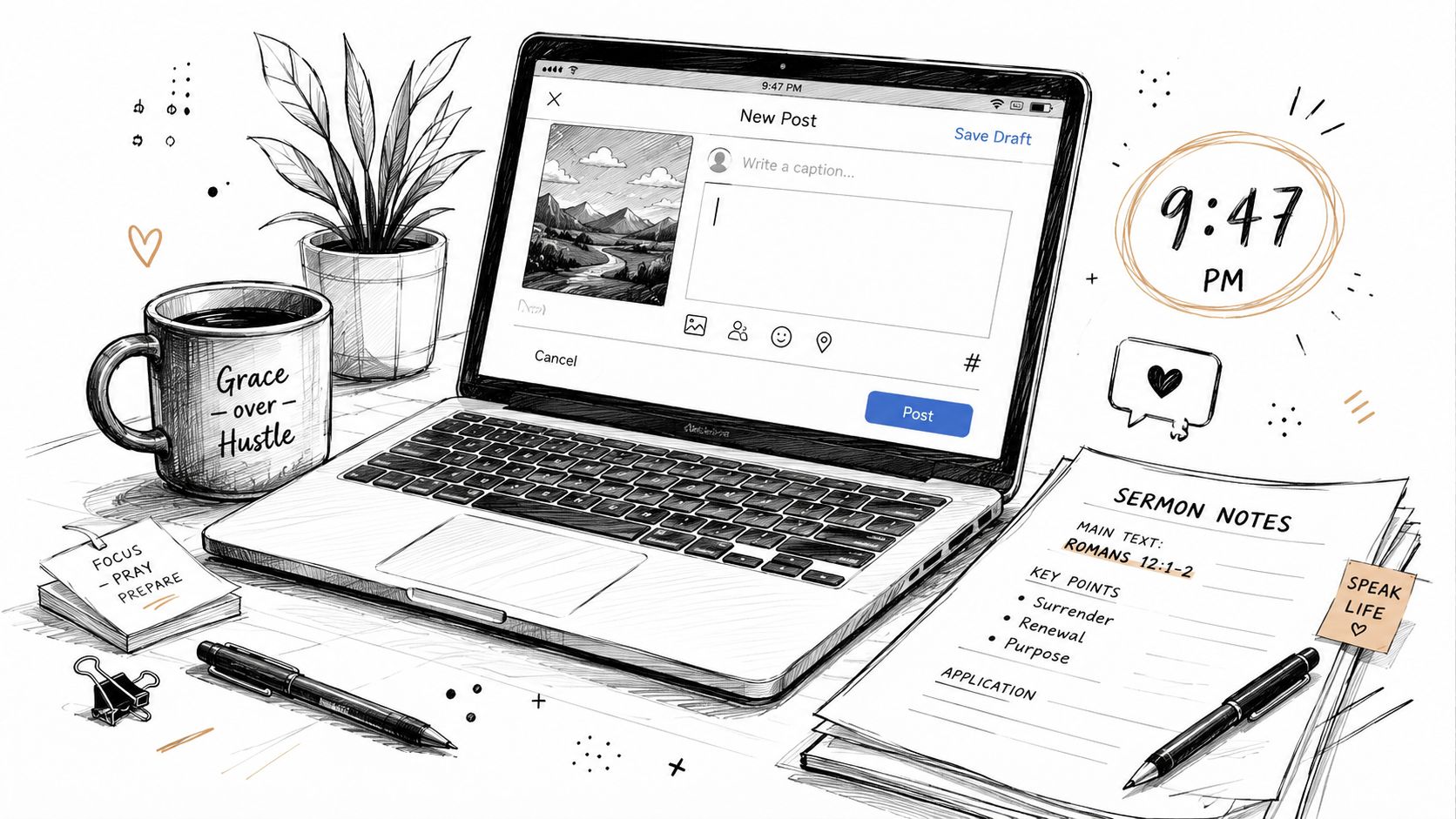
The blank caption box creates pressure because the volunteer usually isn't starting with a blank mind. They may have sermon notes, a finished graphic, a registration link, a short video, and three announcements competing for attention. The problem is compression. A headline has to turn all that material into one clear promise without flattening the meaning or sounding like an advertisement.
Church headlines work when they answer a practical question quickly: Why should this person stop scrolling? A sermon clip might offer language for anxiety. A service invitation might promise a welcoming next step. A volunteer post might show exactly where help is needed. “Sunday service this week” labels the event, but “Find a place to breathe this Sunday” gives the reader a reason to care.
Start with the audience's immediate need
Before writing, identify the content's job. A sermon clip needs a viewing hook. An event promo needs an attendance or registration reason. A devotional needs a moment of reflection. A testimony needs a human tension point. One post can contain several ideas, but the headline should lead with one.
Practical rule: If the reader can't tell what the post offers after one quick glance, the headline is carrying too much.
Images should support that promise rather than compete with it. Use a room, an open Bible, a handwritten note, a church exterior, or another relevant object when possible. Avoid putting people in images unless they're necessary, and don't place text in random parts of a photo. Text belongs on a sign, paper, whiteboard, or intentional overlay when it improves understanding. Church photo guidance also recommends crowd shots where possible, written consent for close-ups of identifiable individuals, and care with GPS metadata that some phones attach to photos by default (church social media guide).
A strong church headline doesn't need cleverness. It needs a concrete subject, a recognizable tension, and a next step. Write three rough versions before choosing one, then ask whether the wording sounds like something your congregation would say. The rest of the process becomes easier when you treat headline writing as a small editorial decision instead of a last-minute burst of inspiration.
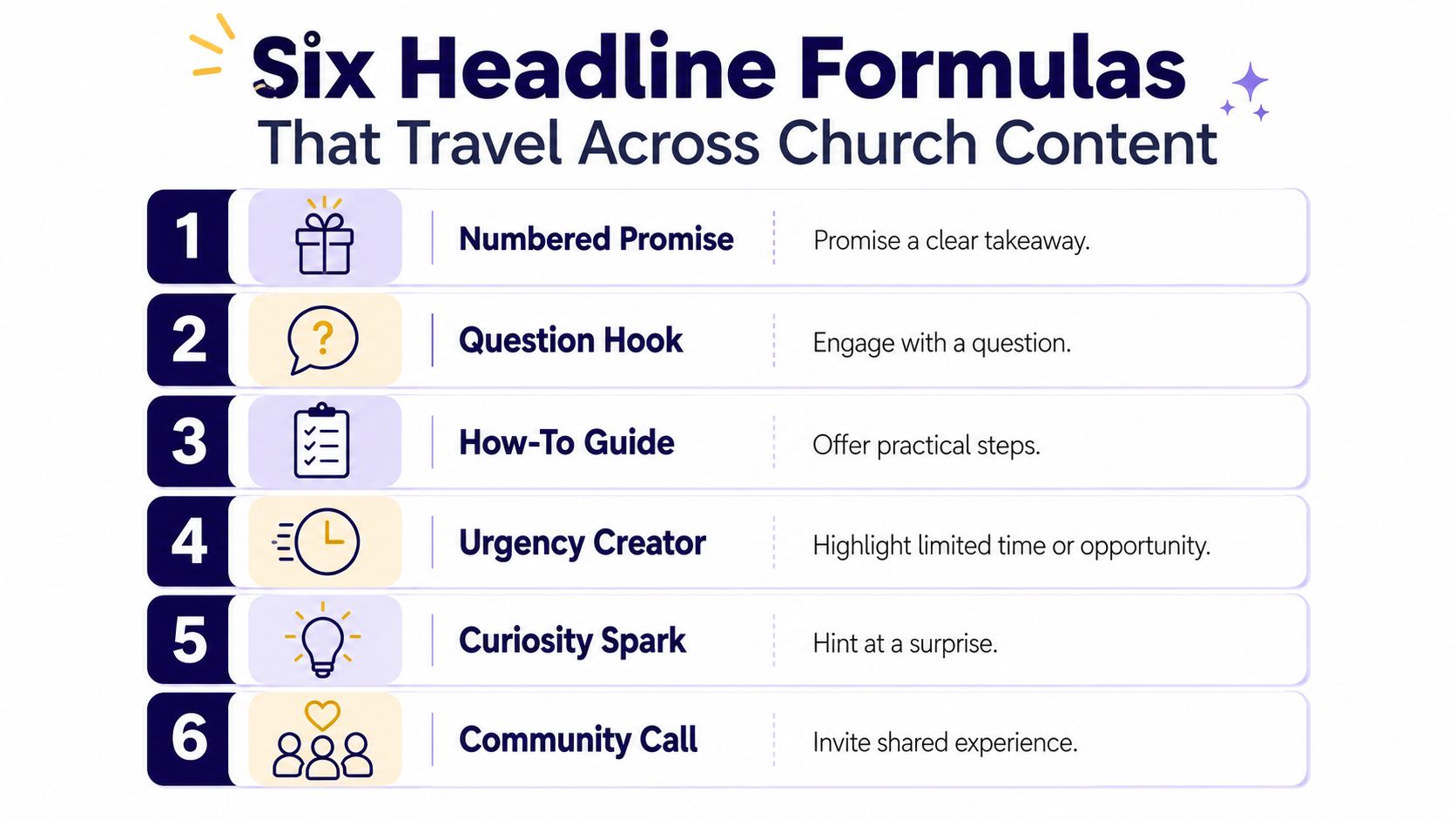
Six Headline Formulas That Travel Across Church Content
Formulas give volunteers scaffolding when the caption box is empty. They aren't scripts, and they shouldn't make every church sound identical. Use the structure, replace the language with your congregation's vocabulary, and keep the promise honest.
Numbered promise
Formula: “3 Things We'll Pray Over This Easter Service”
This works well for a sermon preview, prayer gathering, or devotional carousel because it promises a defined takeaway. The number signals organization, while the subject tells people what they'll receive. Keep the actual post aligned with the promise. If the post contains one idea, don't dress it up as a list.
Question hook
Formula: “What If Your Small Group Became Your Family?”
Questions fit community invitations, sermon clips, and discussion posts. They create a mental response before the viewer has decided whether to keep reading. The strongest questions connect to a real feeling or decision, not a vague mystery.
Benefit-led statement
Formula: “Find Rest This Sunday, No Notes, No Pressure”
Use this for service invitations, prayer nights, or pastoral encouragement. It puts the reader's experience first and lowers uncertainty about what attending will feel like. Avoid promising an emotional outcome the church can't responsibly support. A welcoming, specific benefit is stronger than an inflated guarantee.
Story tease
Formula: “She Walked Into Grief Night Skeptical. She Left With This.”
Testimonies and community stories benefit from a clear tension point. The line creates curiosity, but the post must pay it off quickly. Don't hide the entire meaning behind an abstract phrase. Research on curiosity gaps found that curiosity-driven headlines can backfire when they become too abstract or insufficiently concrete (Nature headline study summary).
Urgency window
Formula: “Last Chance, VBS Registration Closes Sunday Night”
This belongs on registration reminders, volunteer needs, and events with a real closing point. Urgency should describe an actual deadline, not manufacture panic. If there isn't a genuine time limit, use a benefit or community angle instead.
Verse anchor
Formula: “Romans 8:28 in Three Words That Changed Her Week”
A verse anchor suits devotionals, sermon clips, and testimony posts. It gives the audience a familiar entry point while leaving room for a personal interpretation. Context matters, especially when a verse is used in a sensitive story.
For more guidance on pairing a headline with the rest of a caption, see this practical resource on writing captions for church social media. Bookmark these six structures as a Friday-night reference. When you're tired, you don't need a perfect idea from nowhere. You need a dependable starting shape.
Rewriting the Same Headline for Facebook, Instagram, TikTok, and YouTube
Copy-pasting one headline across every platform wastes the strengths of each channel. A sermon clip about anxiety needs a different opening on Facebook than it does on TikTok, even when the underlying message remains unchanged.
| Platform | Headline Version | Why It Works |
|---|---|---|
| Feeling anxious before Sunday? This sermon clip offers a practical way to bring your worry into prayer. | Facebook allows more context above the rest of the post, so the line can name the problem, promise value, and introduce the content. | |
| Anxiety doesn't get the final word. | The first clause carries the message before the caption expands beneath the cut. It also works as a clean overlay when an intentional text treatment is needed. | |
| TikTok | What if your anxiety is pointing to the prayer you haven't prayed yet? Stitch this with what helps you reset. | The wording sounds spoken, opens a curiosity loop, and gives viewers a participation prompt without forcing a trend. |
| YouTube | Christian Sermon on Anxiety, Finding Peace When Your Mind Won't Slow Down | The title places the searchable topic near the front, then adds an emotional outcome that gives the viewer a reason to watch. |
Facebook needs a reason and a little context
Facebook users may encounter the post through a church page, a shared post, or a group. A benefit-led headline can therefore carry a little more explanation. Put the audience's concern first, then identify the sermon or event and finish with a clear action.
Instagram needs a strong opening
Instagram captions often lose attention before the reader expands them. Lead with the emotional or practical point, not “New sermon clip” or “Join us this Sunday.” The graphic can stay visually clean, with text used only where it belongs, while the caption provides the fuller context.
TikTok should sound like a person
TikTok hooks often work better when they sound like the beginning of a conversation. Use a spoken question, a surprising tension, or an invitation to respond. Don't force a stitch prompt onto every clip. If the content doesn't invite a meaningful response, ask for a reflection instead.
YouTube combines discovery with expectation. Name the subject plainly, then add the human stake. Keep a four-column scratch document with the platform, draft headline, final version, and reason for the rewrite. After a few weeks, the distinctions stop feeling like extra work and become muscle memory.
Building a Church-Focused Swipe File You Will Reuse
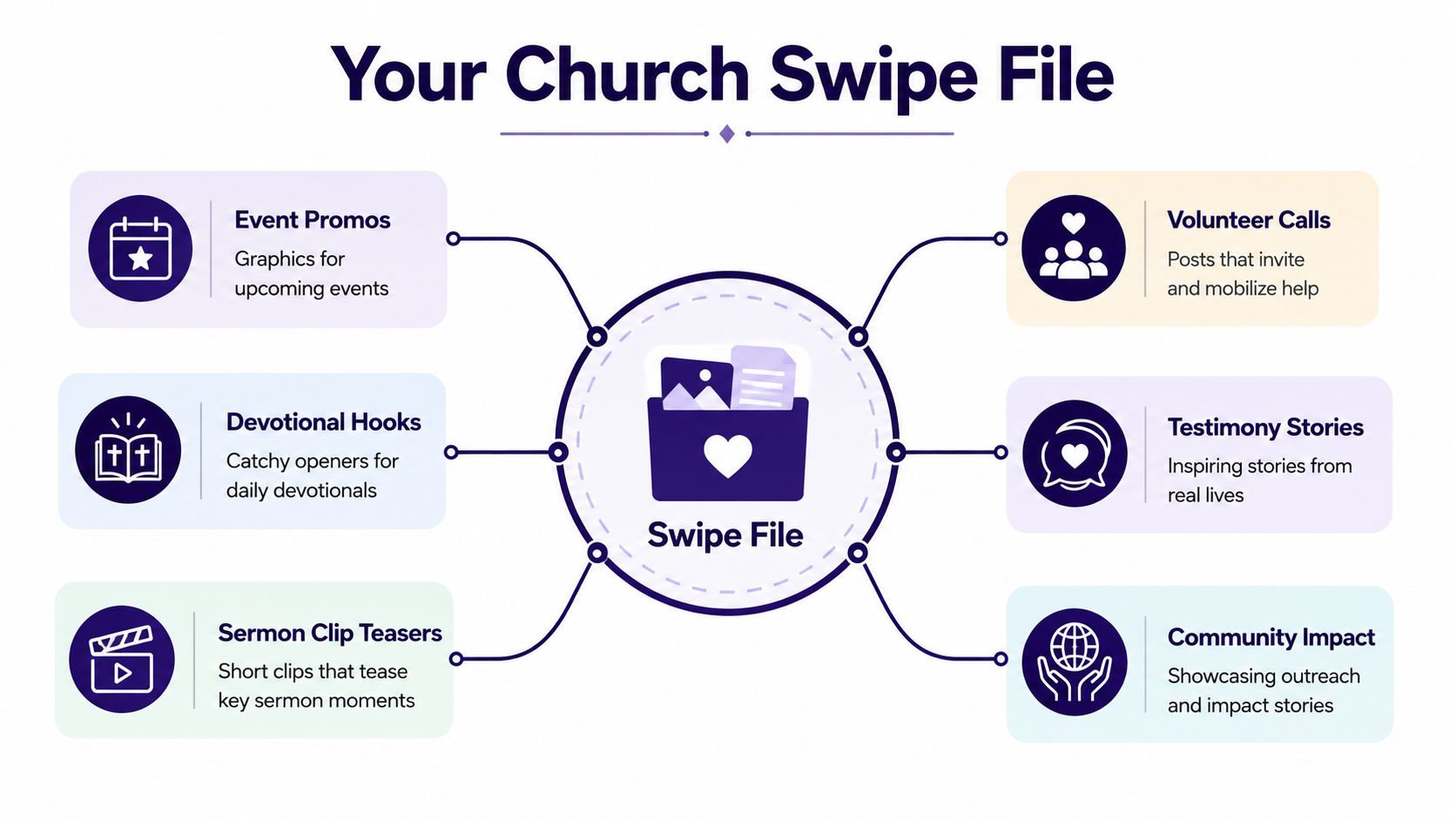
A volunteer opening the church account on Friday night needs usable starting points, not a warehouse of clever lines. Build a small library around the work that appears in your Planning Center calendar each week, then save examples from your own posts. General marketing examples rarely match sermon clips, Sunday reminders, or local ministry updates closely enough.
Six useful folders
- Event promos: “A quieter night for busy parents” and “Bring your questions to Wednesday's gathering.”
- Devotional hooks: “The prayer to use when you feel behind” and “One verse for a restless morning.”
- Sermon clip teasers: “The sentence about fear we kept thinking about” and “What this passage says about starting again.”
- Volunteer calls: “The welcome team needs a few more morning faces” and “Help create a warm first Sunday for new families.”
- Testimony stories: “She came looking for answers and found a place to stay” and “The small decision that changed her week.”
- Community impact: “What your pantry donations made possible” and “A Saturday of practical help in our neighborhood.”
ChurchSocial.ai's caption and clip tools can help turn that weekly calendar into feed-ready drafts, but the swipe file should preserve what your congregation responds to. Review the church's Insights tab and save posts that prompted meaningful comments, saves, shares, or conversations, not only posts with visible reactions. A Google Doc, Notion page, or labeled folder of phone screenshots is enough.
For each saved example, record the original post, headline, content folder, and the reason the angle fit. Note whether the headline worked because it named a felt need, made the event sound approachable, or gave a sermon clip a clear point.
Borrow the angle and structure, not the wording. Congregation members recognize recycled language quickly, especially when the same “you won't believe” framing appears every week.
Review the file monthly. Remove lines that sounded clever but produced no meaningful response, add recent winners, and group similar structures together. Keep the review with one owner rather than making it a committee project. A short working session should leave a volunteer with fewer, clearer options.
A useful swipe file opens quickly and makes sense immediately. If searching takes longer than drafting, narrow the categories or replace vague examples with specific ones.
A Simple A/B Testing Loop for Volunteer-Run Church Accounts
Testing doesn't require a research department. It requires discipline about changing one thing at a time. If version A uses a question and version B uses a statement, keep the clip, visual, audience, and call to action as similar as the platform allows.
Use a repeatable weekly loop
- Choose one variable. Test the opening word, question versus statement, emoji use, or headline length. Don't change all four at once.
- Create two versions. Publish them at comparable times, roughly 24 hours apart, or expose them to audiences of similar size when the platform supports that comparison.
- Track the platform's useful signal. Facebook calls for reach rate, Instagram for saves and shares, TikTok for watch-through, and YouTube for click-through.
- Record the context. Note the content type, posting time, audience, and any unusual event that could affect attention.
- Apply the lesson carefully. One result is a clue, not a permanent rule.
| Test # | Platform | Content Type | Headline A | Headline B | Metric Tracked | Winner |
|---|---|---|---|---|---|---|
| 1 | Event promo | A welcoming place for Easter morning | What can Easter morning feel like this year? | Reach rate | ||
| 2 | Sermon clip | Anxiety doesn't get the final word | A prayer for the anxious mind | Saves and shares | ||
| 3 | TikTok | Devotional | Try this prayer before your day begins | The prayer I use when the day feels too loud | Watch-through | |
| 4 | YouTube | Sermon clip | Christian sermon on anxiety | Finding peace when your mind won't slow down | Click-through |
Use a simple scorecard with the date, variable tested, metric, winner, and next action. A useful headline-testing process needs context because field experiments show that many commonly recommended textual cues help overall, but advice doesn't reliably predict whether a cue will help or hurt in a specific setting (field experiment analysis).
Run one comparison per week per platform, rotating event promos, sermon clips, and devotionals. Small church pages often need 4 to 6 weeks of data before patterns feel clear, so treat consistency as the advantage. For a fuller measurement workflow, use this guide on tracking church content performance.
Using ChurchSocial.ai to Generate and Iterate Headlines Faster
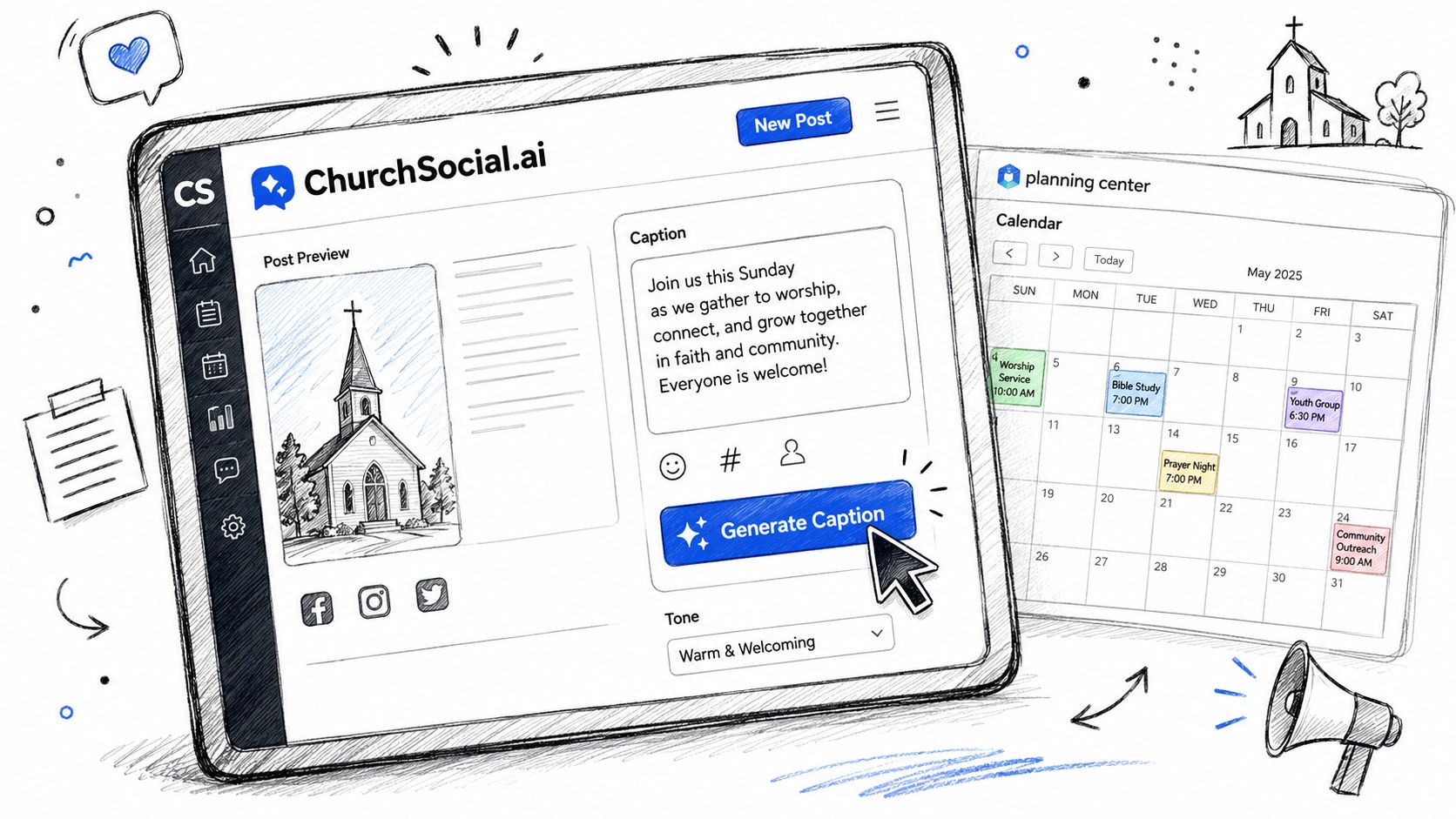
A practical Friday workflow starts with the material you already have. Paste the Sunday sermon topic, transcript excerpt, or upcoming event into ChurchSocial.ai's AI Caption Writer, choose a tone such as inviting, urgent, or reflective, and ask for three platform-specific headline variants. The editor still decides which version sounds like the church and removes filler.
For sermon-driven content, pair a short vertical moment with a hook that names the tension. ChurchSocial.ai can create AI-generated reels from sermons and turn a sermon transcript into social posts, blog drafts, discussion questions, and other formats. Its graphic templates and editor also help volunteers build photos and carousels without placing unnecessary text over the image.
Let the calendar supply the facts
Event headlines are easier when dates, titles, and registration details aren't retyped from memory. Planning Center Calendar can act as the central source for edits and reflect those edits in connected programs, while calendar sharing and embedding make scheduled events available in Church Center and on other web pages (Planning Center Calendar, calendar sharing in Church Center). ChurchSocial.ai also integrates with Planning Center and other church calendars, so event information can feed a content workflow instead of living in a separate spreadsheet.
AI-assisted headline testing is becoming more practical for newsrooms. Chartbeat reported that from January to June 2025, AI-assisted headline experiments produced a 55% CTR lift versus 50% for non-AI headlines, and winning AI-assisted headlines showed an 8% engagement lift compared with 3% in non-AI experiments (reported Chartbeat findings). Those figures don't remove the need for pastoral judgment. They reinforce the value of generating alternatives and then checking each one for accuracy, tone, concreteness, and audience fit.
If your team also captures ideas by speaking rather than typing, an overview of AI dictation for knowledge workers may be useful. The right role for AI is a fast first pass. It can give you ten starting points, but a human editor still chooses the one that sounds like your church.
For a focused look at platform-specific variations, see the guide to an AI caption generator for Instagram.
Your Weekly Headline Checklist and Next Steps
Print this workflow and keep it beside the content calendar. Start with the information your church already maintains, then turn each item into a small set of testable headlines.
- Review the week's events. Pull upcoming services, groups, outreach activities, and registration deadlines from Planning Center and connected calendars.
- Choose sermon clip candidates. Mark moments with a clear tension, practical takeaway, or emotionally honest sentence.
- Assign one formula to each post. Use a numbered promise, question hook, benefit-led statement, story tease, urgency window, or verse anchor.
- Write platform rewrites together. Draft Facebook, Instagram, TikTok, and YouTube versions in one sitting instead of copy-pasting later.
- Generate three alternates. Run each core idea through ChurchSocial.ai's caption generator and compare the suggestions with your original.
- Select two versions. Keep the clearest options, remove inflated claims, and confirm that every date and registration detail is correct.
- Schedule and review. Queue the A/B test, then compare Friday's results with the previous week's reach and engagement.
Archive winning headlines in the swipe file during a monthly review. Delete the weakest entries so the library stays lean and useful rather than becoming a pile of old captions. Your next step is simple: bookmark the swipe-file template, then book a 30-minute demo of ChurchSocial.ai's Planning Center integration to see how your calendar can feed the calendar-to-caption handoff.
ChurchSocial.ai gives church volunteers one place to turn sermons into reels and social posts, create graphics and carousels, manage platform-specific captions, and schedule everything on a visual calendar connected with church events. Visit ChurchSocial.ai and see how a clearer headline workflow can turn Friday-night caption stress into an organized queue for Sunday.


