
You're halfway through a busy week when someone asks for Sunday's event graphic. The sermon transcript is still in an inbox, the caption needs pastoral approval, a volunteer has posted an outdated time, and three people are waiting for answers in a group text. Meanwhile, the church's social accounts look active, but the messages aren't leading people toward worship, service, community, or care.
That pattern isn't usually a talent problem. It's a systems problem. A practical nonprofit communication strategy gives a church a repeatable way to decide what to say, whom to serve, where to publish, who approves it, and how to learn from the result. For a small ministry team, the strategy must work during an ordinary week, not just during a planning retreat.
The Real Week of a Church Communications Manager
Tuesday begins with a request that sounds simple: “Can you make a post for the ministry night?” You search for the correct logo, discover that the event details changed, ask for a photo, and finally build a graphic that doesn't match last week's design. By Thursday, you're rewriting the caption because the first version assumed everyone already understood the ministry.
Then approval becomes the bottleneck. A pastor replies by text with a question, another volunteer edits the image, and nobody knows which version is final. The post goes live late, without a clear next step, while the person responsible for Sunday announcements discovers that the website still lists an old schedule.
Each fire drill points to a missing operating rule:
- No content source: The team needs a central place for sermon notes, event details, and reusable ideas.
- No audience decision: The caption tries to speak to members, visitors, volunteers, and parents at the same time.
- No approval path: People don't know who checks theology, accuracy, safeguarding, or dates.
- No visual standard: Every volunteer starts design work from a blank page.
- No review rhythm: The team publishes repeatedly without deciding what deserves more attention.
Practical rule: If a task happens every week, it belongs in the system, not in someone's memory.
A useful starting point is building a church communication plan, especially when your team needs to document responsibilities and recurring communication needs. The plan doesn't need to be elaborate. It needs to answer practical questions before Tuesday arrives: what matters this week, who owns it, what must be approved, and where will the finished message appear?
That's the core function of a nonprofit communication strategy. It isn't a binder on a shelf. It's the operating system for every working week.
Set Goals and Map Your Real Audiences
Before writing another caption, ask: which audience are we serving this week, and what should they do after reading it? A survey of 915 nonprofit leaders found that 84% said their messages connected with target audiences only somewhat or not at all, while 70% said their messages were poorly targeted to audience wants and needs, as reported by eJewish Philanthropy. For a church team, that is a diagnostic warning. Set the audience and desired action before choosing the format.
Start with three to five communication goals tied to ministry outcomes. “Increase engagement” is too vague. A useful goal might help first-time visitors understand Sunday, help volunteers find serving opportunities, or help small-group leaders discuss the sermon during the week. Each goal should name an audience, a desired action, and the message that supports it.
Keep the goal sheet to one page:
- Ministry outcome: What should become easier, clearer, or more visible?
- Primary audience: Who needs this message most?
- Next action: What should the person do after reading or watching?
- Proof of movement: What observable behavior will show progress?
- Owner: Which staff member or volunteer maintains the message?
Map audiences by communication needs, not demographics alone. Record what each group needs to know, what concern may prevent action, which channel it already uses, and its relationship with the church. A prospective visitor needs orientation and reassurance. A regular attendee may need reminders and serving opportunities. A donor or ministry partner may need clear evidence of stewardship and impact.
Build messages around needs
Ask what the audience is trying to solve this week. Parents may need a simple childcare answer. A new visitor may need parking information. A volunteer may need a direct sign-up path. Someone seeking pastoral care may need privacy rather than a public comment thread.
Use this audience segmentation guide to turn broad groups into practical segments in ChurchSocial.ai. Then write one sentence for each: “We help this audience take this action by making this information clear.” Use that sentence to review every caption, video, email, and event reminder before it enters the weekly workflow.
The finished output should fit on two pages, one for goals and one for audiences. If a proposed post serves neither page, leave it out, even when the idea sounds creative. That discipline protects a volunteer team from publishing for the sake of staying busy.
Choose Channels and Define a Voice That Fits Your Church
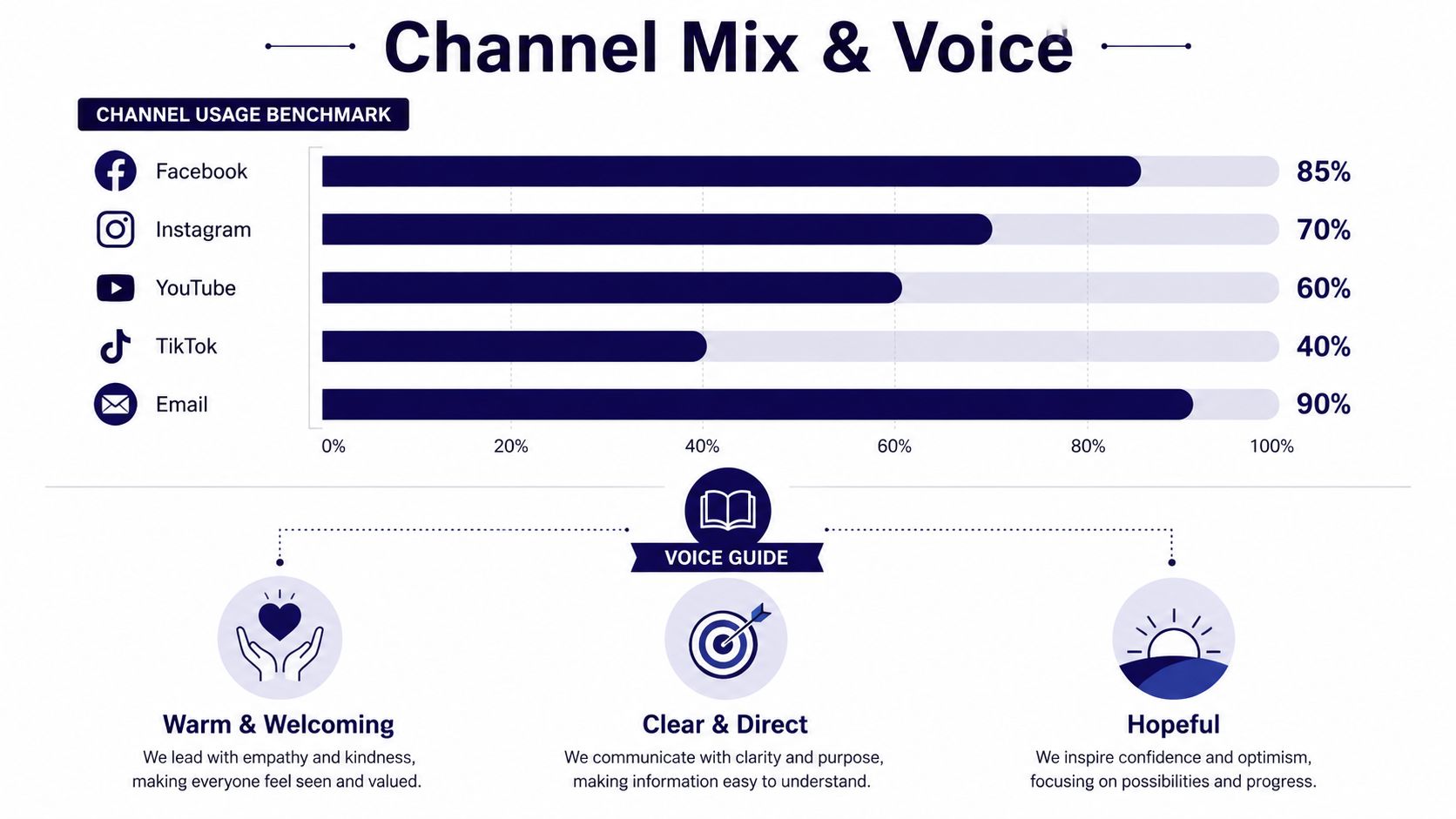
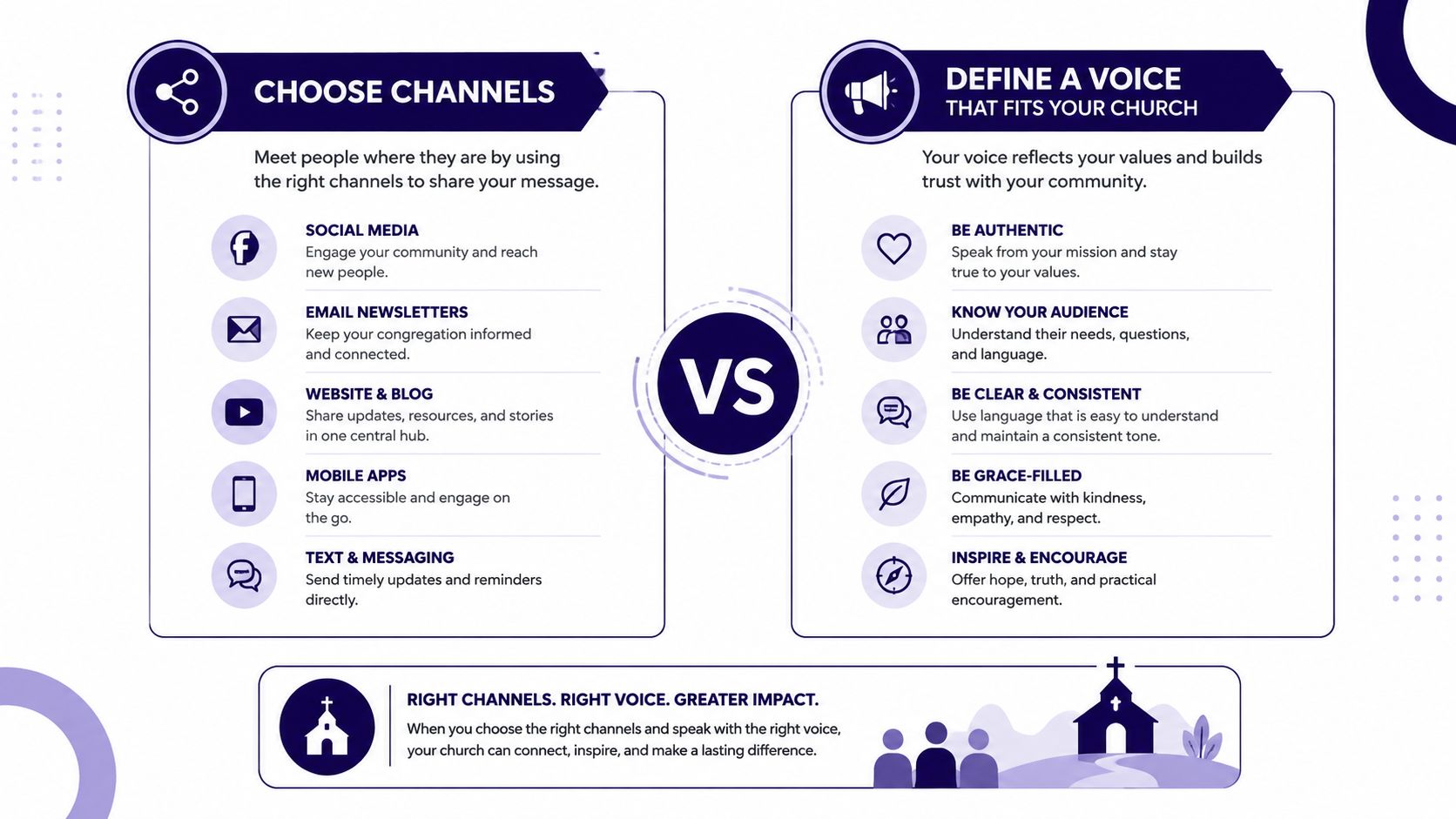
A church should choose channels based on where its audiences already gather and what the team can sustain. A 2022 global nonprofit social media study found that 87% of nonprofits worldwide used social media. Among those organizations, Facebook Pages were used by 97%, Instagram by 73%, Twitter by 60%, LinkedIn Pages by 48%, and YouTube by 45%, according to NPTechForGood's nonprofit social media statistics. Adoption shows where organizations are present. It does not show which channel will serve your church well.
Assign each channel one clear job:
- Facebook: Share community updates, event reminders, service information, and posts people can pass along to local friends.
- Instagram: Publish visual stories, sermon moments, carousels, short videos, and concise invitations.
- YouTube: Store longer sermon content and organized teaching resources for people who search or return later.
- TikTok: Test approachable, native short-form content when someone understands the format and can maintain it.
- Email: Send information that needs attention, context, or a direct response, including weekly guidance, ministry updates, and event follow-up.
X may create more monitoring work than a volunteer team can handle. LinkedIn can support nonprofit partnerships, professional networks, and community leadership. A podcast requires a dependable production and distribution process, so start one only when someone owns that work.
Write the voice before writing the caption
A one-page voice guide gives volunteers a shared standard. Define three or four traits, preferred vocabulary, phrases to avoid, and strong and weak versions of the same message. A church might choose warm, clear, hopeful, and direct, then describe how each trait should appear in a caption, email, or announcement. Define your voice using a documented guide, as outlined in our tone-of-voice framework.
Remove insider language from invitations aimed at people who are not yet connected. Replace “join us for corporate worship” with “worship with us this Sunday,” if that better matches how your audience speaks. Keep theological language accurate, and explain terms when readers may not know them.
A shared guide also makes ChurchSocial.ai useful as a weekly operating system. Store the approved voice, channel purpose, and review rules where volunteers can apply them while preparing posts. If the church needs additional production or administrative capacity, guidance on how to build your remote team with Virtustant can help assign ownership without placing every task on the pastor.
Treat images as a ministry responsibility
Use images without identifiable people whenever possible. A sanctuary detail, open Bible, communion elements, exterior sign, hands arranging chairs, or text-led graphic can communicate the idea while reducing consent concerns. Put words on a graphic only when they belong there, such as on a paper, whiteboard, sign, or intentional overlay. Avoid random text placed inside the scene.
The Archdiocese of Louisville recommends permission for images, quotes, audio, and video used in parish communication. It also says text messaging should remain limited to school and ministry-related topics, as outlined in its church social media guidelines. The Diocese of Lexington recommends crowd shots that do not single out individuals, and identifies written consent as best practice for close-up photos, as stated in its social media guide for churches.
Record these defaults in the ChurchSocial.ai workflow so a volunteer can make a safe decision without waiting for a committee. A channel plan and voice guide only work when the team can apply them every week.
Build a Content Plan and a Visual Calendar You Will Actually Use
A sustainable church calendar begins with content pillars, not a pile of disconnected ideas. Tie each pillar to a ministry goal and assign it a role. For example, sermon application can support spiritual formation, event information can support participation, volunteer stories can support belonging, and pastoral updates can support trust.
The weekly rhythm should begin with the material the church already creates. A sermon transcript can become several useful assets without repeating the entire sermon:
- A short vertical reel built around one clear idea.
- Two concise social posts that apply the teaching to ordinary life.
- A devotional blog draft for people who prefer reading.
- A discussion prompt for a small group or ministry team.
The key is adaptation, not duplication. The reel needs a strong opening and captions. The blog needs context and structure. The discussion prompt needs a question that a group can answer.
Use a Sunday-to-Saturday production rhythm
On Sunday, capture the sermon and collect the transcript. On Monday, select the central idea and draft the week's assets. On Tuesday, prepare the first post and reel. On Wednesday, publish a midweek application or discussion prompt. On Thursday, promote an upcoming event. On Friday or Saturday, provide a concise invitation and practical reminder.
A drag-and-drop calendar makes the rhythm visible. With ChurchSocial.ai's content calendar workflow, a church can plan and manage social content in one place, including AI-generated reels from sermons, posts and blog drafts from transcripts, graphic templates, an editor, and scheduled publishing across connected accounts.
Remove the design bottleneck
Volunteers shouldn't rebuild the visual identity for every post. Create a small template set for sermon quotes, events, prayer prompts, announcements, and ministry invitations. Keep the design flexible enough for different topics, but consistent enough that people recognize the church before reading the account name.
Review the calendar for balance before scheduling. If every post is an announcement, the church will sound like a bulletin board. Add useful, human communication that helps people pray, understand, participate, or take a next step.
Templates, Workflows, and Approval Paths for Small Teams
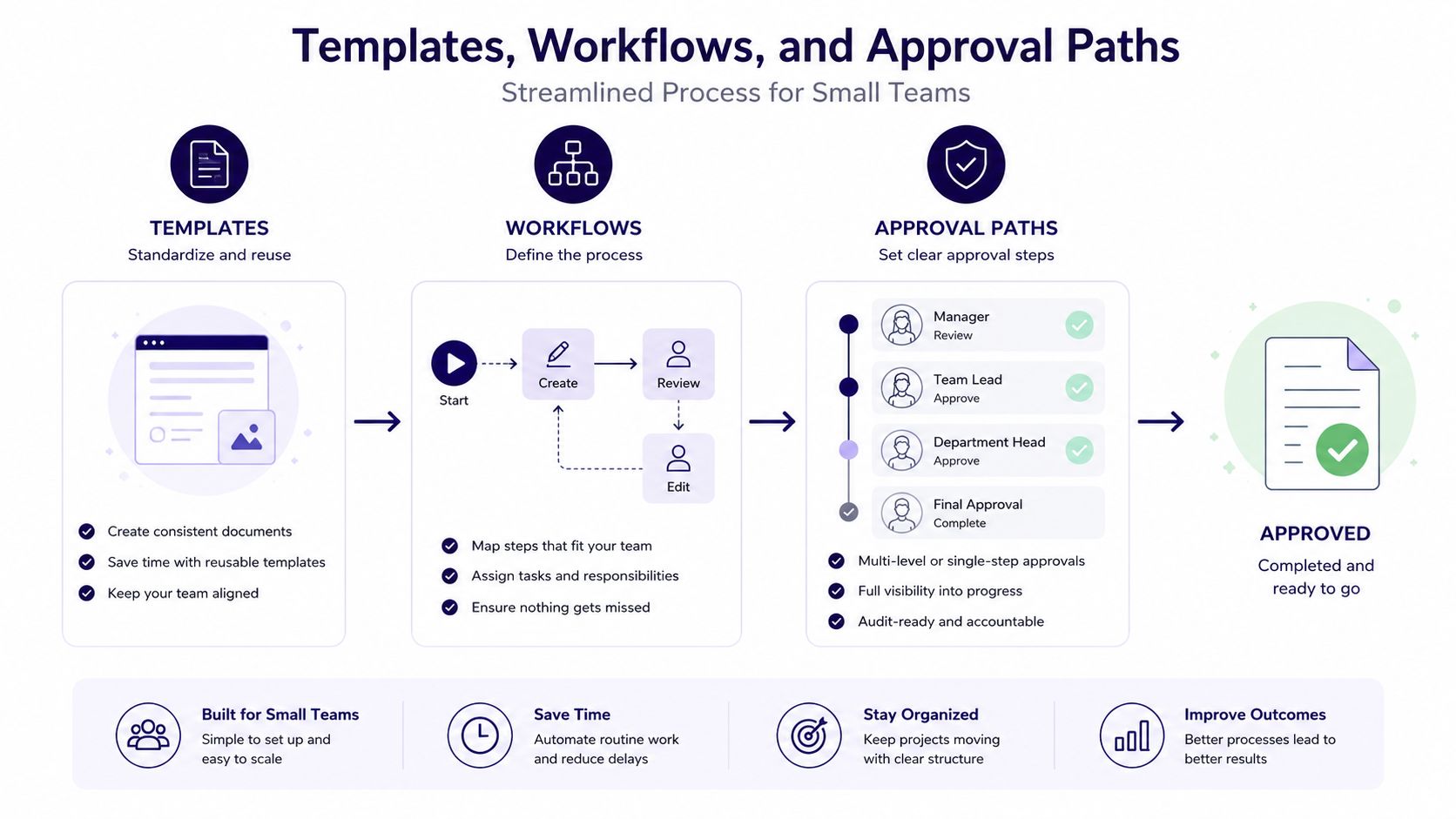
Small teams don't need more meetings. They need fewer ambiguous handoffs. A workable process assigns one person to draft, one person to approve, and a clear deadline for each recurring content type.
Use a caption framework that volunteers can remember:
- Lead: State the human reason this matters.
- Context: Give the essential details in plain language.
- Action: Tell people exactly what to do next.
- Care: Add a contact route or accessibility detail when needed.
A graphic request should contain the event name, date, time, location, audience, call to action, registration destination, image preference, and approver. This prevents a volunteer from spending time designing before the church has confirmed the facts.
Keep approval simple but real
A two-person path usually works well. The volunteer drafts and checks spelling, dates, links, and image permissions. The pastor or ministry owner checks theological accuracy, pastoral tone, and whether the invitation reflects the ministry. Once approved, the volunteer schedules the final version and records any required follow-up.
Crisis communication needs its own written checklist. Less than 20% of nonprofits had written crisis communications plans in 2023 reporting, according to NPTechForGood's nonprofit communication data. Your checklist should name the decision-maker, pause routine posts, verify facts, prepare a short holding message, identify the official channel for updates, and document who responds to comments and direct messages.
Connect events to the calendar
Manual duplicate entry creates avoidable errors. Planning Center Calendar can publish events to a custom Church Center mobile app and website, embed events on a church website, or generate an iCal feed for subscribers. Its embed workflow also supports layouts, campus filters, and category filters, as described on the Planning Center Calendar page.
Planning Center's sharing features can expose congregational events in Church Center, and its integration ecosystem can place calendar events inside a social media content calendar, supporting a connection between church scheduling and social planning, as explained in Planning Center's calendar sharing update. Use the integration to reduce retyping, but still assign a person to verify changes before publication.
Generative AI also needs written boundaries. 78% of nonprofits used generative AI for marketing, fundraising, or advocacy, while only 42% had policies, procedures, or guidelines for its use, according to The MR Benchmarks Study. Tell volunteers what information they may enter, who reviews generated copy, when disclosure is required, and which claims must be checked against an approved source.
Publish the workflow internally. Volunteers, pastors, and ministry leaders should know who drafts, who approves, what gets escalated, and when a post is considered final.
Measure What Matters Without Drowning in Metrics
Analytics should answer a weekly question: what should we repeat, revise, or stop? Track reach and engagement by platform, email opens and clicks, completion of sermon clips, event registration actions, and traffic from tagged links. Don't collect metrics just because a platform makes them available.
Organic reach varies sharply by channel. Benchmark data reports average Facebook nonprofit post reach of 1.4% and engagement of 0.066%, while Instagram averages 15.3% reach and 0.623% engagement. LinkedIn averages 1.91% engagement, according to the nonprofit benchmark summary published by Daniel Elkin on LinkedIn. These figures aren't targets for every church, but they show why a weak Facebook result shouldn't automatically lead to more posting.
| Channel | Average Reach | Average Engagement | Useful Benchmark |
|---|---|---|---|
| 1.4% | 0.066% | Compare recurring post types over time | |
| 15.3% | 0.623% | Compare reels, carousels, and single images | |
| Not provided | 1.91% | Track meaningful professional interaction | |
| Not applicable | Not provided | Compare opens, clicks, and actions |
Email deserves its own review because nonprofits use it as a high-frequency channel. In 2025, nonprofits sent an average of 50 messages per subscriber, including 31 fundraising emails, and the average email open rate was 28.59%, according to nonprofit email marketing benchmarks from NPTechForGood. Churches should watch frequency, audience relevance, clicks, registrations, and unsubscribes rather than treating open rate as the whole story.
Review once each quarter
Create a one-page scorecard. List each goal, the relevant metric, the strongest content pattern, the weakest pattern, and the next experiment. Use UTM codes where possible, since the 2022 nonprofit social study found only 22% of nonprofits used UTM codes to monitor social traffic, a measurement gap documented by NPTechForGood.
Keep operational details consistent across channels, including contact information and links. A documented branded email signature workflow for SMBs offers a useful model for keeping recurring identity elements controlled across distributed teams.
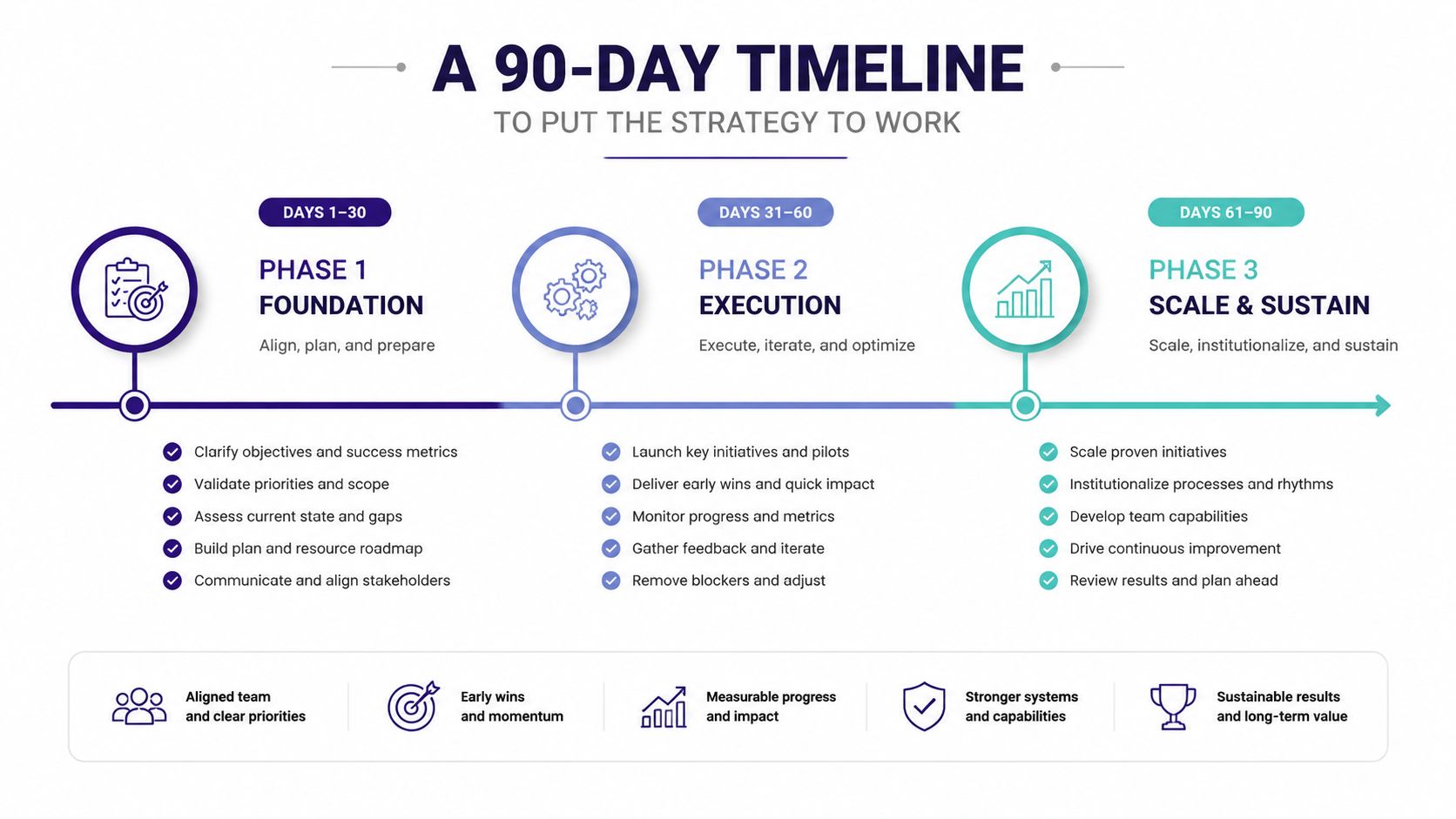
A 90-Day Timeline to Put the Strategy to Work
A quarter is long enough to establish habits and short enough to maintain urgency. Start with the smallest system that can support your real ministry schedule, then add complexity only when the team can maintain it.
Days one through thirty build the foundation
Begin by auditing your existing channels, event listings, email patterns, templates, and approval habits. Write the goal sheet and audience map before creating new content. Choose the channels the team can maintain, then document the voice guide, visual defaults, image-consent rules, and crisis contacts.
During this phase, collect the recurring information that currently causes delays. Confirm service times, ministry owners, registration destinations, logo files, approved colors, and the location of sermon transcripts. Build templates for the content types the church produces most often.
Days thirty-one through sixty establish the operating rhythm
Connect the church calendar and review how events flow into the social planning process. Build a few weeks of content around sermon material, ministry needs, and upcoming events. Keep the first calendar practical. It should show who drafts, who approves, which audience each item serves, and what action the reader should take.
Run a soft launch with internal reviewers. Ask them to find inaccurate dates, unclear language, unnecessary insider terminology, and images that lack permission. Fix the workflow, not just the individual post.
Days sixty-one through ninety measure and refine
Publish consistently enough to create a useful comparison, then hold the first quarterly review. Look at platform performance, email behavior, video completion, event actions, and the quality of the approval process. Retire channels or formats that consume staff time without serving a defined goal, and strengthen the content patterns that help people participate or understand.
The durable principles are straightforward:
- Lead with the audience: Start with a person's need, not the format you want to publish.
- Choose fewer channels and go deeper: A maintained channel is more useful than an abandoned account.
- Plan once and reuse often: Adapt sermons, events, and ministry knowledge into formats people can consume.
- Write the approval workflow early: Don't wait for a sensitive situation to discover who decides.
- Measure what changes the next post: A metric matters when it guides a practical decision.
Consistency beats novelty because fewer than 50% of nonprofits reported consistent use of their positioning across their website, email, direct mail, audiences, and programs, according to the nonprofit messaging survey from eJewish Philanthropy. Churches can close that gap by repeating clear messages through a dependable weekly system, not by asking volunteers to generate more ideas from scratch.
ChurchSocial.ai gives church teams a visual drag-and-drop calendar for planning, reviewing, scheduling, and managing social content, with sermon-to-reel creation, transcript-based posts and blogs, graphic templates, an editor, and connections to Planning Center and other church calendars. Visit ChurchSocial.ai to turn your communication strategy into a weekly ministry workflow your staff and volunteers can maintain.


