

You know the moment. You're halfway through the sermon, a page shifts out of order, the pulpit light hits your notes at the wrong angle, and now you're spending mental energy on paper instead of on people. Most pastors have lived some version of that.
That's why preaching from an iPad keeps appealing to more churches. Not because it feels modern, but because it can remove friction. A well-set-up iPad is quiet, readable, organized, and easy to carry from study to sanctuary. It also gives you one place to prepare, revise, deliver, archive, and later repurpose the message.
The important part is this. Preaching from an iPad works when it's treated like a preaching tool, not like a casual tablet. The difference is workflow. Sloppy setup creates stress. A hardened, repeatable setup creates calm.
From Paper Notes to a Polished iPad Sermon
Sunday morning exposes weak systems fast. Notes get reprinted after a late edit. A page sticks. A margin note that looked clear in the office becomes hard to scan under stage lighting. That kind of friction pulls attention away from preaching.
An iPad fixes the paper problems only if the sermon workflow is built for live delivery. The win is not the device by itself. The win is having one readable, searchable, always-current copy of the manuscript from study through the final amen.
That shift has matured into a proven ministry practice. Early iPad preaching setups often used a simple chain of writing, exporting to PDF, and reading from a dedicated app with the screen locked down for service. The tools have improved since then, but the principle has not changed. Reduce variables on stage.
Why iPad preaching keeps working
Pastors who keep preaching from an iPad usually do so because the benefits show up every week:
- One clean manuscript: The sermon stays in order, with no loose pages or reprinted stacks.
- Quick edits: A Saturday night change takes seconds instead of another trip to the printer.
- Better readability: Larger type, wider spacing, and clean paragraph breaks make it easier to find your place at a glance.
- Full-week usefulness: The same device can carry your manuscript, Scripture references, comment notes, and archived sermons in one place.
I have found that the best iPad setup feels uneventful in the pulpit. That is exactly what you want.
There are real trade-offs. Batteries die. Screens dim at the wrong moment. Notifications can interrupt prayer or Scripture reading if the device is not locked down. Churches also need to think beyond Sunday. Once the sermon lives in a clean digital format, the same manuscript can become quote cards, short clips, captions, and weekday follow-up posts. That makes the workflow more valuable than a paper replacement. It becomes a content system. Teams that want to save money while building that system can start with a guide to refurbished iPads in Australia, then pair the device with a repeatable prep and publishing process, including sermon repurposing through tools like ChurchSocial.ai.
Choosing Your Digital Pulpit Hardware
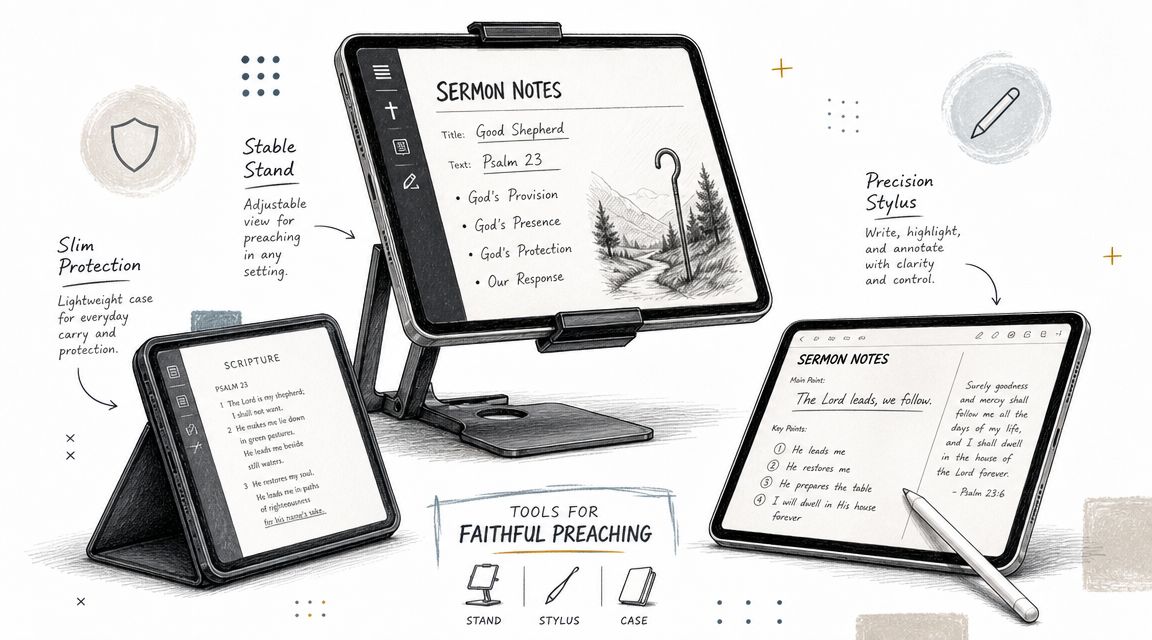
The first hardware mistake pastors make is overthinking specs and underthinking setup. For preaching, the right iPad is the one you can read comfortably, hold confidently, and place securely on your pulpit or stand.
Which iPad makes sense in church use
A standard iPad is enough for many pastors. It gives you a solid screen, simple setup, and lower cost. If your church needs dependable function more than premium features, that's often the smartest choice.
An iPad Air makes sense if you want something lighter in hand. That matters if you preach without a fixed pulpit, walk while teaching, or move between classes and worship spaces.
An iPad Pro can be excellent, but most preaching setups won't use its full power. It's often best for pastors who also use the same device for heavier study, media review, or staff work during the week.
Here is the practical perspective:
| Option | Best fit | Main trade-off |
|---|---|---|
| Standard iPad | Budget-conscious churches, fixed pulpit use | Less premium feel, but usually enough |
| iPad Air | Pastors who value lighter carry and flexibility | Higher cost than a standard model |
| iPad Pro | Multi-use ministry staff using one device for many tasks | More device than most sermons require |
If budget is tight, buying used or refurbished can be a responsible ministry decision. For churches comparing options, this guide to refurbished iPads in Australia is a useful starting point for thinking through condition, reliability, and value.
Accessories that matter more than the tablet
The stand often matters more than the model. A shaky mount, awkward angle, or glossy screen under house lights can make a good manuscript hard to use.
Focus on these pieces:
- Stable stand or pulpit mount: Pick something that won't wobble if you touch the screen.
- Protective case: It should add grip without making the iPad bulky.
- Charging cable and adapter: Keep them nearby even if you expect a full battery.
- Stylus: Useful in prep. Usually unnecessary during delivery unless you annotate live.
What works and what doesn't
Some setups look clean in the office and fail in the sanctuary.
What usually works
- A low-profile stand that keeps the iPad below your face line
- A case with enough grip to carry confidently
- A screen angle tested under real sanctuary lighting
What usually doesn't
- Cheap stands with loose hinges
- Mounts that block your sightline to the congregation
- Preaching handheld if you're also trying to turn pages or gesture naturally
Practical rule: If the hardware pulls your attention away from the room, it's the wrong hardware.
Essential Apps for Sermon Preparation and Delivery
Sunday problems usually start on Saturday night. The manuscript is finished, but the wrong app can still create trouble. Font sizes shift. Paragraph breaks disappear. A research screen stays cluttered. A preacher who prepared well ends up working around the device instead of preaching freely.
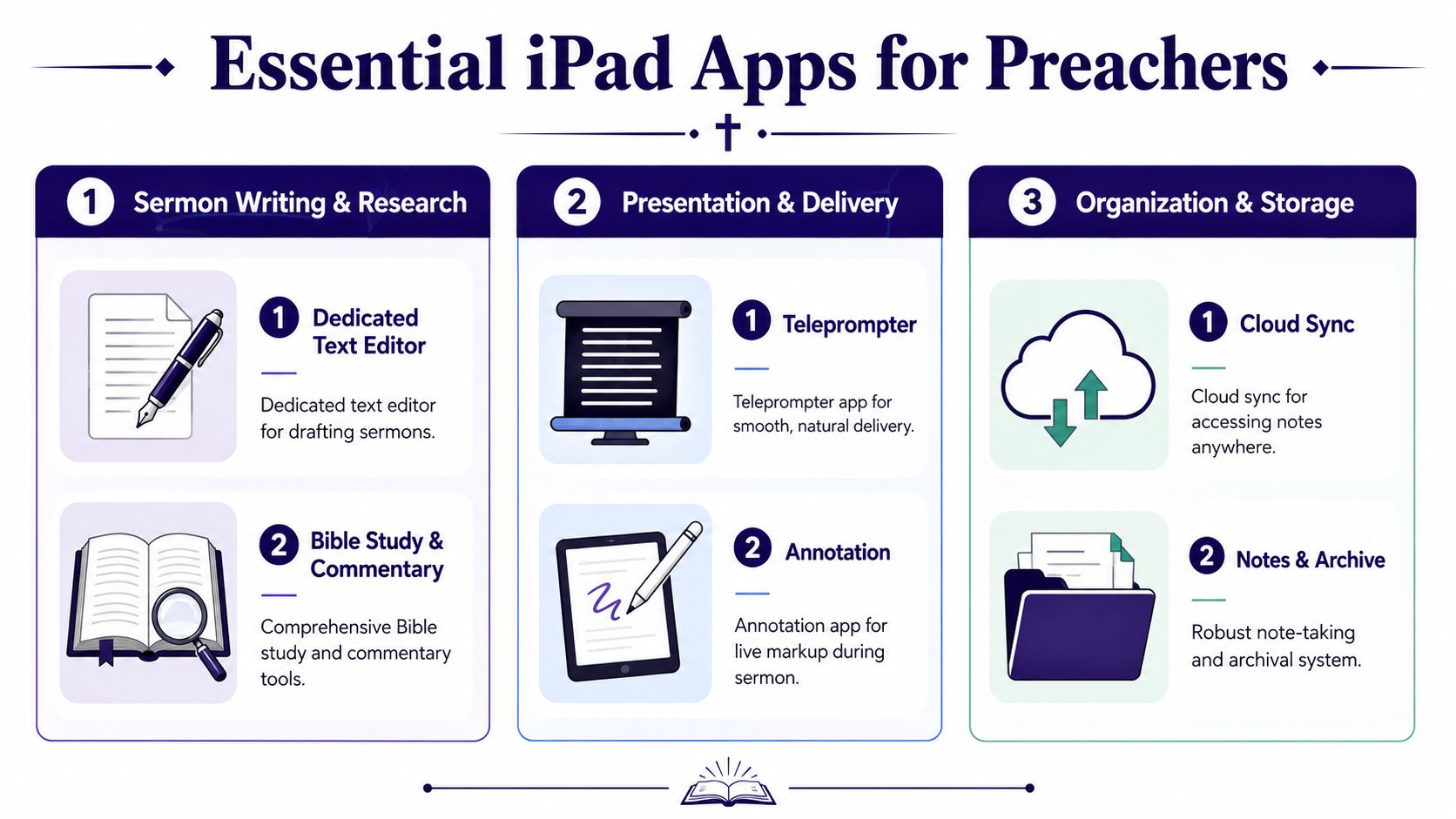
The best app stack does three jobs well. It helps you study clearly, write cleanly, and deliver without surprises. I tell pastors to stop looking for one perfect app and choose a simple chain of tools that each handle one part of the process well.
Study apps versus delivery apps
Study mode and preaching mode are different environments. During prep, you want commentaries, cross references, highlights, and search tools. On stage, all of that extra information becomes noise.
A practical breakdown looks like this:
| Category | Best use | What to watch for |
|---|---|---|
| Bible study apps | Original language tools, commentaries, cross references | Too much visual clutter for live delivery |
| Writing apps | Drafting and revising your manuscript | Layout can shift if formatting is sloppy |
| PDF or reader apps | Stable sermon delivery with locked formatting | Harder to edit at the last minute |
| Teleprompter-style apps | Controlled scrolling and easy line tracking | Can make delivery sound too scripted |
That distinction matters more than pastors expect.
I often prepare in one app and preach from another. That extra step is worth it because it removes variables before service starts.
A practical stack that serves most pastors
Pages is still a strong choice for writing. It stays clean, handles long manuscripts well, and gives you enough control over spacing, headings, and emphasis without turning sermon prep into a formatting project.
GoodReader or another reliable PDF reader works well for delivery if you want the manuscript to stay fixed. Once the sermon is exported as a PDF, line breaks and spacing tend to remain consistent. That stability matters on Sunday morning, especially if you have already rehearsed from that exact layout.
Pages Presenter Mode can serve pastors who prefer a more guided reading experience. It gives a cleaner screen view and can help with pacing. The trade-off is that it rewards practice. If you rely on it without rehearsal, your tone can become flat and your eye contact can drop.
For Bible study, many pastors still do their research in Logos, Olive Tree, or a similar app with strong library access. That works well in the office. It usually works poorly in the pulpit. Keep your study environment rich. Keep your delivery environment spare.
What I'd recommend by preaching style
Pastors who preach from a full manuscript usually do best with a writing app and a PDF reader. Write in Pages. Export to PDF. Preach from the fixed version you already reviewed.
Pastors who preach from structured notes can often stay inside a notes app, but only if the text stays visually consistent and easy to scan. If the app encourages collapsing sections, pop-up menus, or distracting side panels, it is the wrong preaching tool.
Pastors who use near-verbatim phrasing may benefit from a teleprompter-style app or presenter view. Use it carefully. The app should support your cadence, not control it.
If you are still refining the writing side of your process, this free sermon builder app guide is a helpful place to compare tools and tighten your weekly workflow.
Choose apps with Monday in mind
A strong iPad workflow should help after the sermon too. Churches are no longer preparing only for the room. They are also preparing for clips, quotes, recap posts, and short teaching moments that can serve the congregation through the week.
That changes how I evaluate apps. Clean manuscripts, clear section headings, and well-marked key lines are not just useful for preaching. They make it easier for a staff member or volunteer to pull strong excerpts for social posts, email follow-up, and video captions. If your church uses ChurchSocial.ai or a similar system to turn sermons into weekly content, clean source material saves time and reduces editing friction.
For teams building clips and visual summaries after Sunday, outside production tools can help on the media side too. If your team wants to generate AI videos quickly, that resource is useful for comparison while your sermon prep workflow stays focused on study, writing, and delivery.
Use one app to study, one to write, and one to preach if needed. Clear roles make the whole workflow more dependable.
Formatting Your Sermon Notes for the Stage
A sermon that reads well at your desk can fall apart on stage. The issue usually isn't content. It's visual design. Dense paragraphs, weak spacing, and tiny transitions make a strong message harder to deliver smoothly.
The safest approach is to format for scanning, not for literary beauty. Your eyes need landmarks. Your hands need predictable movement. Your brain needs less clutter when the room is full and the moment is live.
Build for glanceability
The manuscript should feel easy to read in short bursts. That usually means larger text, generous spacing, and obvious paragraph breaks.
Use these habits:
- Increase font size: If you're straining in rehearsal, it's too small.
- Add line spacing: Tight text blocks slow your eyes down.
- Break paragraphs early: A preaching manuscript should breathe.
- Isolate key lines: Put Scripture cues, transitions, and calls to action on their own lines.
You don't need artistic formatting. You need visual cues that help you find your place fast.
Use emphasis with restraint
Color can help, but only if it stays disciplined. If everything is highlighted, nothing stands out. I've seen manuscripts where illustrations, quotations, applications, prayers, and transitions all had different colors. That looks organized until you're under pressure. Then it turns into visual noise.
A better pattern is to use emphasis sparingly:
| Element | Best formatting move |
|---|---|
| Main transitions | Bold text |
| Scripture quotations | Indent or separate block |
| Illustrations | Light highlight or label |
| Pastoral application | Short standalone paragraph |
A stable file format matters just as much as attractive formatting. Many established iPad preaching workflows recommend saving the final sermon as a PDF and downloading it directly to the device so it stays accessible offline and the formatting remains stable, as explained in these best tips for preaching from an iPad.
That's the moment your manuscript stops being a cloud document and starts becoming a reliable preaching file.
A simple final pass before Sunday
Before service, check the sermon in the exact app you'll use live.
Ask four questions:
- Can I read this at a glance?
- Are the transitions easy to spot?
- Will every page break happen where I expect?
- Is the final file downloaded to the iPad itself?
If you want help refining what good sermon notes look like before you ever move them onto a tablet, this guide on how to take sermon notes effectively is a helpful companion.
Mastering Your On-Stage iPad Workflow
The sermon is ready. Now the job is to remove every possible interruption before you step up to preach. Here, many pastors either gain confidence or create preventable anxiety.
The settings that protect your delivery
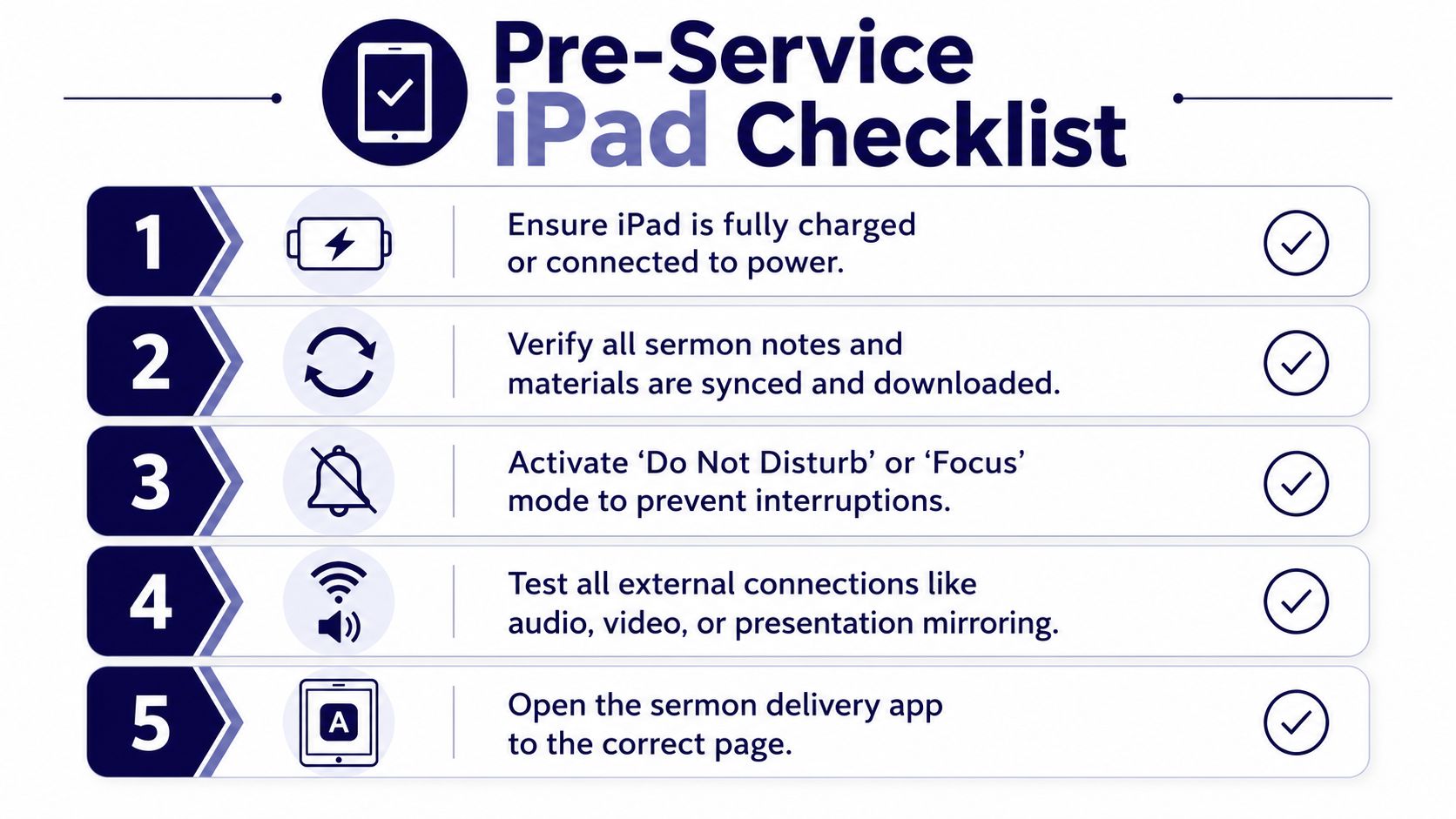
This part shouldn't be improvised. Build a repeatable checklist and use it every time.
Preacher-focused technical guidance consistently recommends turning on Airplane Mode, muting audio, disabling notifications through Do Not Disturb, and locking screen orientation to prevent calls, alerts, or rotation from interrupting the sermon, with common pitfalls including wireless interference, screen dimming, and accidental disruption, as covered in this technical walkthrough for preaching from an iPad.
That sounds basic until you forget one of them.
My preferred order is simple:
- Open the sermon app first: Make sure you're on the right document and page.
- Turn on Airplane Mode: Treat the device like offline equipment, not a connected device.
- Enable Do Not Disturb or Focus: Remove every alert path you can.
- Mute all audio: No sounds, no vibration surprises.
- Lock screen orientation: Prevent accidental changes from vertical to horizontal viewing.
- Set Auto-Lock appropriately: Don't let the screen sleep during the sermon.
- Check brightness in the room: Enough to read, not enough to glow.
A sermon can survive a missed word. It's harder to recover from a FaceTime alert in the middle of prayer.
The physical setup most pastors overlook
The iPad's position matters. Too high, and it becomes a barrier between you and the church. Too low, and you'll keep dropping your chin to find the next line.
A few dependable practices help:
- Place it slightly below natural sightline: You should be able to glance down, not bury your face in it.
- Test the pulpit angle: Some pulpits cause accidental tilt and touch issues.
- Rehearse from the preaching spot: Office testing doesn't reveal sanctuary glare.
- Keep charging discreet: If power is connected, route it so it doesn't distract.
Church teams that also present content or mirror devices during events can learn something from webinar production habits. This guide to B2B iPad webinar success isn't about preaching specifically, but it does reinforce a valuable principle: test the exact screen-sharing or device behavior in the exact setup you'll use.
Your backup should be boring
The best backup plan is low drama.
Keep one of these available:
- Printed manuscript
- Second device with the file already loaded
- A nearby staff member who can hand you the backup quickly
If your church uses a volunteer tech team, don't keep this process in your head alone. Let one person know your workflow and your fallback plan. Calm on stage usually starts with clarity before service.
Extend Your Sermon's Reach Beyond Sunday
A sermon delivered once and then forgotten by Monday is still a sermon. It's just an underused one.
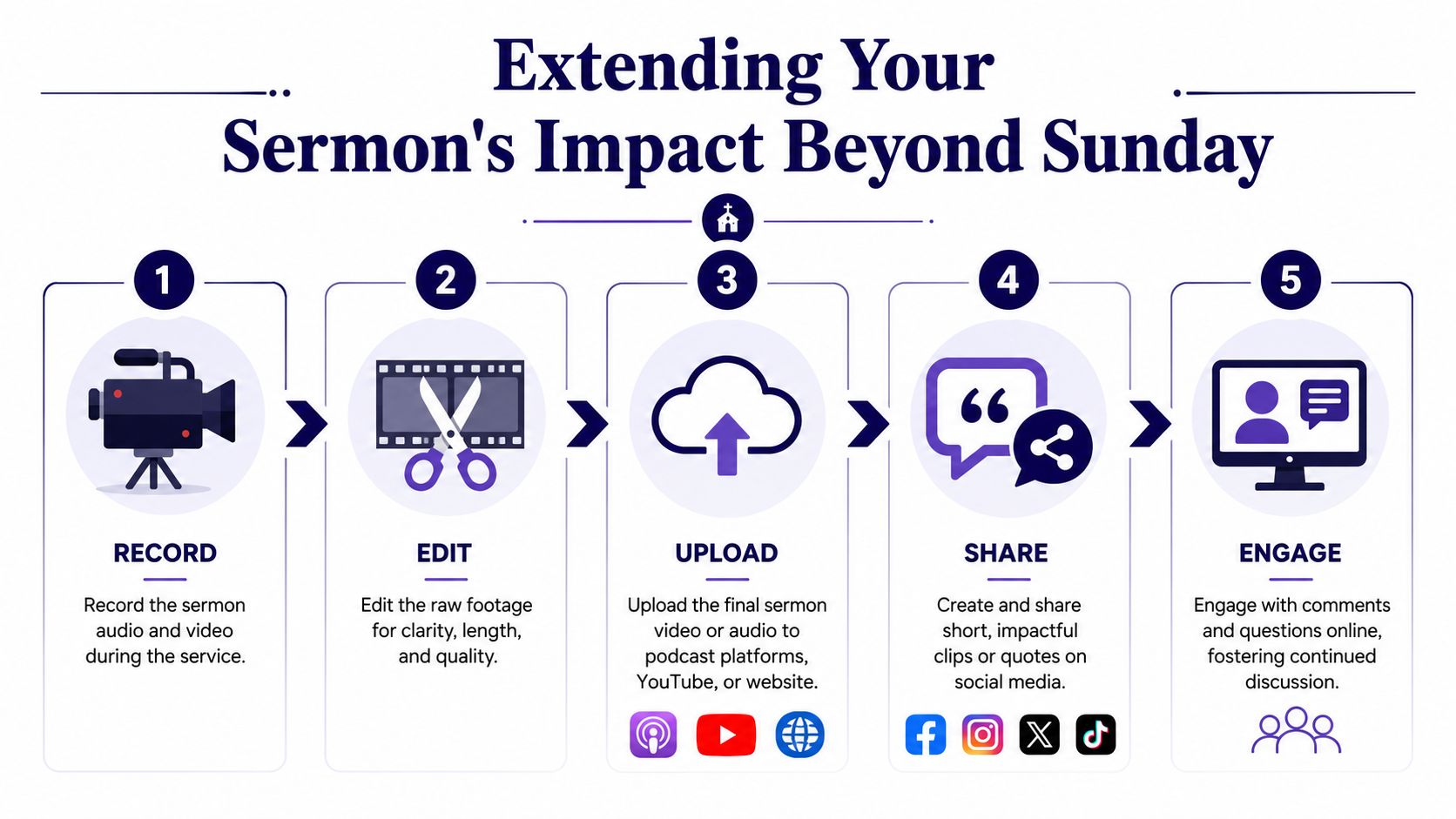
Most churches already have more content than they think. The sermon manuscript on your iPad can become the foundation for social posts, short video clips, blog content, small group prompts, devotional reflections, and event tie-ins during the week. That doesn't mean every sermon needs to become a content machine. It means the message you already prepared can continue serving people after the benediction.
The practical repurposing mindset
The iPad helps because your sermon already exists in digital form. You're not trying to reconstruct your message from handwritten notes. You already have a readable manuscript, likely a recorded message, and often a clear outline.
That opens the door to a simple weekly rhythm:
- Pull a strong quote for an Instagram or Facebook graphic
- Clip one key moment for a short-form video
- Turn the main points into a devotional email or blog post
- Use application questions for small groups or volunteer teams
- Connect the sermon theme to upcoming ministry events
This kind of workflow is especially helpful for small churches where one volunteer handles communication between Sunday and midweek. It reduces reinvention. One sermon can guide several pieces of follow-up communication without feeling repetitive.
Why churches benefit from a system
The challenge isn't usually ideas. It's consistency. Churches often have enough sermon content and not enough process.
A system helps your team move from “we should post something this week” to “we already know what to publish next.” If you want a practical framework for that kind of workflow, this guide on how to repurpose content is a solid place to start.
Sunday preaching and weekday communication shouldn't compete with each other. They should reinforce each other.
When your sermon starts on the iPad and continues through the week in digital form, the message doesn't get diluted. It gets extended. People hear it in the room, then see it again in their feed, then discuss it in a group, then share it with a friend.
If your church wants a simpler way to turn sermons into a full week of content, ChurchSocial.ai is built for that workflow. It helps churches create AI-generated sermon clips, social posts, blogs, graphics, and calendar-based publishing from one place. For solo volunteers and busy church teams alike, it's a practical way to carry Sunday's message into the rest of the week without adding a heavy production burden.


