

A lot of church YouTube channels have the same hidden problem. The sermon is strong, the title is fine, the upload finishes, and then YouTube offers a few thumbnail choices that look like they were grabbed at the worst possible moment.
That tiny image can decide whether a church member watches later, whether a visitor clicks for the first time, or whether a sermon gets ignored in a crowded feed. If you're managing video for a church with limited time, limited design help, and a long list of other ministry tasks, youtube auto generated thumbnails deserve more attention than they usually get.
The Unseen Hurdle in Your Church's YouTube Ministry
A volunteer records Sunday’s message. They upload it Sunday afternoon. YouTube processes the file and presents a few automatic thumbnail options.
One frame catches the pastor mid-blink. Another shows a blurry hand movement. The third lands on an empty stage while the worship slide is changing. None of them feel like the message people heard in the room.
For churches, this isn't just a design annoyance. It's a visibility problem. One underserved angle in the broader thumbnail conversation is how auto-generated thumbnails affect small creators and non-profits like churches. A creator-focused analysis notes that churches and similar organizations can see 20-50% lower CTR when they rely on defaults, because auto-generated options often underperform compared to custom choices and can slow channel growth for teams without design skills or verification access (creator analysis on thumbnail impact for non-profits and churches).
Why this hits churches harder
A church usually isn't publishing entertainment content built around visual spectacle. You're posting sermons, event promos, devotionals, announcements, testimonies, and livestream replays. That means the best moment in the video often isn't obvious from a random frame.
A preaching clip may be spiritually rich but visually subtle. A sermon series on prayer might look like a pastor standing behind a lectern for most of the video. If YouTube picks a weak frame, the video can look flat even when the message is compelling.
Practical rule: If the thumbnail doesn't quickly communicate clarity, warmth, and relevance, many viewers won't give the sermon a chance.
The first impression problem
People don't see your intentions. They see the thumbnail first.
That matters for two groups in particular:
- Church members catching up: They may already trust your church, but a weak thumbnail still makes the video easy to postpone.
- New viewers searching for hope: They don't know your pastor, your preaching style, or your church culture yet. The thumbnail often becomes their first signal of quality and care.
A church can put real effort into teaching, worship, and online ministry, then lose attention at the final step because the video cover image feels random. That's why youtube auto generated thumbnails aren't a minor technical detail. They're part of how your church presents the gospel online.
What Are YouTube Auto Generated Thumbnails
Think of youtube auto generated thumbnails like YouTube taking quick snapshots while your video plays, then guessing which still image is most likely to work.
It isn't hand-picked by someone on your team. It's selected by YouTube's system from frames inside the uploaded video.
How YouTube creates them
YouTube's automatic thumbnail generator uses a deep neural network, or DNN. According to a Harvard Digital Initiative summary of the system, YouTube samples frames from videos at one frame per second, assigns quality scores to those frames, and uses the top-scoring images to render thumbnails. In human evaluation testing, YouTube reported that the DNN-generated thumbnails were preferred over earlier automatic thumbnails in more than 65% of side-by-side ratings (Harvard Digital Initiative summary of YouTube's thumbnail system).
That sounds technical, but the idea is simple. YouTube's system is trying to answer questions like:
- Is this frame in focus?
- Is the subject centered?
- Does the image look clean enough to display?
- Is there a clear focal point?
Those are useful checks. They just aren't the same thing as ministry judgment.
Why the system can still miss the point
The AI can detect visual quality. It can't understand your sermon emphasis the way your team can.
It doesn't know that a specific phrase was the central takeaway. It doesn't know which image fits your church's branding. It doesn't know that the best thumbnail for a baptism testimony might be the moment just before the person enters the water, not the frame where everyone is moving.
The system can identify a sharp frame. It can't identify the frame that best reflects your church's intent.
That's the key confusion many teams have. They assume "automatic" means "optimized for ministry communication." It really means "YouTube selected a technically decent still from the video."
What to do with that knowledge
Auto thumbnails are best treated as a fallback, not a strategy.
If you need help pulling a better still image from a video before designing something custom, this guide on how to extract a thumbnail from a YouTube video can help you start with a stronger frame.
For a church team, the big takeaway is this. YouTube's system has improved, but it's still guessing from inside the footage. Your church needs a thumbnail that reflects the message, the series, and the people you're trying to reach.
Common Problems with Auto Thumbnails for Sermons
Church videos have patterns that make automatic thumbnails especially unreliable. Sermons are often steady, stage-based, and visually repetitive. That gives YouTube fewer obvious "high-energy" moments to choose from, so the selected frames can feel disconnected from what the video is primarily about.
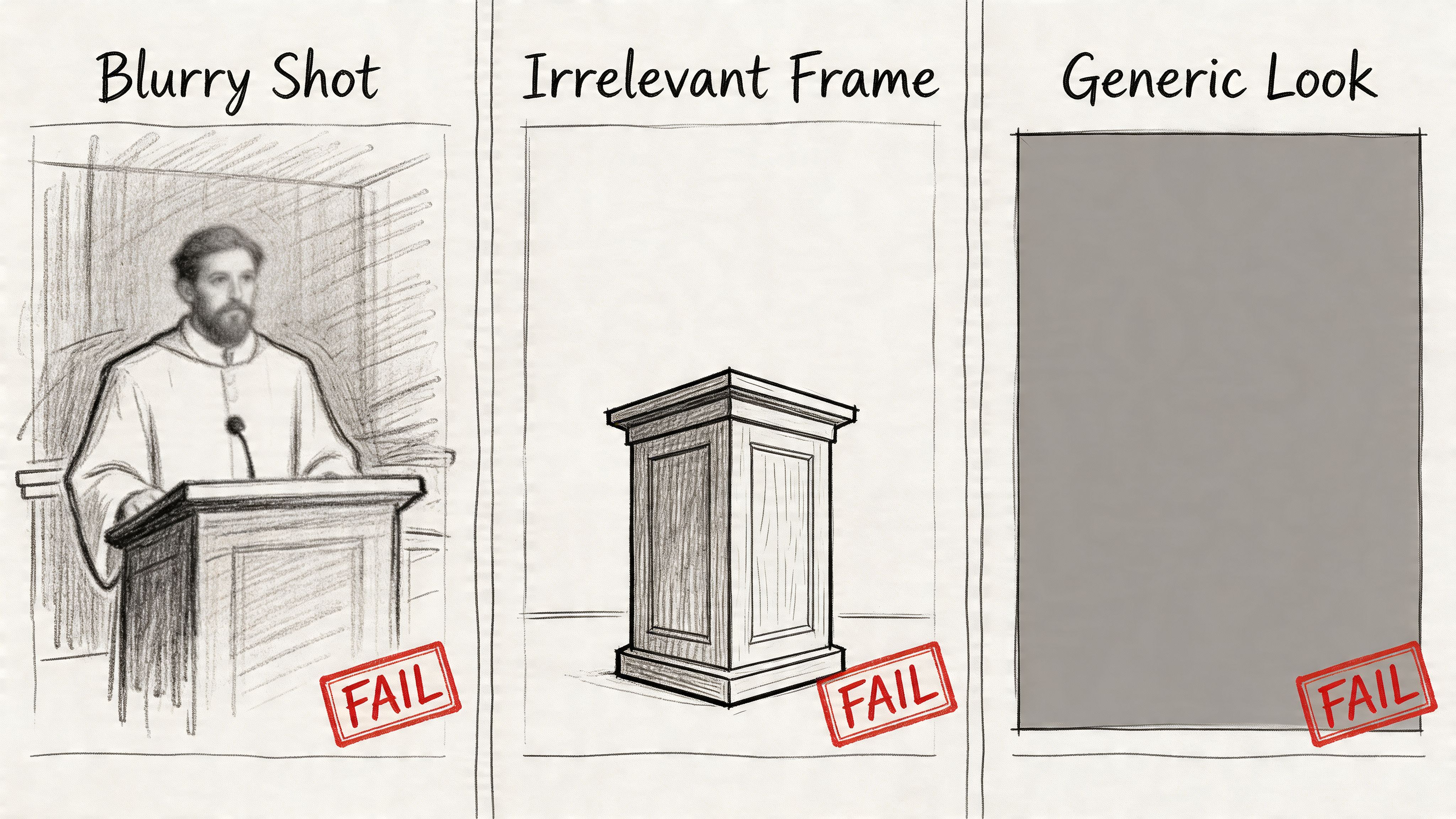
The awkward moment problem
Every church media volunteer has seen this one. The pastor is mid-sentence, eyes half-closed, mouth open, hand blurred in motion.
That frame may be technically valid, but it doesn't look thoughtful or inviting. It can make a strong preacher appear distracted or strained.
A sermon thumbnail doesn't need to look polished in a celebrity sense. It does need to feel clear and trustworthy.
The empty stage problem
Sometimes the selected frame lands before the sermon begins or during a transition. You end up with:
- A blank stage
- A podium with no one visible
- A projection slide filling the frame
- A dim lighting moment during setup
For the person browsing YouTube, that image says very little. It doesn't communicate who is speaking, what the topic is, or why the message matters.
The no-context problem
A sermon title often carries the actual hook. "Hope in Grief," "When God Feels Silent," or "How to Pray When You're Tired" tells viewers what they're clicking into.
Auto thumbnails usually don't include any of that context. They give you a frame, not a message.
Here's the difference in practice:
| Thumbnail type | What the viewer learns immediately |
|---|---|
| Auto-generated frame | Someone is on a stage, maybe speaking |
| Custom sermon thumbnail | The sermon topic, series name, speaker, and church identity |
That gap matters because church content often depends on relevance more than novelty. People click when they recognize the need being addressed.
The branding gap
Most churches want consistency across a sermon series. Maybe you use the same colors for a teaching series, a recurring young adults format, or an event campaign.
Auto thumbnails don't support that kind of visual continuity. One video may look warm and bright, the next dark and grainy, the next dominated by a slide deck. The channel starts to feel patchy rather than intentional.
A thumbnail isn't only about one video. Over time, it shapes how people perceive the whole channel.
The mobile readability issue
A thumbnail that looks acceptable on a desktop monitor can fall apart on a phone. Fine details disappear fast. A wide stage shot becomes a few small shapes. A face in the distance becomes unrecognizable.
That matters because church viewers often find content between tasks, after service, on a lunch break, or late at night on mobile. If the image doesn't read clearly at a small size, the video loses its chance.
The result isn't dramatic failure. It's quieter than that. Sermons get skipped. Event promos get missed. Strong content ends up looking weaker than it is.
Custom Thumbnails The Key to Higher Engagement
If auto thumbnails are a fallback, custom thumbnails are the key growth lever.
The clearest reason is performance. A roundup of thumbnail research reports that 90% of the most successful videos on YouTube feature custom thumbnails, and videos with custom thumbnails see a 150% increase in views compared to videos without customization (thumbnail statistics roundup).
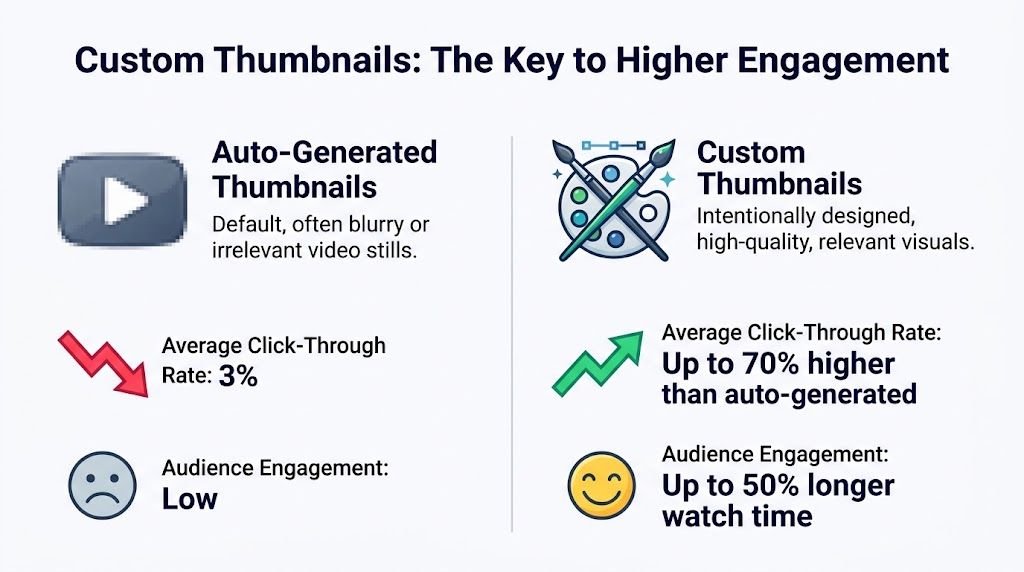
The point isn't that every church needs flashy design. The point is that intentional thumbnails consistently outperform accidental ones.
Why custom works better for churches
A custom thumbnail does several jobs at once.
First, it names the message. A viewer can tell whether the sermon is about anxiety, prayer, marriage, Easter, or a current series.
Second, it reinforces trust. A clean, consistent visual style tells people your church pays attention to communication. That matters online, where viewers make quick judgments.
Third, it helps repeat viewers recognize your content faster. If your channel uses a consistent look for sermons, shorts, and event videos, regular attendees start spotting your content in a busy feed.
The practical difference
Compare these two scenarios.
Auto-generated sermon thumbnail
- A dim frame from the middle of the message
- No sermon title
- No church branding
- No clue whether it's a sermon, testimony, or livestream replay
Custom sermon thumbnail
- Clear image of the speaker or relevant scene
- Short title tied to the message
- Consistent church colors
- Easy recognition across series and playlists
That second option gives people a reason to stop scrolling.
You don't need a designer to start
Many churches assume custom thumbnails require Adobe-level design skill. They don't. A simple template with one strong image, a readable title, and consistent branding can already be a major improvement.
If your team wants inspiration outside the church world, it helps to browse accessible graphic design tools like Canva and study how templates simplify layout, spacing, and text hierarchy.
Good custom thumbnails don't have to be clever. They have to be clear.
For churches, that's encouraging. You're not trying to outdo entertainment creators. You're trying to communicate the message in a way people can recognize and trust at a glance.
Best Practices for Church YouTube Thumbnails
A strong church thumbnail needs to be useful before it tries to be impressive. That means clarity, consistency, and readability come first.
YouTube's official thumbnail guidance, as summarized in this thumbnail specification and algorithm guide, requires 1280x720 pixels and a file size under 2MB. The same guide says the platform favors thumbnails with high contrast, bright colors that stand out, and concise text, with 72-point or larger text recommended for readability.
Start with the technical basics
If the file doesn't meet YouTube's expectations, you're making the job harder before the design even starts.
Use this quick checklist:
- Canvas size: Build at 1280x720 so the thumbnail fits YouTube's standard display.
- File weight: Keep it under 2MB so uploads work smoothly.
- Readable text: If you add words, make them large enough to survive small-screen viewing.
- Clear contrast: Separate your subject from the background so the image doesn't blur together.
Build around one message
Church teams often try to squeeze too much into one thumbnail. A sermon title, subtitle, speaker name, series logo, church logo, date, and background image can all end up competing for space.
Most of the time, one main idea is enough.
A better pattern looks like this:
- Choose one strong phrase from the sermon or event.
- Pair it with one clean visual.
- Keep the layout consistent across similar videos.
If you need inspiration for layouts and concepts before designing, browsing practical collections of YouTube thumbnail ideas can help you see what makes an image feel instantly understandable.
Make your series recognizable
Consistency helps a church channel look cared for. If you're in a sermon series, let every video share the same visual system.
That could include:
- A repeating color palette for the series
- The same text placement each week
- One font family across sermon uploads
- A common treatment for speaker photos or background imagery
This doesn't make the channel boring. It makes it recognizable.
Ministry shortcut: When people can identify your sermon series in a second, you've reduced friction before they ever read the title.
Design for phones first
Many volunteers build thumbnails on laptops but forget how tiny they appear on mobile.
Before publishing, shrink the image on your screen. If the title becomes hard to read or the subject gets lost, simplify it. A close crop usually works better than a wide stage shot. Shorter text usually works better than a full sermon subtitle.
For more church-specific guidance, this article on eye-catching thumbnails for church videos gives helpful examples you can adapt to sermons, events, and short clips.
The best church thumbnails usually don't feel complicated. They feel easy to understand.
Streamline Your Thumbnail Workflow with ChurchSocial.ai
The biggest barrier for most churches isn't knowing that custom thumbnails matter. It's making them consistently when the same team is also handling slides, livestreams, emails, events, and social posts.
That's where workflow matters more than theory.
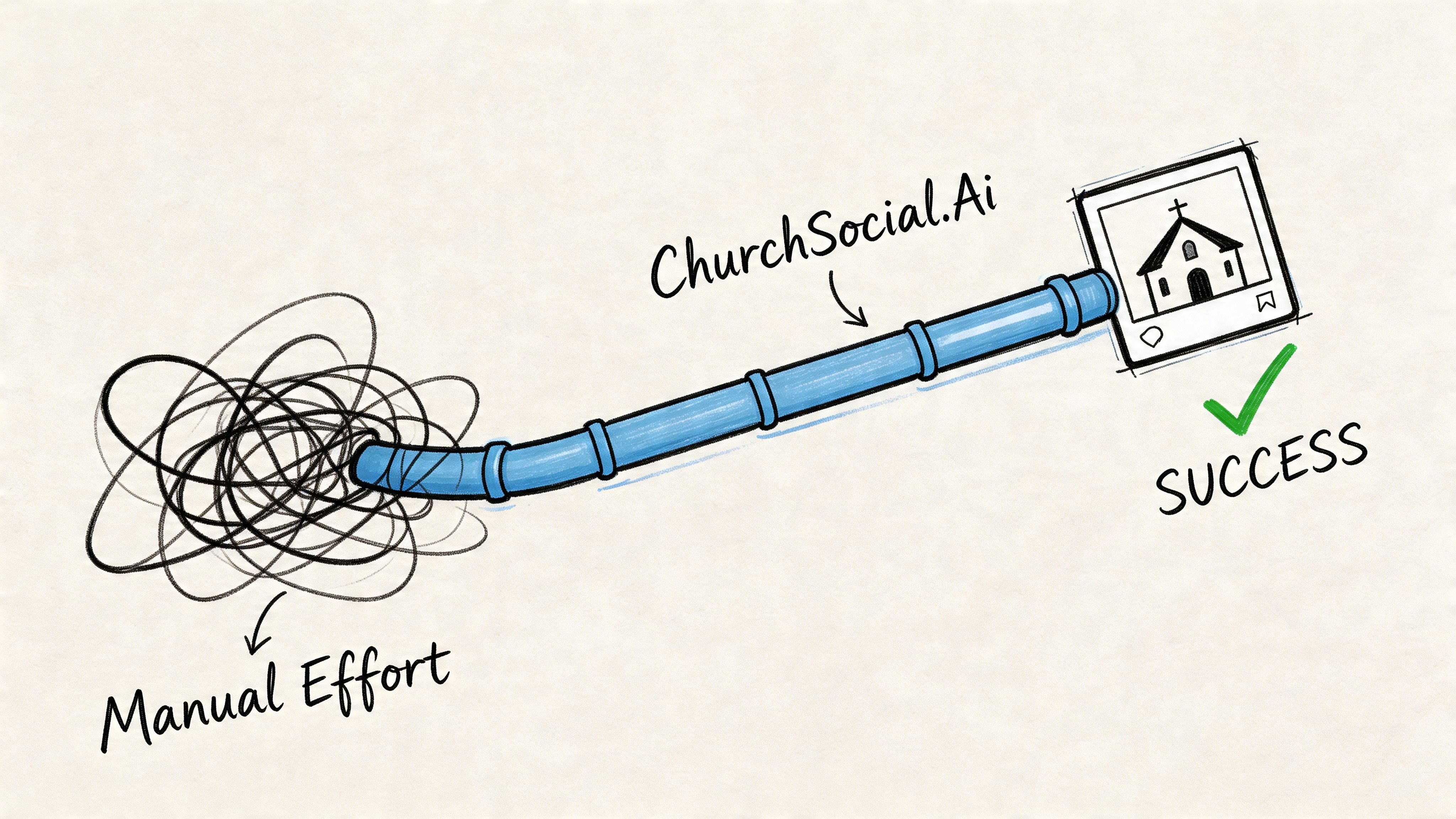
The real bottleneck isn't creativity
Most church teams can tell a good thumbnail from a weak one. The hard part is finding time to create one for every sermon clip, announcement video, event promo, and archived teaching replay.
A typical manual process looks like this:
- Export the video
- Scrub through it to find a usable frame
- Open a design tool
- Resize the canvas
- Add text
- Save the file
- Re-upload to YouTube
- Repeat for every new video
That process breaks down fast when one volunteer is carrying the full content load.
A better system for weekly ministry content
ChurchSocial.ai helps simplify that workload in a way that's practical for church teams, not just marketing departments.
Instead of starting from scratch every time, churches can use built-in graphic templates and the graphics editor to create thumbnail designs that already fit sermon series, event promotions, and recurring ministries. That matters because consistency is easier when the template does part of the thinking for you.
The platform also fits into a larger church content process. A sermon transcript can become social posts or blog content. A sermon recording can become AI-generated reels. Each of those video assets benefits from having a thumbnail that feels connected to the same church brand.
Why this matters for older sermon libraries too
Thumbnail work isn't only for new uploads. Older sermons often keep getting discovered through search, playlists, and church website embeds. That's why refresh workflows matter.
A 2025 to 2026 trend analysis on automation workflows describes using AI to refresh brightness and contrast on older church video thumbnails for better mobile readability, reporting 15-30% CTR improvement through continued exposure in those workflows (AI thumbnail refresh workflow trend analysis). The key takeaway isn't that every church needs an advanced experiment. It's that evergreen content can benefit from visual updates, especially when non-technical teams can make those changes without a complicated design process.
Older sermons still minister to people. Their thumbnails should still serve the message well.
Where scheduling fits in
A good thumbnail workflow also connects to publishing. If the image is created but the post still lives in someone's downloads folder, the process is still fragile.
ChurchSocial.ai solves that with a drag-and-drop content calendar built for church communication teams. That means a sermon clip, event video, or YouTube upload doesn't have to move through disconnected tools. The same platform supports planning, creation, and scheduling across channels.
Integrations also help. If your church already uses Planning Center and church calendars to track upcoming events, that information can feed into content planning instead of forcing your team to rebuild every campaign manually.
If you're exploring simple ways to create better visuals before posting, these free thumbnails for YouTube can give your team a practical starting point.
For churches, the win isn't just prettier thumbnails. It's a repeatable process that volunteers can maintain week after week.
From Unseen to Unforgettable
YouTube thumbnails are the front door to your church's video ministry. When that door looks random, blurry, or disconnected from the message, strong content gets overlooked.
youtube auto generated thumbnails are useful as a fallback. They are not a complete communication strategy for sermons, event promos, or ministry clips. Churches need thumbnails that represent the message clearly, look trustworthy on mobile, and create consistency across the channel.
The encouraging part is that this doesn't require a large media team. A simple template, a better frame, readable text, and a repeatable workflow can change how your content is received. Small improvements in this area can help more people notice the message your church is already working hard to share.
If your current thumbnails feel like an afterthought, that's fixable. And for many churches, it's one of the simplest upgrades they can make to improve digital outreach.
If your church wants an easier way to turn sermons into clips, create branded thumbnails and graphics, plan posts on a visual calendar, and manage everything in one place, ChurchSocial.ai is built for exactly that kind of ministry workflow. It helps churches create content from sermon transcripts, design posts without needing a full creative team, connect with tools like Planning Center, and keep social media moving without chaos.


