
Most church teams aren’t struggling because they lack good content. They’re struggling because Sunday keeps coming, the calendar is full, and one sermon somehow needs to become five or six useful pieces of content by midweek.
A youtube shorts transcript then stops being a hidden technical extra and starts becoming a ministry asset. If your church is already posting sermon clips, the transcript gives you the raw material to sharpen captions, write posts, pull quotes, build blogs, and keep your message consistent across platforms without starting from scratch every time.
Why Your Church Needs a YouTube Shorts Transcript Strategy
A lot of churches treat Shorts as a quick side format. Post the clip, add a caption, hope it reaches someone. That works sometimes, but it leaves a lot of ministry value on the table.
YouTube Shorts has become a massive discovery channel. By 2026, Shorts reached 2 billion monthly active users, and 74% of views come from non-subscribers, which makes it YouTube’s primary discovery tool for reaching people beyond your existing audience, according to LoopEx Digital’s YouTube Shorts statistics. For churches, that matters because many people who encounter your message online won’t already follow your channel.
The transcript: A frequently overlooked part
The video gets the attention. The transcript offers an advantage.
When a church has the words from a sermon clip in text form, the team can do more than repost a video. They can:
- Pull exact quotes for graphics and captions
- Clarify the message so the hook matches what the pastor said
- Turn spoken points into written content for blog posts or devotionals
- Improve accessibility for people who rely on captions
- Speed up volunteer workflows because nobody has to rewatch the same clip repeatedly
A short video may last under a minute. The transcript can power content for the rest of the week.
Why this matters for small church teams
Most church communications problems are workflow problems, not creativity problems.
A volunteer social media lead may have enough time to post one Short. They usually don’t have time to manually transcribe it, clean up the wording, write an Instagram caption, draft a blog excerpt, and schedule a few follow-up posts. A transcript strategy changes that because one asset becomes the source for everything else.
That’s also why a platform built around church workflows helps. Instead of treating the video, caption, calendar, event promotion, and sermon repurposing as separate jobs, ChurchSocial.ai simplifies the process into one system that supports planning, editing, publishing, and ongoing ministry communication.
How to Get a Transcript from Any YouTube Short
The good news is that getting a youtube shorts transcript is usually straightforward once you know the workaround.
The less fun part is that YouTube Shorts doesn’t always make the transcript option obvious on the Shorts page itself. You often need to convert the URL first.
The manual method that works
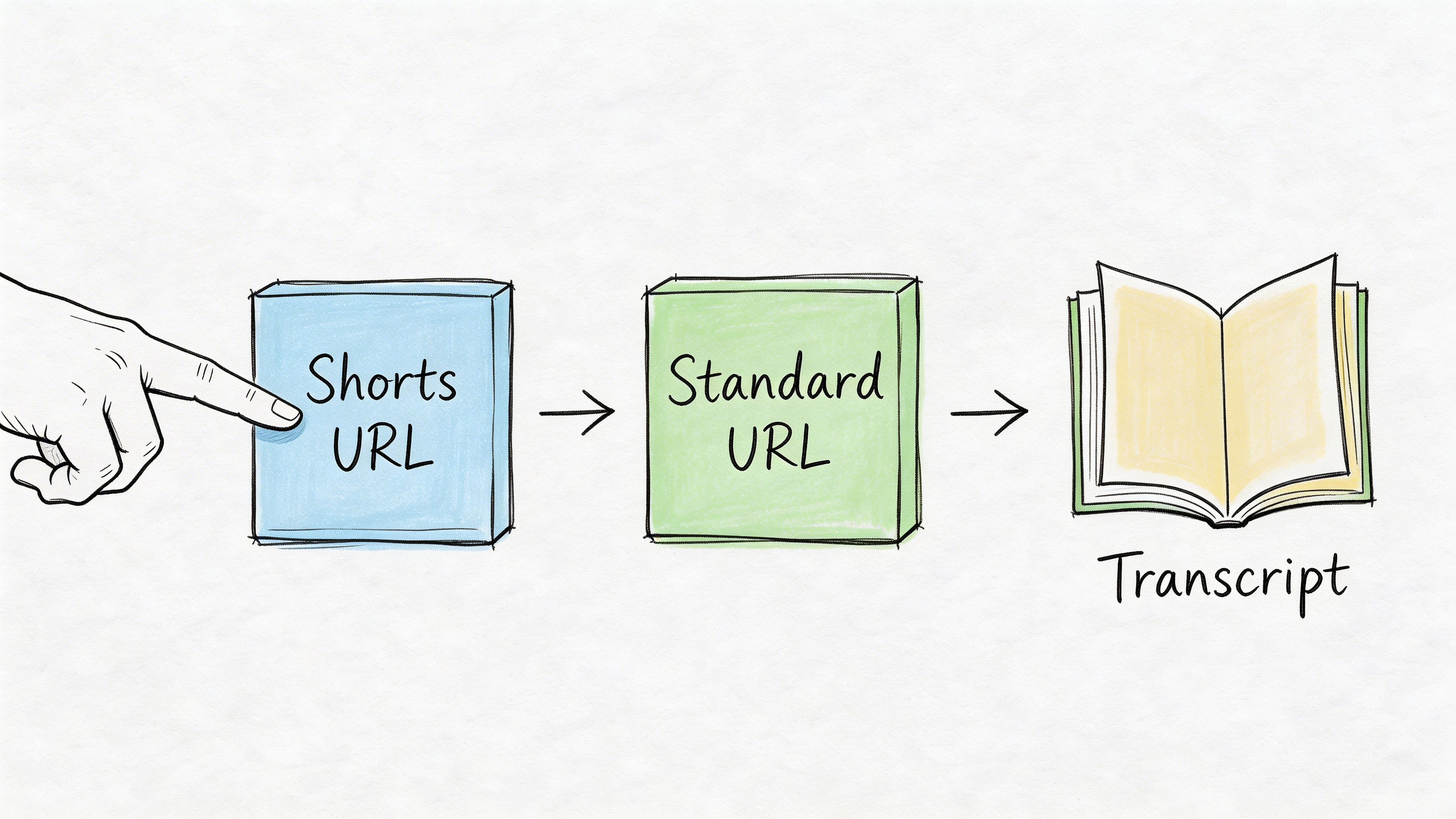
The manual method involves changing the URL from youtube.com/shorts/VIDEO_ID to youtube.com/watch?v=VIDEO_ID to access the transcript option. The transcript YouTube reveals is typically 85-90% accurate for clear English audio, according to SendShort’s guide to YouTube transcript retrieval.
Use this process:
- Copy the Shorts URL
Open the Short you want to use and copy the link. - Find the video ID
If your URL looks likeyoutube.com/shorts/ABC123, the video ID isABC123. - Replace the URL format
Turn it intoyoutube.com/watch?v=ABC123. - Open the standard video page
Load that new URL in your browser or app. - Expand the video details
Click or tap into the description area. - Select Show transcript
You should now see the transcript panel with timestamps.
When this method is enough
If your church only needs a transcript once in a while, the manual route is fine.
It works well for things like:
- A single sermon clip you want to quote accurately
- A one-time blog summary
- A volunteer review pass before posting the Short elsewhere
- Quick corrections to captions before publishing
Practical rule: If you only need one transcript today, use the free workaround. If you need this every week, build a repeatable system.
Where the manual process starts to break down
The problem isn’t whether the method works. It’s whether your team can keep doing it consistently.
A church that posts multiple clips each week usually needs more than a copy-and-paste transcript. The team needs to identify strong moments, organize ideas, and turn those ideas into posts, blog content, and follow-up assets. Integrated workflows become more useful than one-off tricks.
If you want a fuller walkthrough on turning video into usable text, this guide on https://www.churchsocial.ai/blog/how-to-transcribe-video-to-text is a practical next step for church teams building a repeatable process.
From Raw Text to Polished Sermon Snippets
A raw transcript is a draft. It’s not finished content.
That matters even more in church communication because small wording mistakes can change meaning, flatten tone, or make a pastor sound less clear on the page than they did in the room.
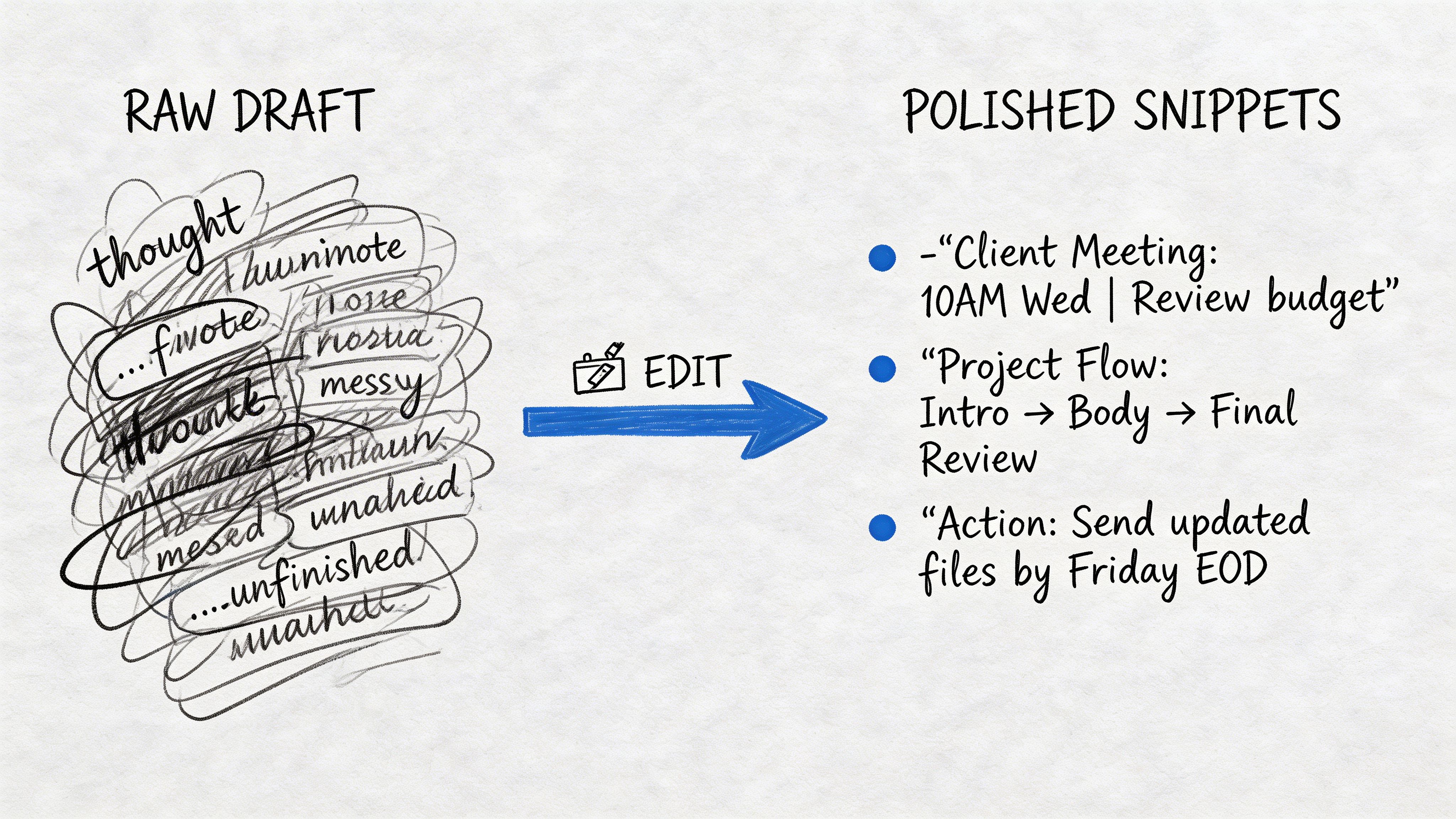
Editing is important because filler words like “um” and “amen” can inflate transcript length by 15-20%, and AI summaries of faith-based content can reduce perceived authenticity by up to 35% if nobody reviews them for nuance and tone, according to YouTube-Transcript.io’s discussion of transcript editing workflows.
What to clean up first
Start with the parts that affect clarity fastest.
- Fix theological terms
Church language gets misheard often. Words tied to doctrine, Scripture, liturgy, or ministry roles need a careful review. - Remove filler language
Spoken communication includes repetition. Written communication usually shouldn’t. - Break up long blocks of text
A transcript often comes as one long stream. Add paragraphs where the idea shifts. - Restore punctuation
A sermon that sounded warm and natural can read confusingly if the transcript has no sentence structure. - Add speaker labels when needed
If your Short includes an interview, testimony, or multiple voices, identify who said what.
Before and after matters more than teams expect
A raw line might read like this:
“Um today I just want to say amen if you’re tired and if you’re carrying something heavy God is still working even when you can’t see it”
A cleaned-up version might become:
“If you’re tired and carrying something heavy, God is still working, even when you can’t see it.”
Same message. Better pacing. Better readability. Better chance of becoming a useful caption or quote graphic.
What not to do
Some teams over-edit and remove the pastor’s voice. Others under-edit and publish the transcript exactly as-is. Both create problems.
A useful middle ground looks like this:
| Issue | What works | What doesn’t |
|---|---|---|
| Filler words | Remove obvious verbal clutter | Deleting every informal phrase until the voice feels stiff |
| Theology terms | Verify against sermon notes or Scripture references | Assuming AI heard niche church language correctly |
| Tone | Keep the preacher’s natural cadence | Turning every clip into generic motivational copy |
| Multi-speaker clips | Add names or labels | Leaving readers to guess who is speaking |
Unedited transcript text can make a faithful message feel careless. Clean editing protects the message, not just the grammar.
If you’re preparing clips from sermons, think of transcript editing like audio cleanup. You aren’t changing the sermon. You’re removing friction so people can hear it clearly in written form.
Automate Your Content Workflow with AI Tools
The hardest part of church content work isn’t knowing that repurposing is possible. It’s having enough time to do it well.
Many teams can manually find a clip, trim it, subtitle it, pull a quote, write a caption, and draft a blog intro. They just can’t keep that pace every week without burning out a staff member or volunteer.
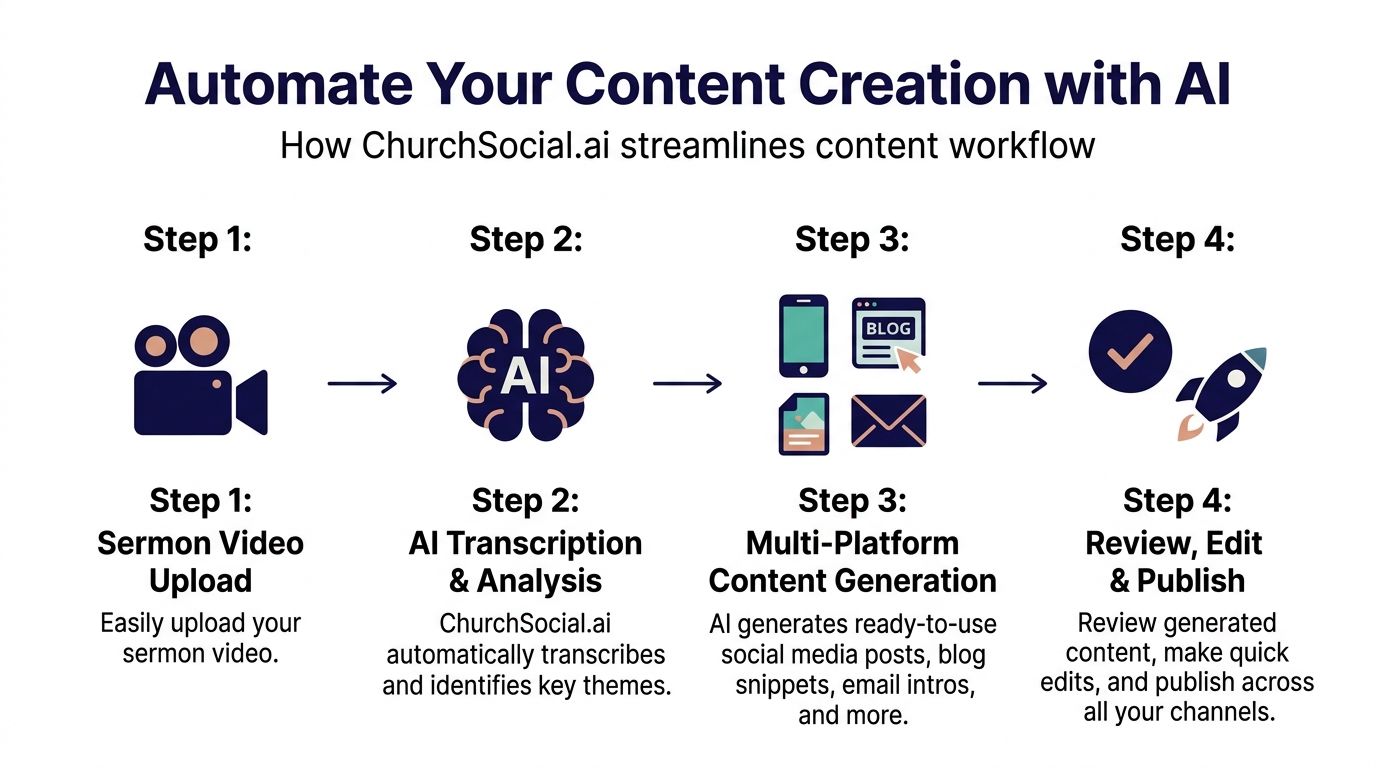
AI-assisted workflows can cut content creation time by 95%. Work that takes 3-6 hours manually for finding moments, editing, and captioning can be completed in under 15 minutes, and AI clip suggestions achieve 80-90% creator approval on the first pass, according to Klap’s breakdown of AI-assisted transcript and clip workflows.
What automation should handle
Good automation doesn’t remove ministry judgment. It removes repetitive production work.
That usually means the tool should help with tasks like:
- Transcribing the sermon
- Identifying strong clip moments
- Drafting captions and post copy
- Pulling themes and key statements
- Creating first-draft blog content
- Organizing a publish-ready workflow
One integrated church workflow can save real time. ChurchSocial.ai can take a sermon video, generate clips from the transcript, create social posts and blog-ready content from that same transcript, and place everything into a visual calendar alongside event-based posts from Planning Center and other church calendars. That combination matters because most churches don’t need another isolated AI tool. They need fewer handoffs.
What still needs a human review
Automation helps most when your team keeps ownership of message accuracy.
Use AI for the first pass. Keep people responsible for:
- Doctrinal nuance
- Pastoral tone
- Scripture references
- Sensitive topics
- Appropriate clip framing
A strong workflow is usually AI first, human final.
If your team also needs help generating fresh angles from the transcript, Bulby’s AI brainstorming tool can be useful for turning one sermon theme into follow-up questions, content hooks, or ministry discussion prompts.
A simple decision filter for church teams
Ask these three questions before choosing your setup:
- Does this save production time every week?
If the tool still requires manual copying across five apps, the time savings disappear. - Can it work from the sermon transcript outward?
That’s the most efficient starting point for repurposing. - Can non-designers and volunteers use it?
Many churches don’t have a dedicated editor on staff.
For a broader look at practical options, this resource on https://www.churchsocial.ai/blog/best-ai-tools-for-content-creation can help your team compare tools based on real ministry workflows.
Turn One Sermon Into a Week of Content
One sermon usually contains more usable content than most churches publish.
The challenge isn’t lack of material. It’s knowing how to break one message into formats that fit different platforms without sounding repetitive or losing the heart of the sermon.
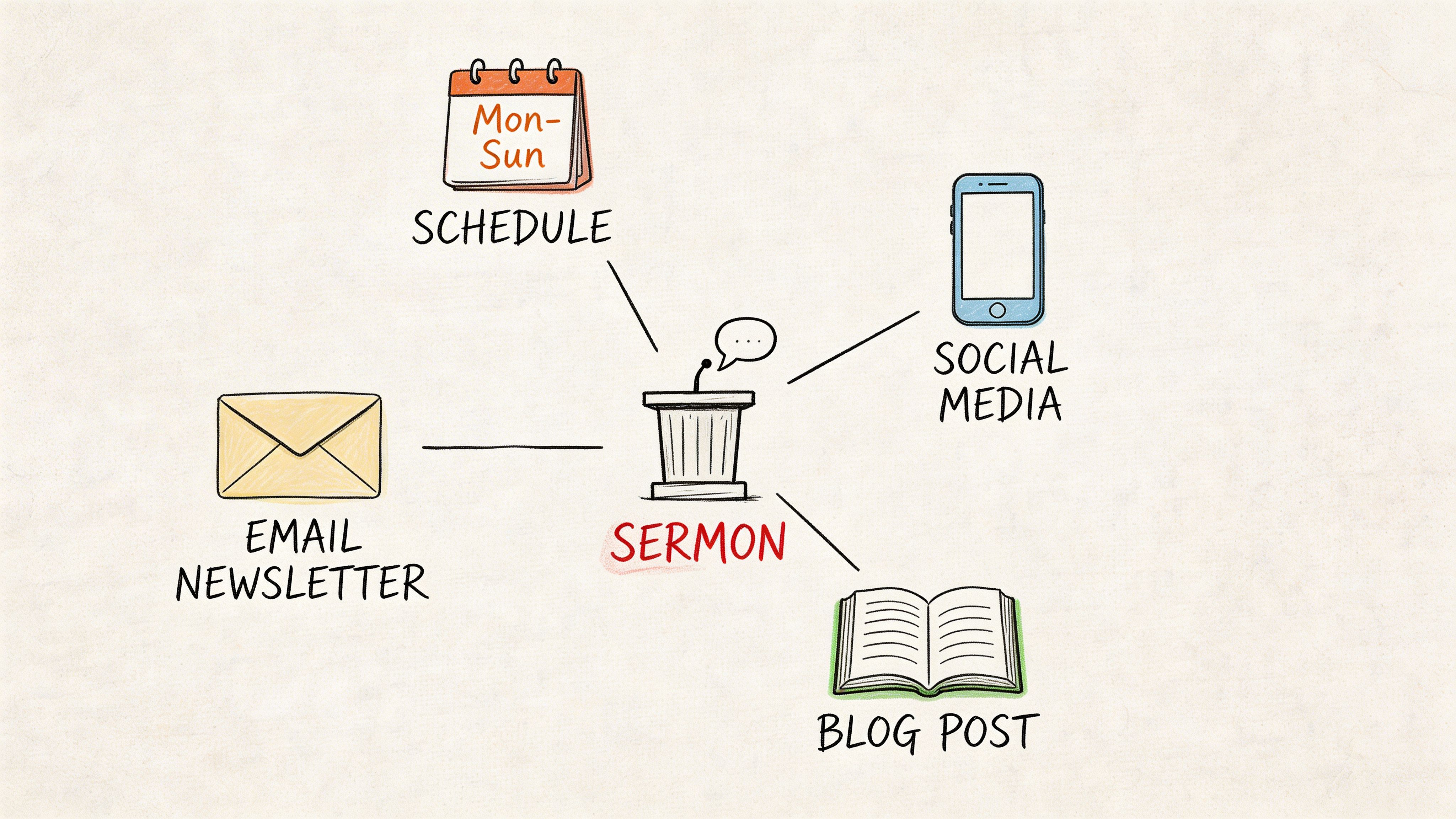
For churches creating weekly sermon content, batch transcription and repurposing is essential. Tools also need to handle church-specific vocabulary, since religious terms can be mis-transcribed 40% more often than standard vocabulary, which affects discoverability, as noted in this YouTube discussion of transcription challenges for religious content.
Monday through Friday from one transcript
Here’s a practical rhythm many church teams can adapt.
Monday blog post draft
Take the cleaned transcript from your main sermon clip and expand the central point into a short blog post.
Use the pastor’s own language as the framework. Add a brief introduction, a few section headers, Scripture references, and a closing application. This keeps the blog aligned with the sermon rather than sounding like generic devotional content.
Tuesday quote graphic
Pull one sentence that stands alone.
Good quote candidates are clear, pastoral, and specific. Avoid lines that only make sense with full sermon context. If your team uses templates, graphic consistency makes a big difference because the same transcript can feed both a square post and a story version.
Wednesday carousel teaching post
Some sermon moments work better as a sequence than a single quote.
A transcript can become a carousel like this:
- Slide one with the main question
- Slide two with the tension people feel
- Slide three with the sermon’s key truth
- Slide four with a Scripture reference
- Slide five with a response prompt or invitation
That’s often easier for churches than inventing midweek content from nothing.
Thursday group discussion prompts
A strong youtube shorts transcript also helps discipleship teams.
Take one clip and turn it into a few prompts:
- What part of this message challenged you?
- Where do you see this truth in daily life?
- What would obedience look like this week?
This works well for small groups, volunteer teams, or email follow-up after Sunday.
Friday accessibility and video support
Use the transcript to create clean subtitle files or tighter on-screen captions.
That helps people who watch with sound off, people who need captions for comprehension, and anyone who benefits from clearer wording on screen.
Why batching beats weekly scrambling
When a team works from one sermon transcript in a batch, the message stays consistent.
That consistency matters because churches often have multiple people touching content across the week. One person edits the clip. Another writes the caption. Someone else schedules posts. Without a shared transcript, each person interprets the message from memory.
Ministry workflow note: The transcript becomes the shared source of truth. That reduces confusion and protects the pastor’s intent.
If your team wants a practical model for this kind of repurposing workflow, https://www.churchsocial.ai/blog/repurpose-content-ai is a useful reference point.
Your Next Step in Digital Ministry
A youtube shorts transcript is easy to underestimate because it looks like plain text. In practice, it gives your church a repeatable way to move from one sermon moment to a full week of outreach content.
That’s the shift. You stop treating Shorts as isolated posts and start treating each transcript as reusable ministry language. It helps with clips, captions, blogs, graphics, accessibility, and team alignment.
If your church has been posting video without a clear repurposing process, this is a strong place to simplify. Start with one recent sermon clip. Pull the transcript. Clean it up. Turn it into two or three additional pieces of content. Once that rhythm feels natural, build it into your weekly communications process and let the system carry more of the load.
Common Questions About YouTube Shorts Transcripts
What if the audio quality is poor
Start with audio cleanup before transcript cleanup.
If the recording includes room echo, low volume, or heavy background noise, expect more transcription mistakes. In those cases, review the transcript against the original audio and check every ministry-specific phrase, Scripture citation, and proper name before repurposing anything.
How should churches handle worship music inside a Short
Treat music sections differently from spoken-word sections.
Lyrics, congregational singing, and underscoring can confuse transcript tools. If the Short includes both sermon audio and worship audio, pull only the spoken section for blog or caption repurposing unless you’re ready to manually edit the music portions carefully.
What about multilingual ministry content
Use the transcript as a starting point, not the final version.
If your church serves multiple language groups, create the base transcript first, then have a trusted reviewer check translated phrasing for pastoral tone and theological accuracy. Direct word substitution often misses the warmth, rhythm, and cultural meaning that matter in ministry communication.
If you’re ready to turn sermons into clips, captions, blogs, graphics, and scheduled posts without juggling a stack of disconnected tools, take a look at ChurchSocial.ai. It’s built for church teams that need a simpler way to plan, create, and manage social media around the rhythm of ministry.


